HART Tri-Loop HART-to-Analog Signal Converter
2-10
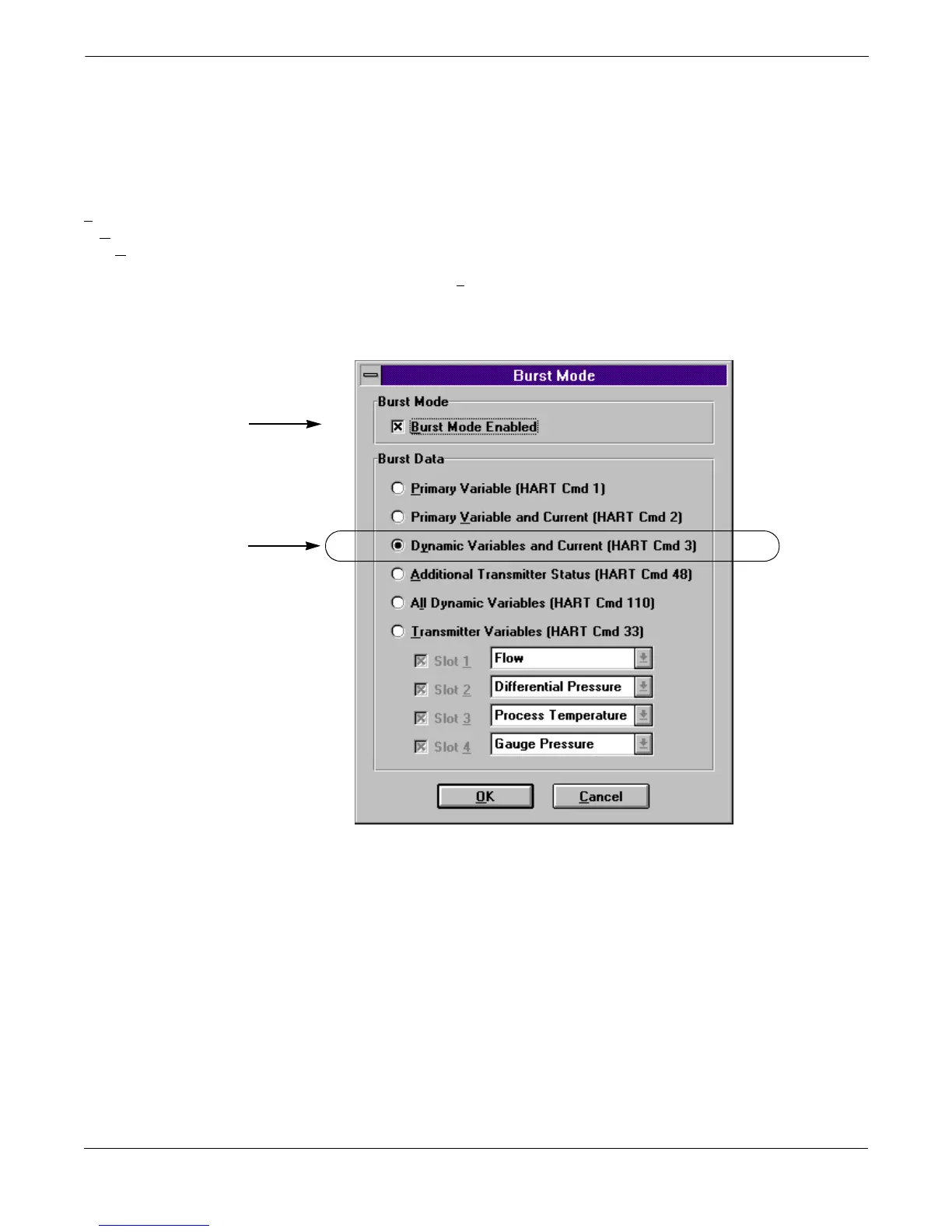
Set the Model 3095 MV to
Burst Mode
For the Tri-Loop to receive the process variables, the Model 3095 MV
must be set to Burst Command 3. Burst mode is compatible with use of
the analog signal. Burst mode applies only to the transmission of burst
data, and does not affect the way other Model 3095 MV data is
accessed.
T
ransmitter
H
ART Output
B
urst Mode
1. Using the Model 3095 MV Engineering Assistant, access the
Burst Mode Screen.
2. If required, click on the Burst Mode Enabled box.
3. Select Dy
namic Variables and Current (HART Cmd 3), then
select OK.
FIGURE 2-10. Burst Mode Screen.
3095-30950117


 To Next Page