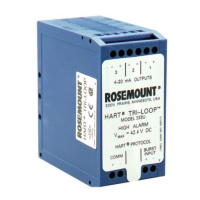
HART Tri-Loop HART-to-Analog Signal Converter
3-2
Minimum Equipment and
Software
• MS-DOS based 386 computer or above
• MS DOS
®
5.0 or higher
• 640K base RAM with 8 MB extended
• Microsoft
®
Windows
®
3.1, Windows for Workgroups 3.11, or
Windows 95
• Mouse or other pointing device (optional)
• Color computer display (optional)
• HART Tri-Loop Configurator Software, HART modem, set of
modem cables
Installation Procedure
This procedure assumes that both DOS and Windows are already
installed.
NOTE
In this manual,
return
indicates to press the return or enter key.
1. Power on the computer
2. After completion of boot-up procedures, verify that the computer
is in Microsoft Windows. If the computer is at the DOS prompt
(for example, C:\), type win
return
to start Windows.
3. Insert the floppy disk containing the first HART Tri-Loop
Configurator Software into the personal computer disk drive.
4. Select F
ile, then select Run from the Program Manager to display
the Run window. Depending on the disk drive, enter either
a: setup or b: setup, then click OK.
5. Follow the directions provided by the setup utility to install the
HART Tri-Loop Configurator Software. Setup may require 3 or 4
disks, depending on the computer operating system.
NOTE
The HART communications port can be either COM1 or COM 2. The
HART communications port must be different than the mouse port.


 To Next Page