HART Tri-Loop HART-to-Analog Signal Converter
3-6
MENU STRUCTURE
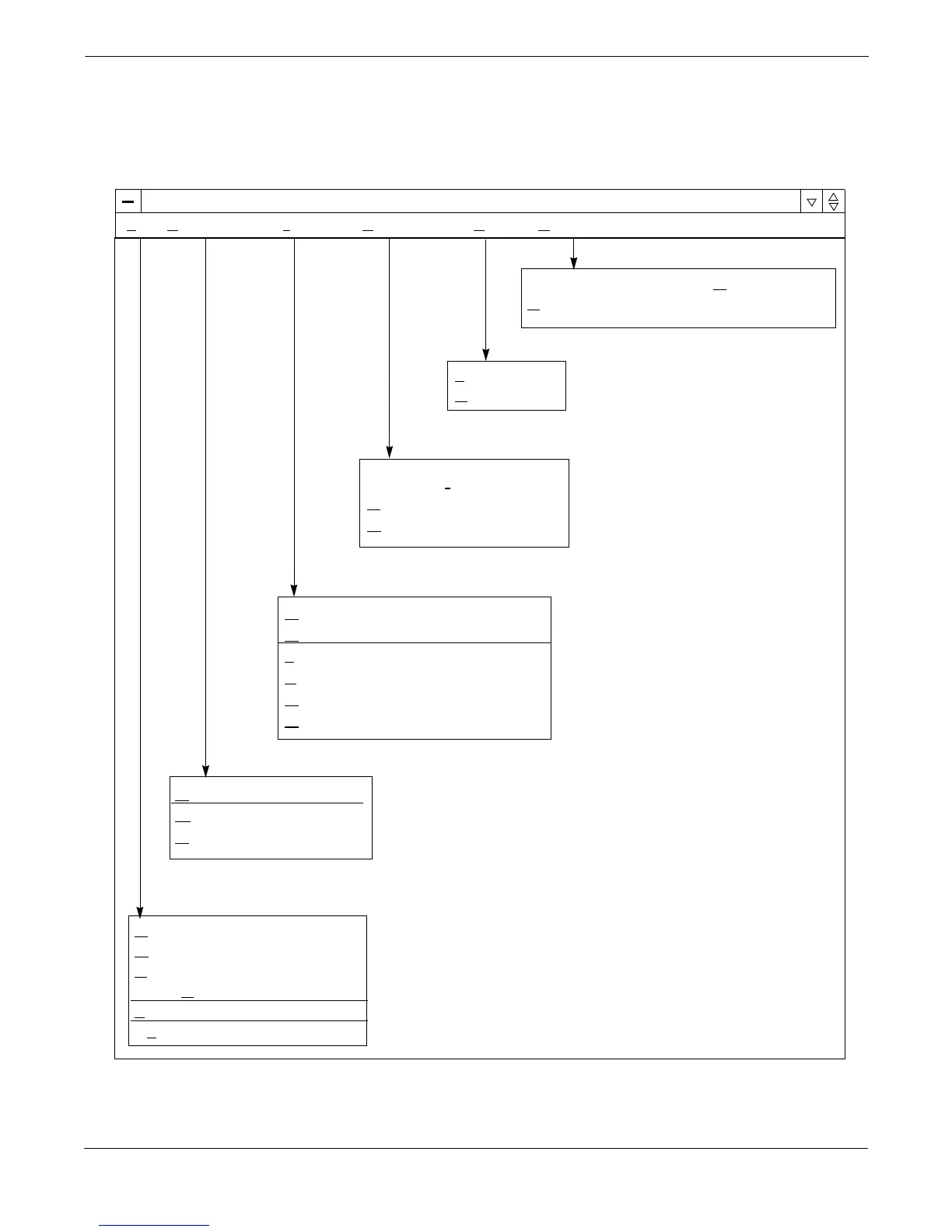
Figure 3-5 illustrates the complete menu structure for the HART
Tri-Loop Configurator Software. For information on any of these menu
items, refer to the Configurator on-line help files.
FIGURE 3-5. Configurator Menu Structure.
HART
®
Tri-Loop Configurator
File Configuration Tri-Loop Diagnostics View Help
Connect to Tri-Loop
D
isconnect from Tri-Loop
T
rim Outputs
F
ixed Outputs
H
ART Preambles
R
ecall Factory Default Trims
New Ctrl + N
Open... Ctrl + O
Save Ctrl + S
Save As...
1
filename
.
tlp
Exit
Configure Channels
Open from Tri-Loop
S
avetoTri-Loop
Tri-Loop Information
E
rror Info
R
eset
Toolbar
Status Bar
Tri-Loop Configurator Help Topics
About Tri-Loop Configurator...


 To Next Page