2120
Connection
Enjoying 2 Channel Digital Stereo Sound
CC
CC
aa
aa
uu
uu
tt
tt
ii
ii
oo
oo
nn
nn �You must set Digital Out of AC3 at "PCM" in Audio Setting.
�When connecting it, refer to the Audio system's manual.
Video Cable
Front
Speaker
(left)
Front
Speaker
(right)
To DIGITAL Audio Output
Receiver equipped with a
Dolby digital decoder
Rear Panel
Connection
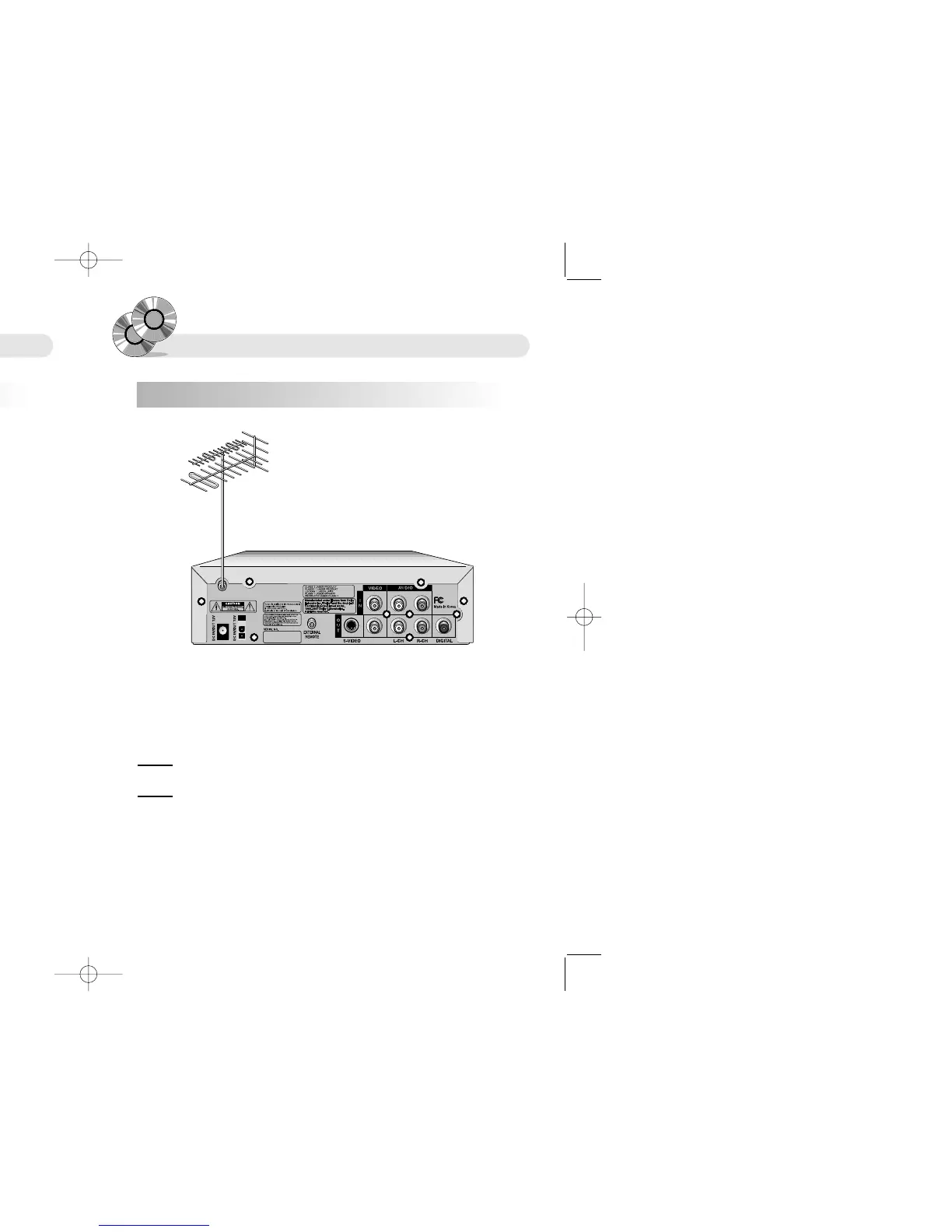
Connecting TV antena / TV cable
1. Prepare TV antenna or TV cable to see TV.
2. Connect TV antenna or TV cable to antenna jack on the back of your DVD Player.
CC
CC
aa
aa
uu
uu
tt
tt
ii
ii
oo
oo
nn
nn �When you connect TV antenna to DVD Player, be sure to turn off the power and unplug all of
the equipment from the power souce before making any connections.
WW
WW
aa
aa
rr
rr
nn
nn
ii
ii
nn
nn
gg
gg �Choose Air channel or Cable channel by pressing menu key.
�Air channel range : 2ch~69ch
�Cable channel range : 1ch~125ch
�No control Volume under watching TV


 To Next Page