12
Description
13
Rear Panel
Important Safety Instruction When using DC IN jacks
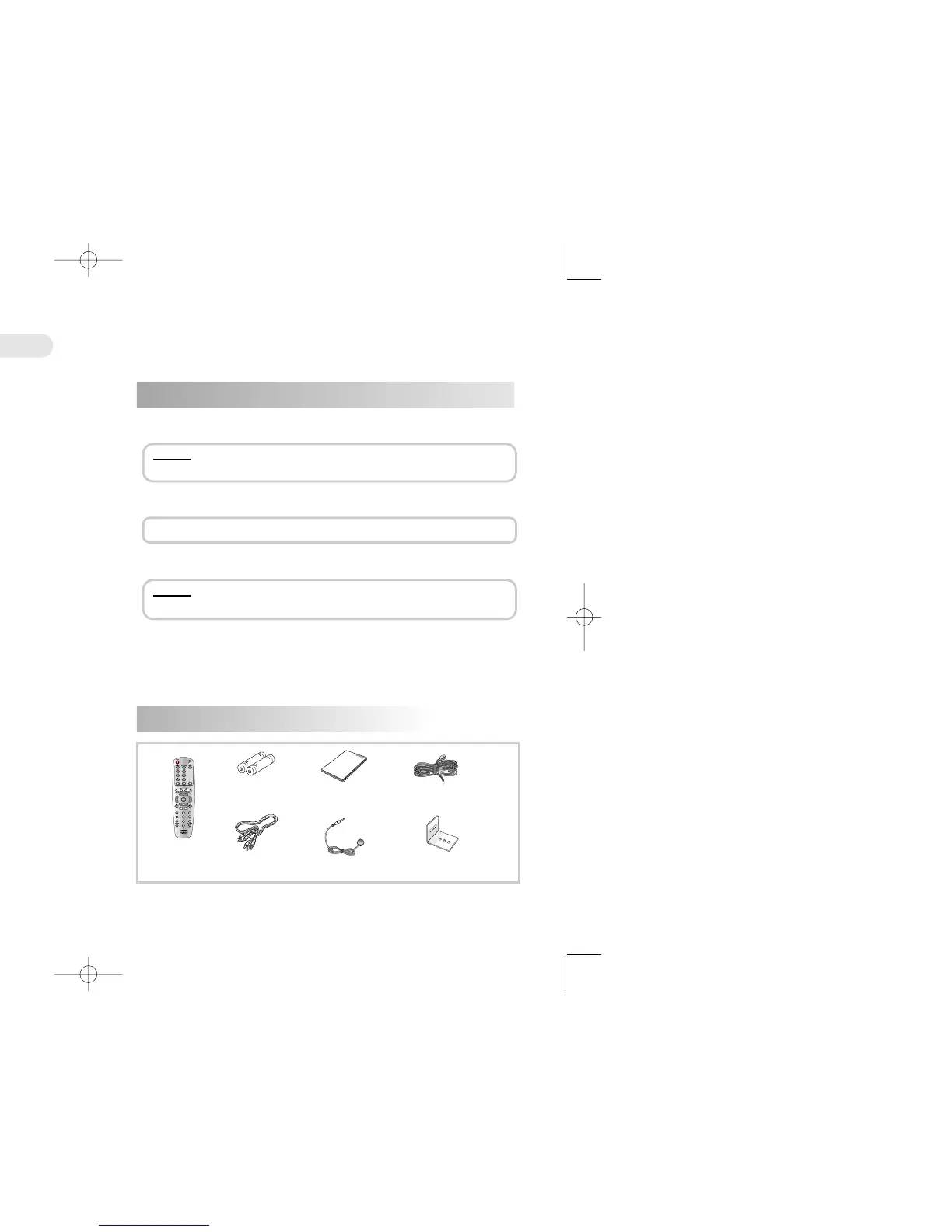
Accessory
① EXTERNAL REMOTE CONNECTOR
Connect an external remote cable(provided) to this jack.
② DC IN/OUT Connect DC 12V power cable.
③ DC IN/OUT Input from DC 12V power source from cigar jack.
④ VIDEO INPUT Connect a video cable to video output of auxiliary devices.
⑤ AUDIO INPUT Connect a audio cable to audio output of auxiliary devices.
⑥ VIDEO OUT Connect a video cable to this jack and to the Video Input jack on
your TV.
⑦ AUDIO OUT Connect the audio cables(left and right) from these jacks on your DVD
player to the corresponding Audio Input jacks on your TV or Receiver.
⑧ DIGITAL AUDIO OUT (Coaxial)
Use a coaxial cable(not provided) to connect your DVD player to a
compatible Dolby Digital.
⑨ S-VIDEO Use the S-Video cable to connect this jack to the S-Video jack on your
television for a higher quality picture.
⑩ ANTENNA INPUT JACK Connect TV Antenna to DVDplayer.
3 9 62 1 87
410 5
Description
WW
WW
aa
aa
rr
rr
nn
nn
ii
ii
nn
nn
gg
gg: Use AC/DC Adapter (DC 12V, 2A) when playing the DVD player at home using an
external power source.
1. When using this DVD player at home
WW
WW
aa
aa
rr
rr
nn
nn
ii
ii
nn
nn
gg
gg:1.
Unplug the DVD player when you are not using to prevent electric discharge.
2.
Do not connect the DC power cable to the car battery directly.
3. When connect the DC power cable to the Acc power.
Connect a cigar jack to DC input (3).
2. When using this DVD player in the car
※ Contact the store where you have purchased if you want to obtain other accessory.
Remote
controller
Batteries x 2ea
Video /Audio
cable
Owner's manual
DC power cable


 To Next Page