4140
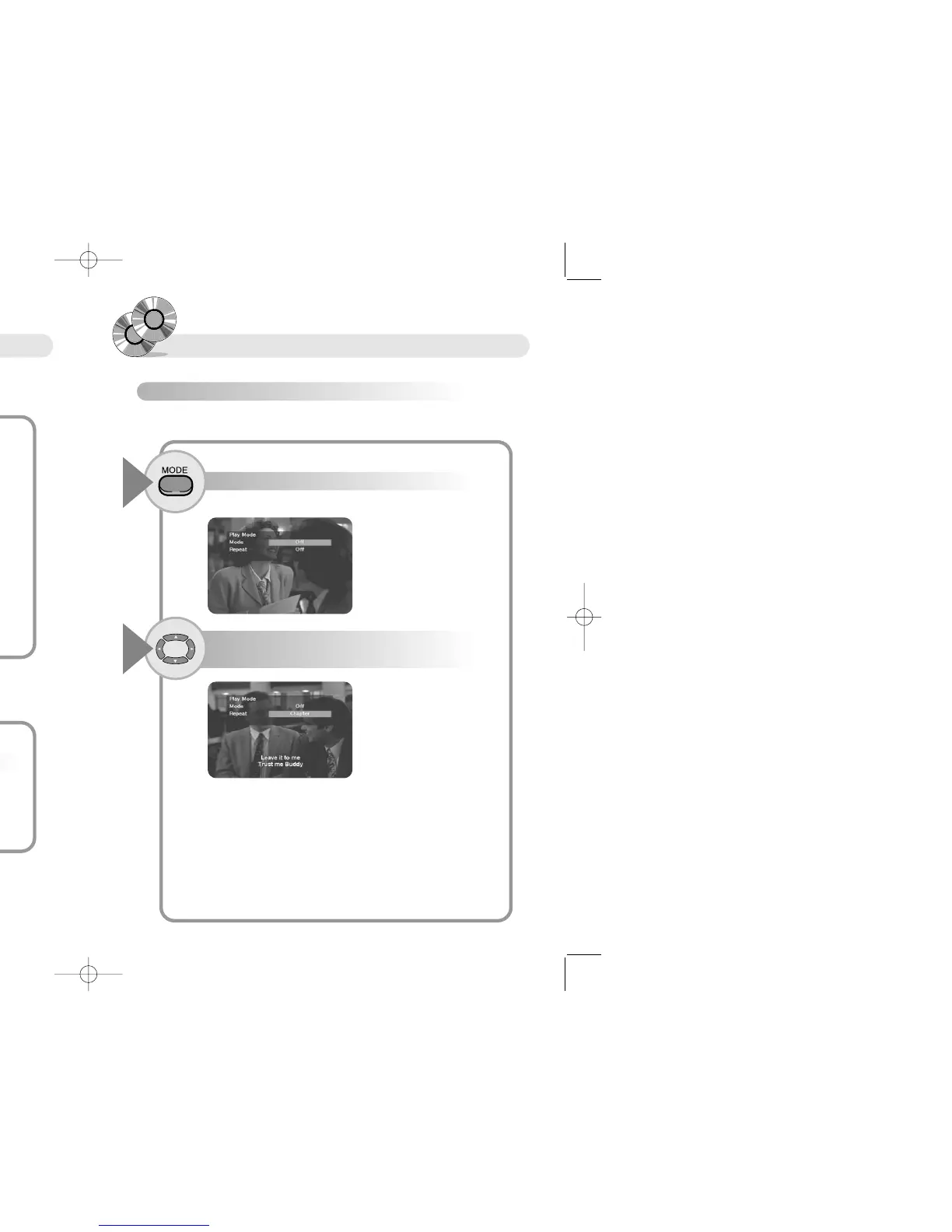
Repeating Playback
To repeat a chapter, title, or track (DVD/VCD/CD)
Press the MODE button.
1
Play mode Menu appears on the screen.
● In case of DVD
Off : When you do not want to repeat playback
Title : when you want to repeat present title
Chapter : when you want to repeat present chapter.
● In case of VCD/CD
Off : When you do not want to repeat playback
Track : when you want to repeat present track.
Disc : when you want to repeat present disc.
Use this button to repeat a chapter, title, or track
Press the … † œ √ buttons to select Repeat
item, and press the ENTER button.
2
Slow/Divided motion
To playback Slow motion.
Press the SLOW button.
1
RR
RR
ee
ee
ff
ff
ee
ee
rr
rr
ee
ee
nn
nn
cc
cc
ee
ee
● You can not listen sound at scaning each scene.
● Scanning each scene does not operate while playing MP3.
Play speed changes in the sequence of 1/2X, 1/4X, 1/6X, 1/7X each time
pressing the SLOW button.
● Press the PLAY button to play at normal speed.
● You can not listen sound at slow Playingback.
● Slow Playingback does not operate while playing CD/MP3.
When you press the SLOW button
Reverse Play speed changes in the sequence of 1/2X, 1/4X, 1/6X, 1/7X
each time pressing the SLOW button.
When you press the SLOW button
To Scan Each scene.
Press the PAUSE button with the unit in the Pause mode.
1
You can watch scene one by one each time press the PAUSE button.
● Press the PLAY button to play at normal speed.


 To Next Page