4342
Enjoying magnified screen and Changing Camera Angles
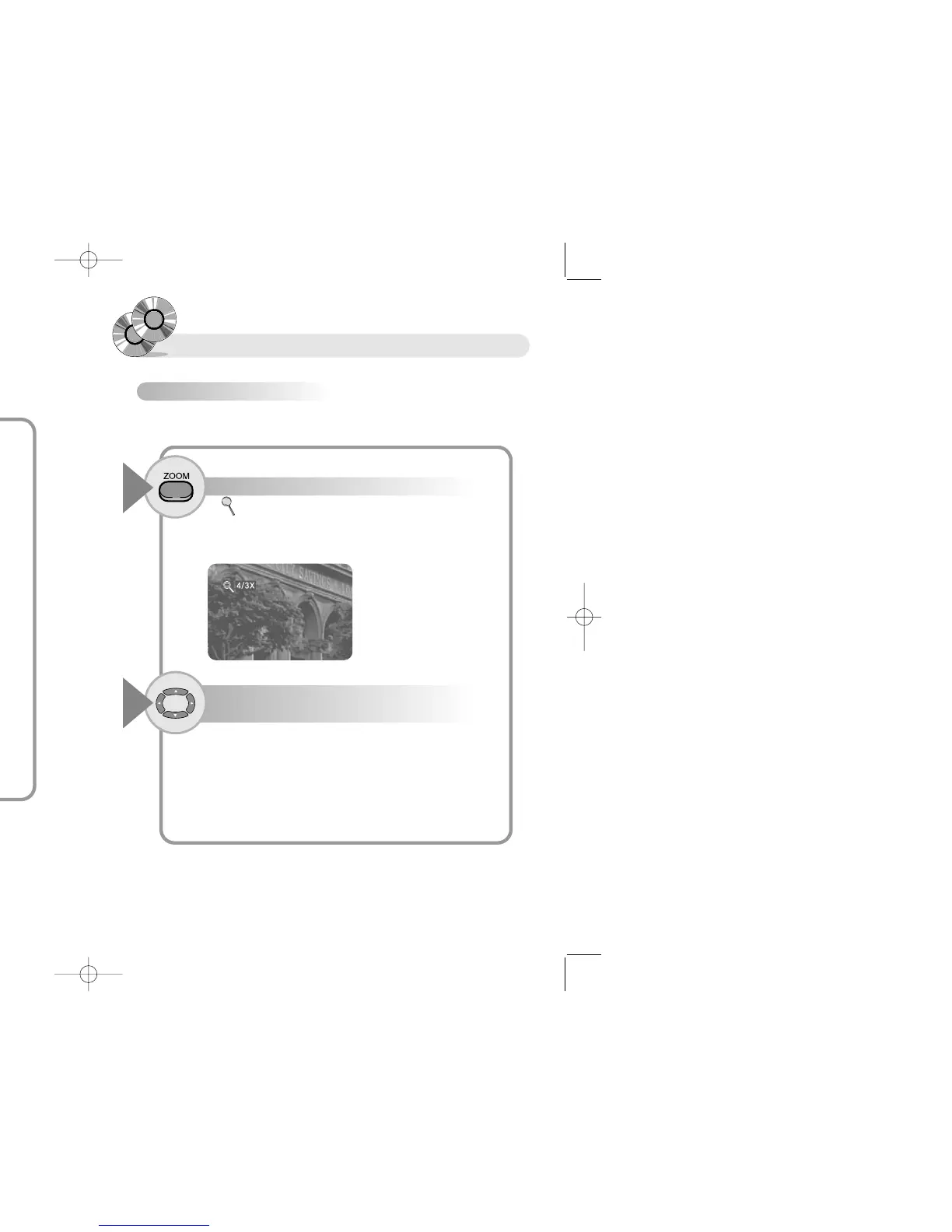
To enjoy the magnified screen.(DVD/VCD)
Press the ZOOM button in Play or Pause state.
1
● ( ) is displayed on screen and the screen ratio is displayed on screen.
● Each press of the ZOOM button enlarges screen in the following sequence
4/3X - 3/2X - 2X - Off
You can magnify the screen with 3 phases
You can move magnified screen by pressing
the … † œ √ buttons.
2
Repeating Playback
To repeat a particular section
Press the A-B button at the position from
which you want to repeat.
1
Play mode Menu appears on the screen.
● Press the A-B button at the starting position and press the A-B button
once more at the end position of the desired section.
The selected segment (A-B) will be played repeatedly.
● To release repeat operation. Press the A-B button again.
RR
RR
ee
ee
ff
ff
ee
ee
rr
rr
ee
ee
nn
nn
cc
cc
ee
ee
● Repeat function may not operate depending on disc.
● If title or track ends before pressing the button(A-B), the end position of the
section will be the last part.
● You must select the end position of the desired section in 1 second after
pressing the button (A-B)
● The player may not play WMA file which has data 48Kbps, 33KHz or less.


 To Next Page