AY-B9350 User Manual 34
Operation is under Network mode but the terminal is not
connected to the server.
3.3.3. Changing
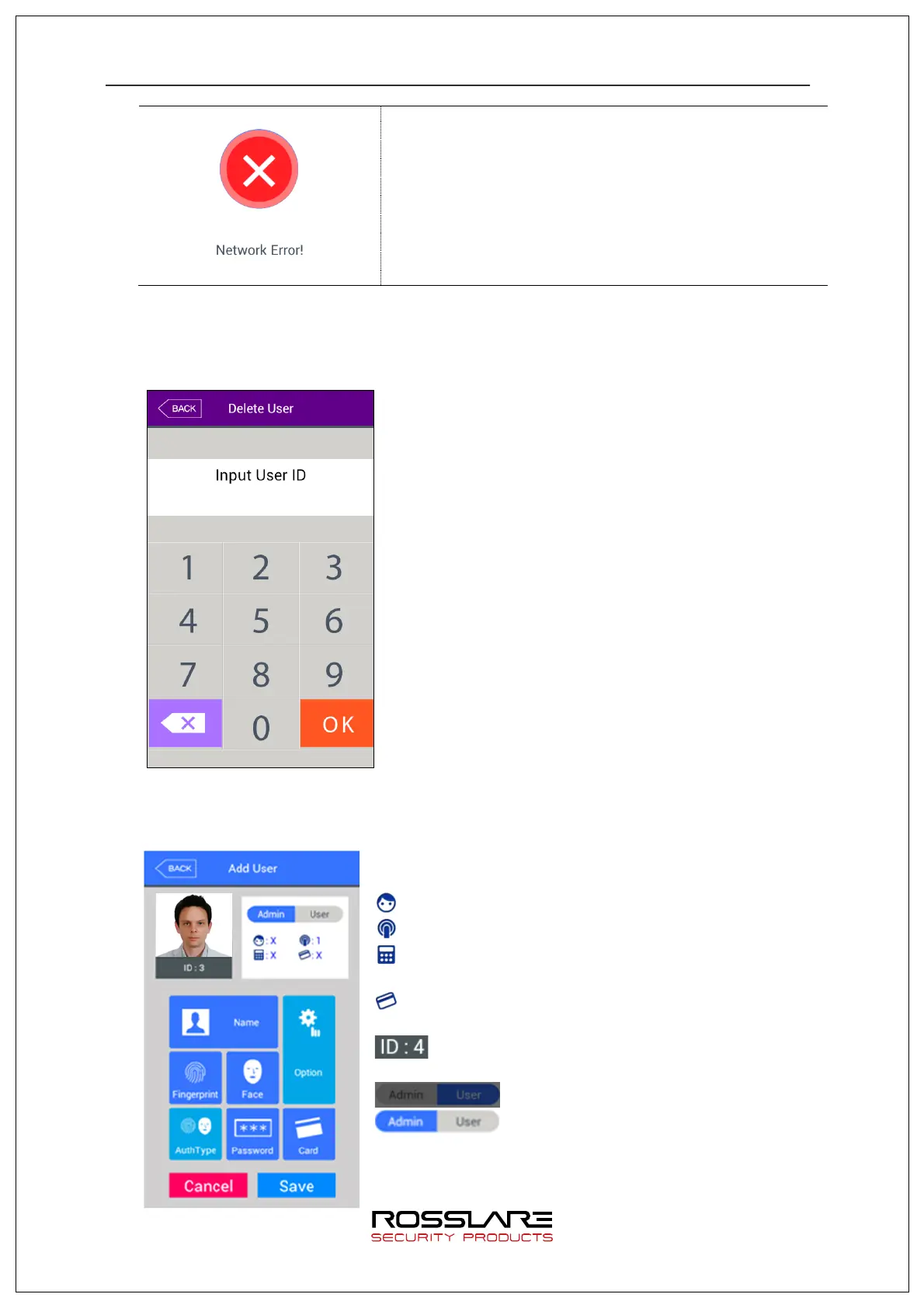
Select [User management]
à
[Modify] in the main menu to display the screen below.
Input user ID to be changed and press [OK] button.
Press [BACK] button to cancel and move out.
If an unregistered ID is input, failure message will be displayed. If a registered ID is
input, information of the registered user will be displayed as below.
Each icon displayed on the left has the following
meaning.
: number of registered face
: number of registered fingerprint (X, 1~10)
: whether password is registered (O: registered/X: not
registered)
: whether card is registered (O: registered/X: not
registered)
: user ID to be registered
: user
: administrator
Touch picture to take user’s picture again to register a
new one.


 To Next Page
 Loading...