9
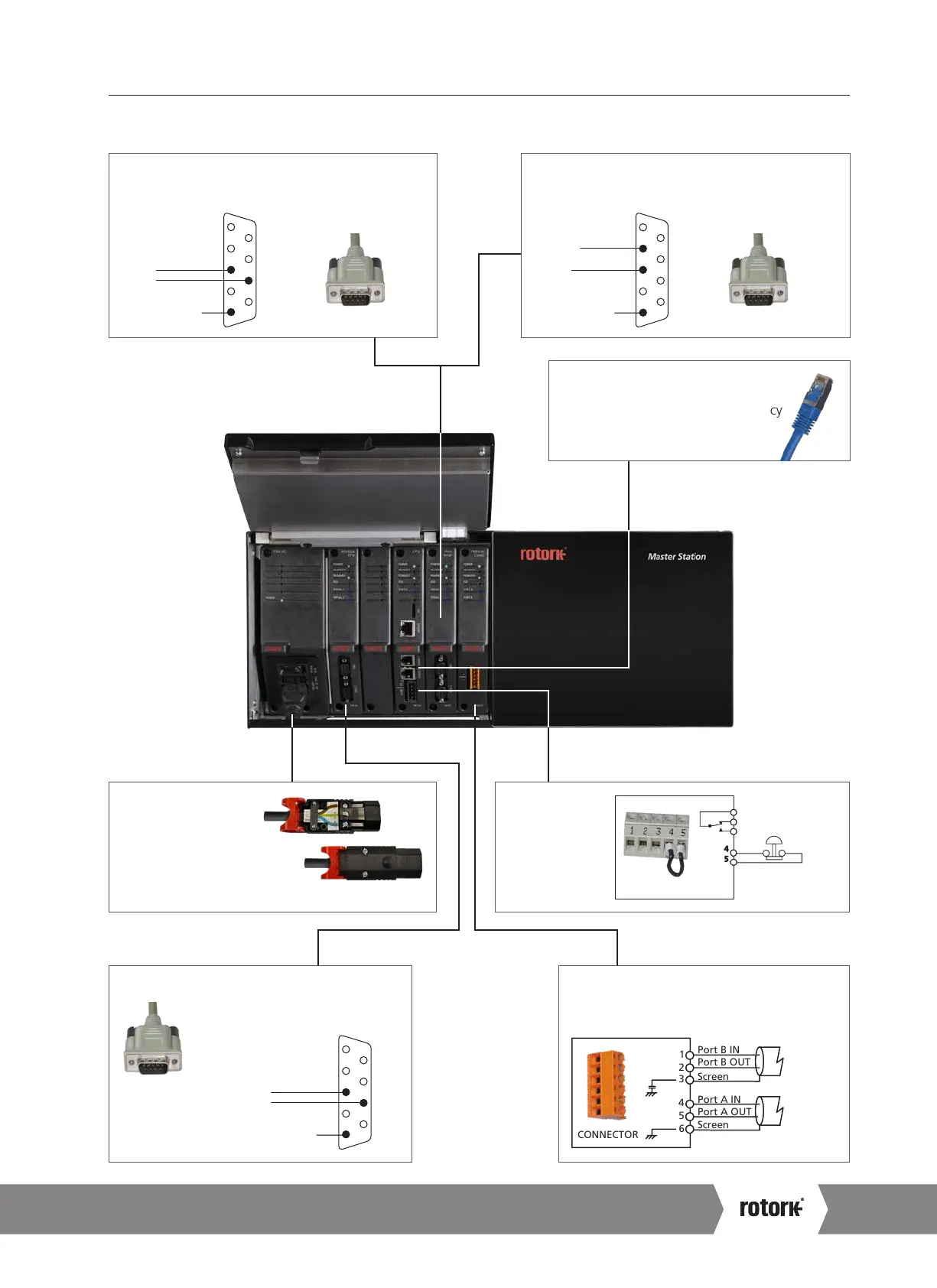
Single Rotork Master Station
2. Know your Rotork Master Station continued
For RS-232 Serial Data
Connect to Host Serial 2.
9-way Female D-type
RS-232 Connections
1
2
3
4
5
6
7
8
9
Signal Common
Data In
Data Out
Optional
For RS-485 Serial Data
Connect to Host Serial 1.
9-way Female D-type
RS-485 Connections
Signal Common
Data +
Data –
1
2
3
4
5
6
7
8
9
Optional
Pakscan Classic Loop
Connect field wiring to
supplied P4720 connector.
Port A OUT
Port A IN
Screen
Port B OUT
Port B IN
Screen
5
4
6
2
1
3
CONNECTOR
1
6
Host Connections
Field Connections
Ethernet
Connect to CPU Ethernet 1. CPU
Ethernet 2 is available for redundancy
(managed RSTP switch required).
Alarm and ESD
Wiring as shown.
If ESD is not
required, fit a
link between
pins 4 and 5.
5
4
Alarm
Emergency
Shutdown
PS710 CONNECTOR
1
2
3
Mains Power
Connectors
Connect to PSU. Mains
power 100 – 240 VAC.
Protective Earth must be
connected to 'E'.
CONNECTOR
Modbus RTU
9-way Female D-type
RS-485 Connections
Signal Common
Data +
Data –
1
2
3
4
5
6
7
8
9
A4 US
US
A4
US
A4
A4 US



 To Next Page