8
Master Station Safe Use, Installation and Maintenance Manual
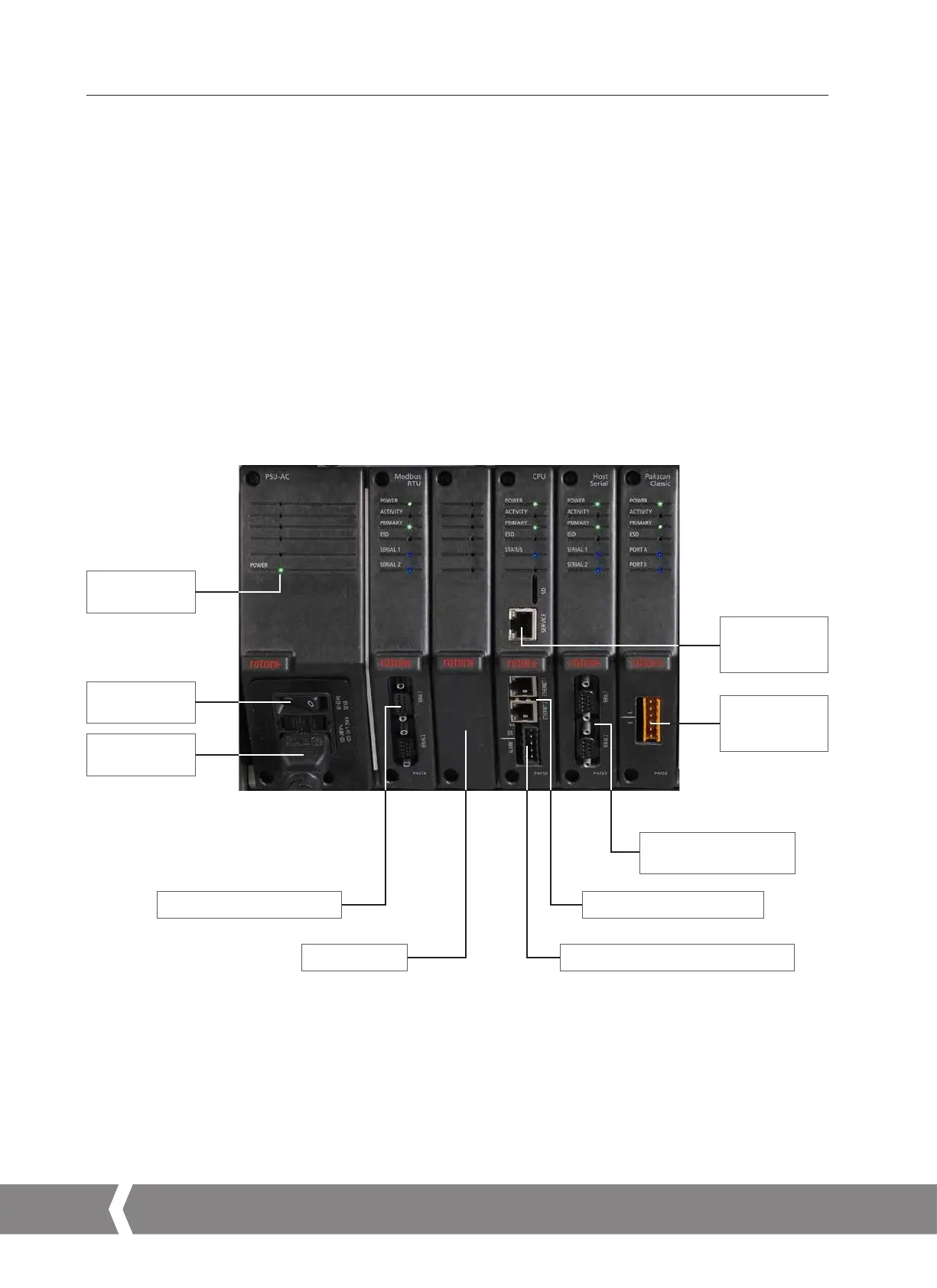
Example build details
The example below has three optional AIMs fitted; Pakscan Classic field network, Modbus RTU field network and Host Serial. Refer to the
model code of your unit for confirmation of the AIMs fitted to your unit.
User connections
Master Station provides front access for all the user connections, including power, and field network connections to the Pakscan Classic
module (P4720) or Modbus RTU module (P4724).
•
CPU alarm, CPU ESD and Pakscan Classic field wiring connections are via screw terminals on removable connectors. Connectors are
supplied pre-installed on each applicable module.
•
Modbus RTU field connections are via 9-way D type connectors on the bottom of the Modbus RTU module (P4724). Both sockets are
female on the Master Station.
•
Power wiring is connected using an IEC-C13 connector on the bottom of the PSU module (P4740). Two power connections are
required for a dual or hot standby system.
•
Ethernet host is connected using standard RJ45 connectors on the bottom of the CPU module (P4710). The top connector is intended
for temporary connection to a service laptop computer and marked clearly as a service port.
•
Optional Serial host via RS-232 or RS-485 is connected using 9-way D type connectors on the bottom of the Host Serial module
(P4727). Both sockets are female on the Master Station.
2. Know your Rotork Master Station continued
LED for power
indication
Mains on / off
switch
CPU module
service
connection
Pakscan Classic
network field
connection
Mains AC
connection
Modbus RTU field connections
Blank AIM cover
Optional Host Serial AIM
connections
CPU module host connections
CPU module Alarm and ESD connection
A4US
US
A4
US A4
US
A4



 To Next Page