49
Mounting the Access Point
Step 2: Attach the Dynamic Bracket to the Access Point
NOTE: Figures in this section show mounting on a vertical pole. Procedures for mounting
on a flat surface or horizontal surface are similar.
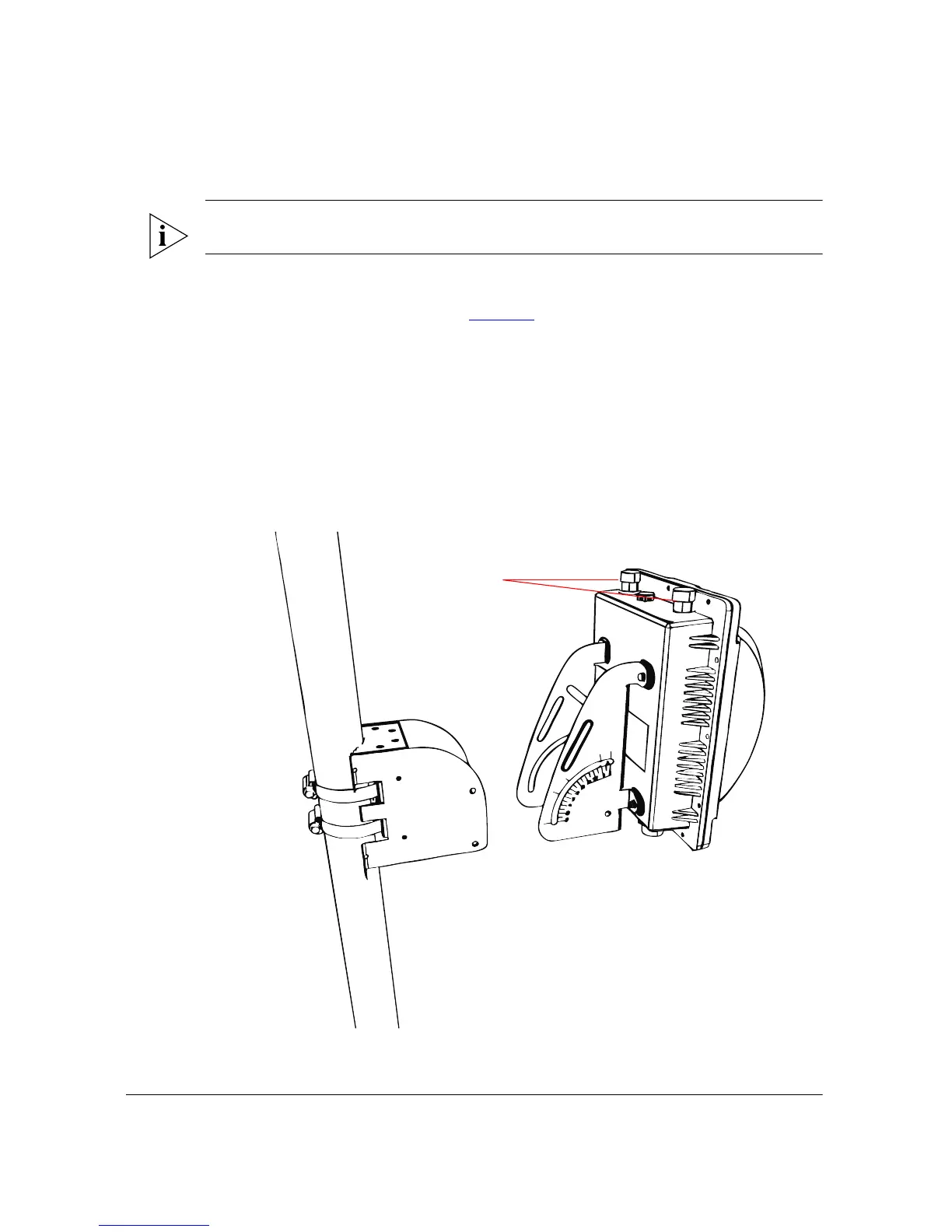
To join the two mounting brackets together:
1. Join the two brackets as shown in Figure 39
. Make sure that:
• The dynamic bracket (attached to the Access Point) encloses the static bracket
(attached to the mounting surface).
• (For mounting on a vertical pole) The side of the Access Point with the 5GHz
antenna connectors is on top, especially if you are planning to install an external
antenna.
• (For mounting on a horizontal pole) The side of the Access Point with the RJ45 port
is toward the building. This will help ensure that the Ethernet cable or DC cable
will not create any signal interference for the antenna.
Figure 39. Joining the two brackets in a vertical pole installation












 To Next Page