50
Mounting the Access Point
Step 2: Attach the Dynamic Bracket to the Access Point
2. Align the mounting holes on the dynamic bracket with the mounting holes on the static
bracket.
3. Place a split lock washer, and then a flat washer onto a hex bolt. Then insert the hex
bolt into one of the mounting holes.
NOTE: Make sure the screw-washer assembly is in correct order. The split-lock washer
should be in the middle and the flat washer should touch the bracket.
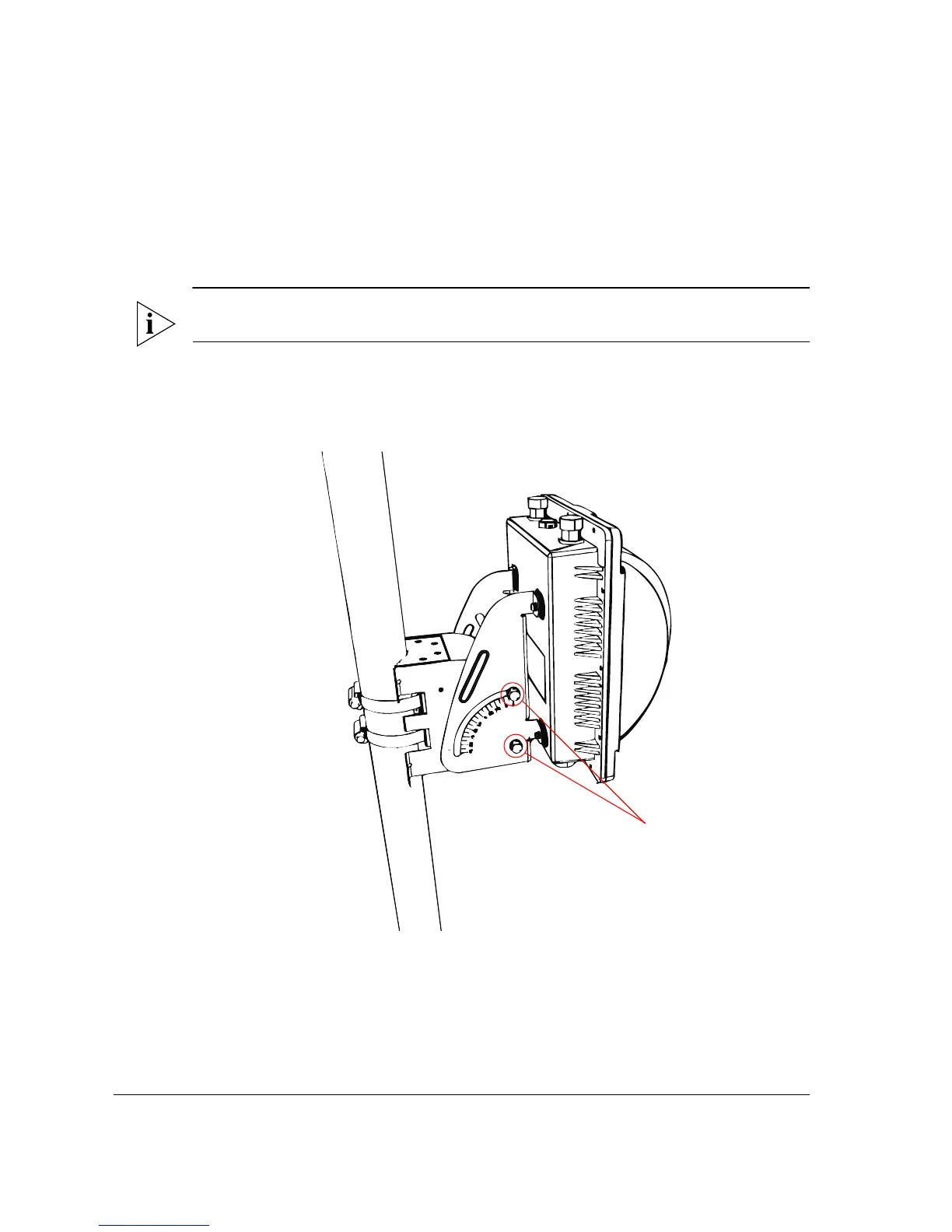
4. Repeat Step 3 for each of the mounting holes. There are four mounting holes on the
bracket – two on each side.
Figure 40. Insert hex bolts into the mounting holes
5. Finger tighten the hex bolts.
6. Adjust the Access Point to your desired orientation.


 To Next Page
 Loading...









