support 802.11ax to experience high-speed network access empowered by Wi-Fi 6. If
clients do not support Wi-Fi 6, disable this function.
11.3 Configuring Guest Wi-Fi
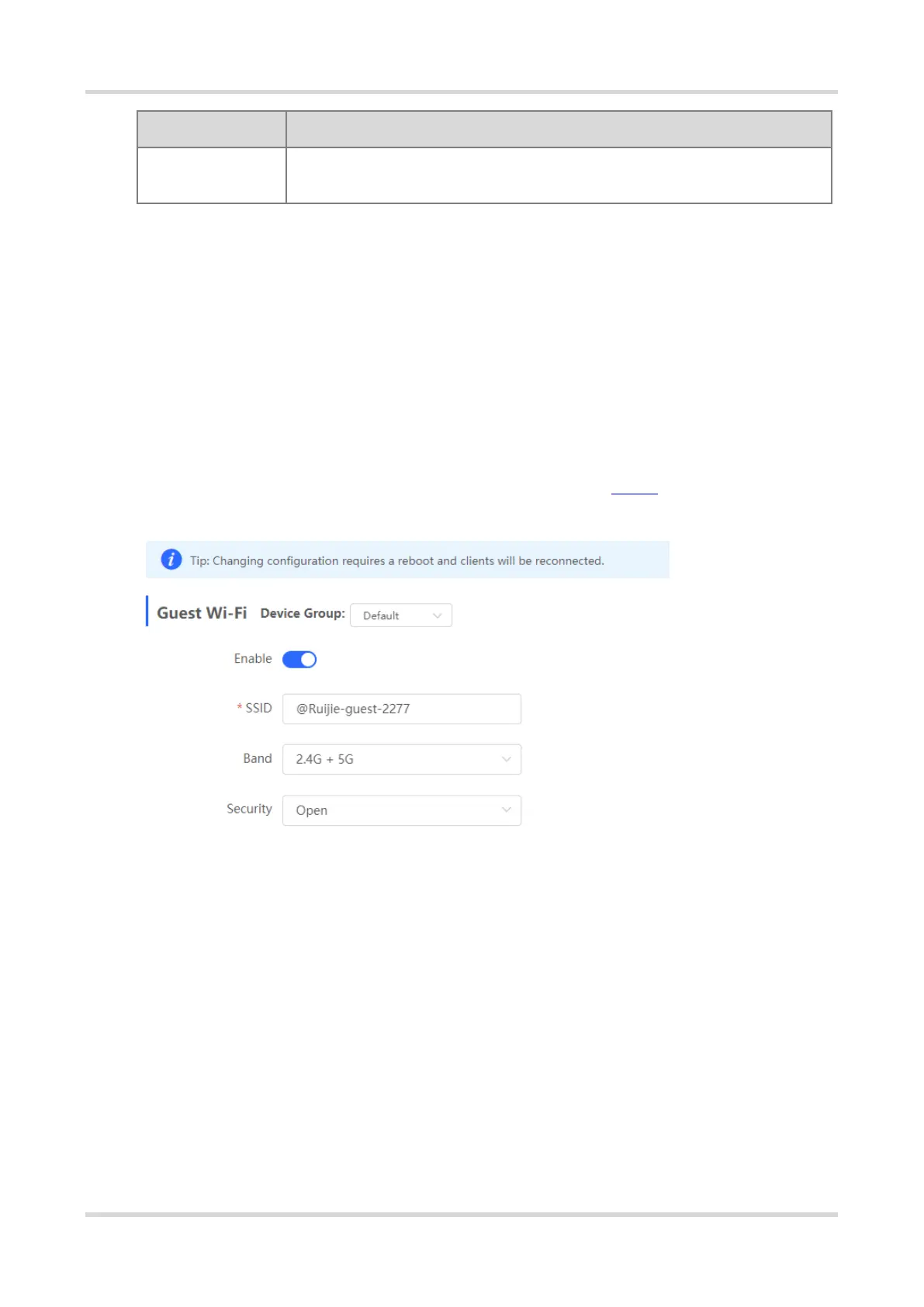
Choose Network > Wi-Fi > Guest Wi-Fi.
Guest Wi-Fi is a wireless network provided for guests, and is disabled by default. Client Isolation is enabled for
guest Wi-Fi by default, and it cannot be disabled. In this case, users associating with guest Wi-Fi are mutually
isolated, and they can only access the Internet through Wi-Fi. This improves network access security. You can
configure a wireless schedule for the guest network. After the specified schedule expires, the guest network will
become unreachable.
Turn on the guest Wi-Fi and set the guest Wi-Fi name and password. Click Expand to configure the wireless
schedule of the guest Wi-Fi and more Wi-Fi parameters. (For details, see 11.2 .) Click Save. Guests can
access the Internet through Wi-Fi after entering the Wi-Fi name and password.



 To Next Page
 Loading...