Web-based Configuration Guide Wi-Fi Network Setup
158
11.4 Adding a Wi-Fi
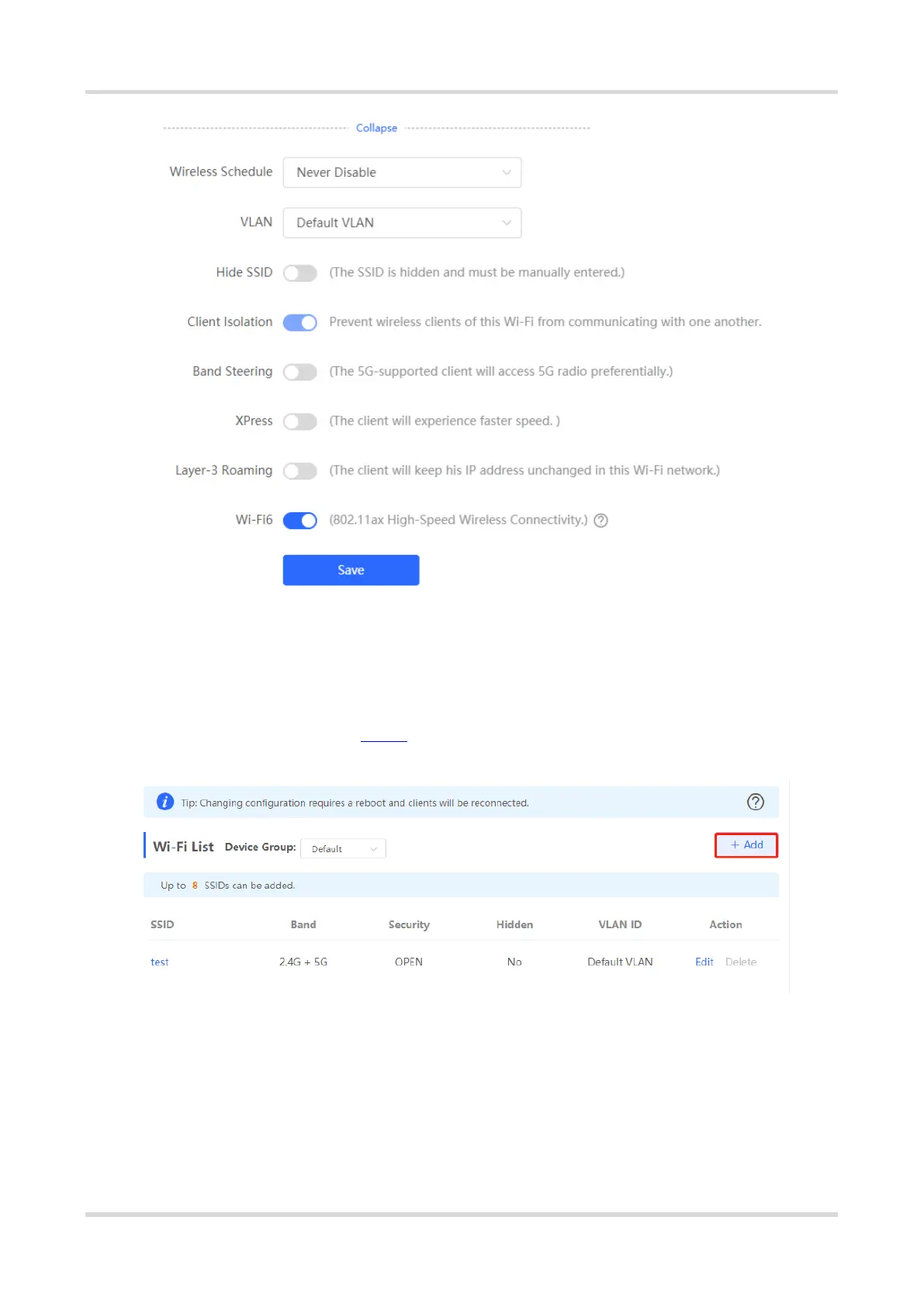
Choose Network > Wi-Fi > Wi-Fi List.
Click Add, enter the Wi-Fi name and password, and click OK to create a Wi-Fi. Click Expand to configure more
Wi-Fi parameters. For details, see 11.2 . After a Wi-Fi is added, clients can find this Wi-Fi, and the Wi-Fi
information is displayed in the Wi-Fi list.



 To Next Page
 Loading...