Copyright ©2023 Ruko All Rights Reserved.
7
CONTACT US FOR MORE TECH SUPPORT
Printed in China.
Please go to the front of the User Manual for contact in formation.
3. Wi-Fi Guidelines
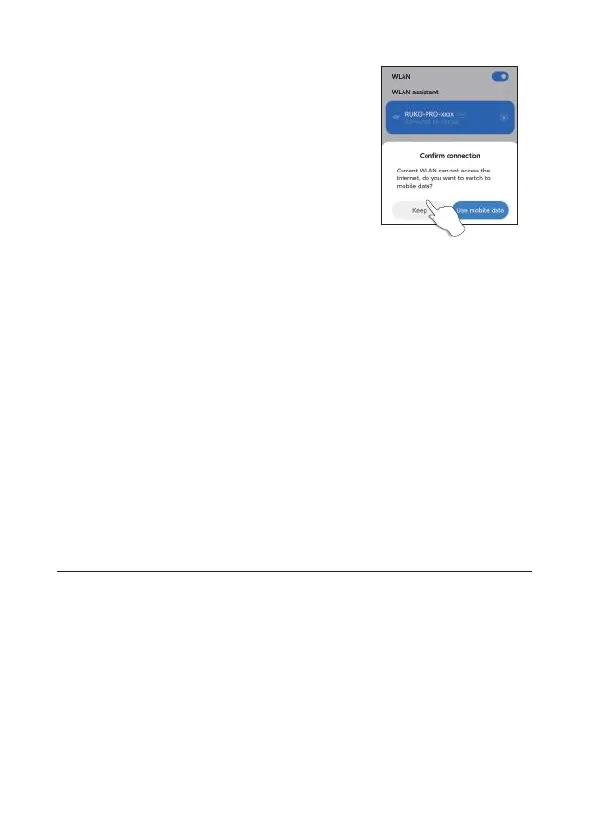
1) For Android phones, after connection with
aircraft's Wi-Fi RUKO-PRO-XXXXXX, please
wait for about 10-40 seconds, note if there is
any option popping up about Internet settings,
make sure connected, otherwise, there is no
picture after entering APP.
2) If still without Wi-Fi connection, please turn
on your phone's airplane mode and connect
drone's Wi-Fi.
3) The phone WLAN compatible with this
drone must support dual-band Wi-Fi (2.4 and
5G).
4. Remote Controller Guidelines
After a full charge, if it shows a low battery on App, please remember
to pair the remote controller first with the drone, then connect Wi-Fi
and enter the App to check. If there are other problems, please get in
touch with technical support.
5. Return within 30 meters
If it's one button return, it flies back above its original take-off point
directly. If return by low battery, it flies back due to current height, this
can not be cancelled.



 To Next Page