EasyManua.ls Logo

RUPTELA FM-Eco4+ E S - Cable Connection; Pin Cable Connection; USB Cable Connection; External GNSS Antenna Cable Connection (FM-Eco4+ E S Only)

RUPTELA FM-Eco4+ E S
49 pages
Print Icon
To Next Page IconTo Next Page
To Previous Page IconTo Previous Page
Loading...
26
5.3 Cable Connection
5.3.1 12 Pin Cable Connection
The 12 Pin cable is connected out of the box, you do not need to reconnect it.
5.3.2 USB Cable Connection
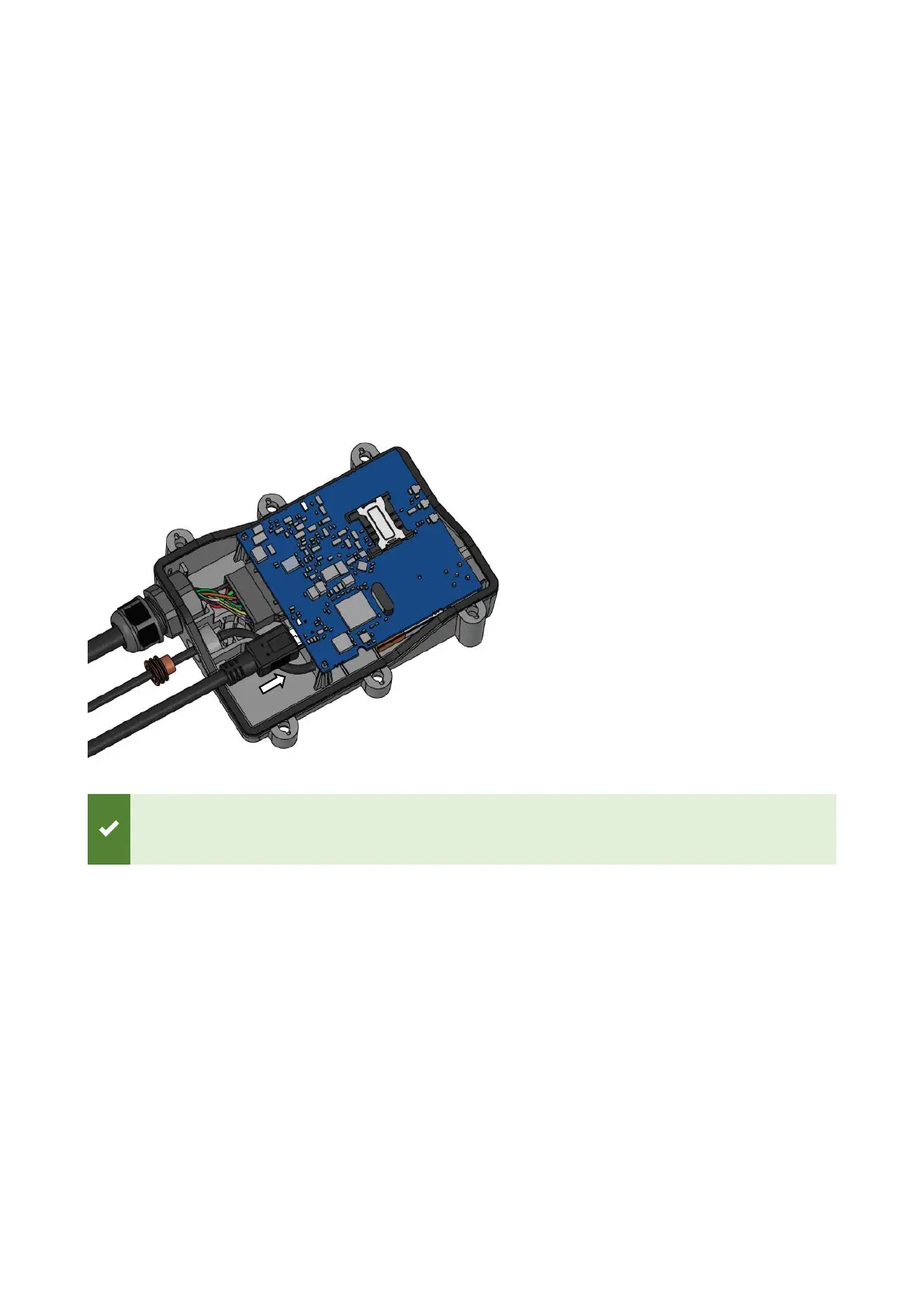
Connect the USB cable to the mini USB port as shown in the image below. The cable can be
connected in only one way. Connect the other end to your computer.
The device can be configured when powered via USB, using an external power supply for
configuration is optional.
5.3.3 External GNSS Antenna Cable Connection (FM-Eco4+ E S only)
The external GNSS antenna cable is connected out of the box, you do not need to reconnect it.

Table of Contents

Related product manuals