Operation Manual LB2001
Sacher Lasertechnik
GmbH
_____________________________________________________________________________________________________
Adress:
Sacher Lasertechnik GmbH
Rudolf-Breitscheid-Str. 1-5
D-35037 Marburg, Germany
Tel.: +49 (6421) 305-0
Fax.: +49 (6421) 305-299
EMail: contact@sacher-laser.com
Web: http://www.sacher-laser.com
Sacher Lasertechnik, LLC
5765 Equador Way
Buena Park, CA 90620, USA
Tel.: 1-714-670-7605
Fax: 1-714-670-7662
Email: sales@sacher-
laser.com
Page 15
Version:
Preliminary 2011-01-01
point corresponds to the desired value of the controlled parameter. The error signal is
also an excellent diagnostic for monitoring the lock condition and optimizing the
feedback gain. Because the time domain behavior of the error signal is so important
to understanding the feedback control, viewing the Error Monitor output on an
oscilloscope is highly recommended.
Function generator output to LB2001 Sweep In: For detector signals that are derived
from an optical resonance, it is convenient to sweep the transducer so that the optical
frequency scans over the resonance. Observing the resonance on an oscilloscope
often makes it easier to offset the error signal so that the locking point (at zero volts)
aligns with the desired optical frequency. Furthermore, sweeping the transducer
helps to locate the resonance and place the optical frequency within the locking
range of the servo system. To add sweep capability, connect a low-frequency (30—
60 Hz is usually sufficient) triangle waveform from a function generator to the Sweep
In connector, as shown by connection 4a. The sweep signal will then be output to the
transducer, with its amplitude controlled by the Sweep Span knob. To synchronize
the sweep with the Error Monitor signal, also connect the function generator output to
the oscilloscope’s timebase trigger
4.3.
Typical Operation
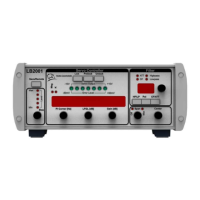
The controls of the LB2001 are conveniently arranged for acquiring and optimizing lock. In
this section, five steps are suggested that will meet the needs of most applications. Figure 5
shows the controls that are most likely to be adjusted for each step. The solid lines indicate
controls that are used most often, while the dashed lines show controls that are less frequently
adjusted.
Reset integrator: Before locking, reset the integrator by moving the Acquire switch to the
Lock Off position.
Find the locking point: Many applications will require the user to search for the locking
point, such as the side or center of an optical resonance. Turn on sweeping by clicking the
Sweep Span knob from its Off position, adjusting it for a wide span. Use the Sweep
Center knob to adjust the transducer bias so that the lock feature is “centered” within the
scan. If needed, the desired lock point can be adjusted to zero voltage with the Input Offset
knob while monitoring the error signal. Adjust both the Sweep Center and Sweep Span
controls so that the oscilloscope scan shows the discriminator slope of the lock feature. Figure
4 illustrates these concepts for a “side lock” to a resonance.


 To Next Page