English
7
32
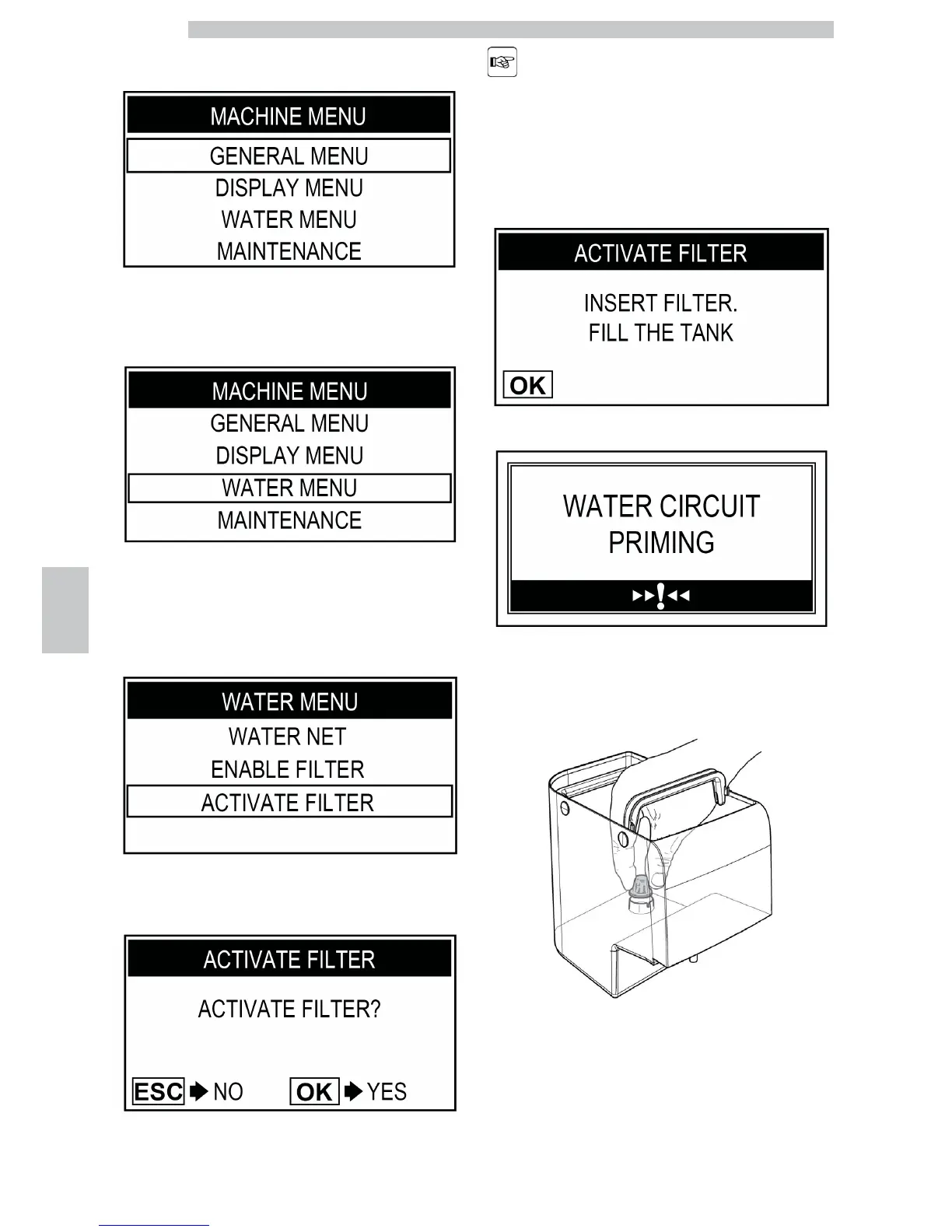
Press the "Coffee" button to access.
Press the "Clean" button until the "WATER MENU"
option can be selected.
Press the "Coffee" button to access.
Press the "Clean" button until the "ACTIVATE FILTER"
option can be selected.
Press the "Coffee" button to access.
To exit the procedure,
press the "Special
Beverages" button.
Press the "Coffee" button to continue.
Remove the tank from the machine and empty it. Remove
the small white filter from the tank and store it in a dry
place sheltered from dust.








 To Next Page