English
9
76
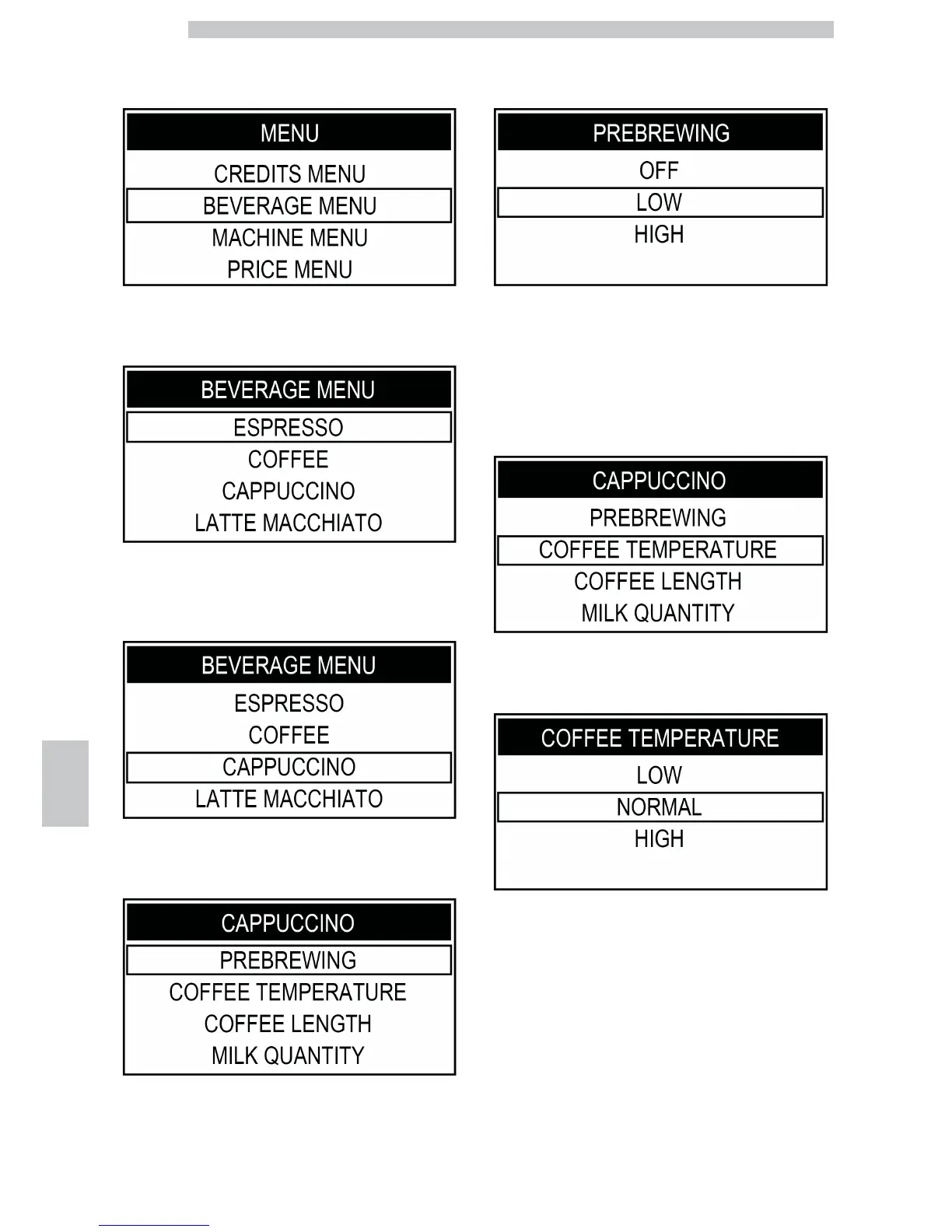
To select the "BEVERAGE MENU" option, press the
"Clean" button.
Press the "Coffee" button to access.
To select the "CAPPUCCINO" option, press the "Clean"
button.
Press the "Coffee" button to access.
Press the "Coffee" button to access the "PREBREWING"
menu.
Press the "Clean" button or the "Cappuccino" button to
select the desired value. Then press the "Coffee" button to
confirm and exit.
Press the "Clean" button to select the "COFFEE
TEMPERATURE" menu.
Press the "Coffee" button to access.
Press the "Clean" button or the "Cappuccino" button to
select the desired value. Then press the "Coffee" button to
confirm and exit.








 To Next Page