Copier · Make Enlarged or Compressed Copies 35
EN
16
Using [, select the desired level of brightness:
-/1—Reproduction is lighter
4 (Factory settings)—Optimized adaptation for all
documents
+/7—Reproduction is darker
17
Press COPY.
MAKE ENLARGED OR
COMPRESSED COPIES
Make Copies
1
Insert the document.
2
Press OK, 13 and OK.
3
Enter the number of times you would like to copy
the document (maximum of 99 copies).
4
Confirm with OK.
5
You can make copies of the document that are
enlarged or that are compressed in size. Size com-
pression is possible down to 25 percent of the size
of the original, and enlargements of up to 400
percent can be made. Enter the the desired value
using the numeric keypad.
6
Press COPY, to start the copying process or OK,
to configure further settings (see also chapter on
make copies using adjusted settings , page 34).
COPYING SEVERAL
DOCUMENTS ONTO ONE PAGE
(MOSAIC COPY)
Make Copies
Copying Several Documents onto one Page (Mosaic Copy)
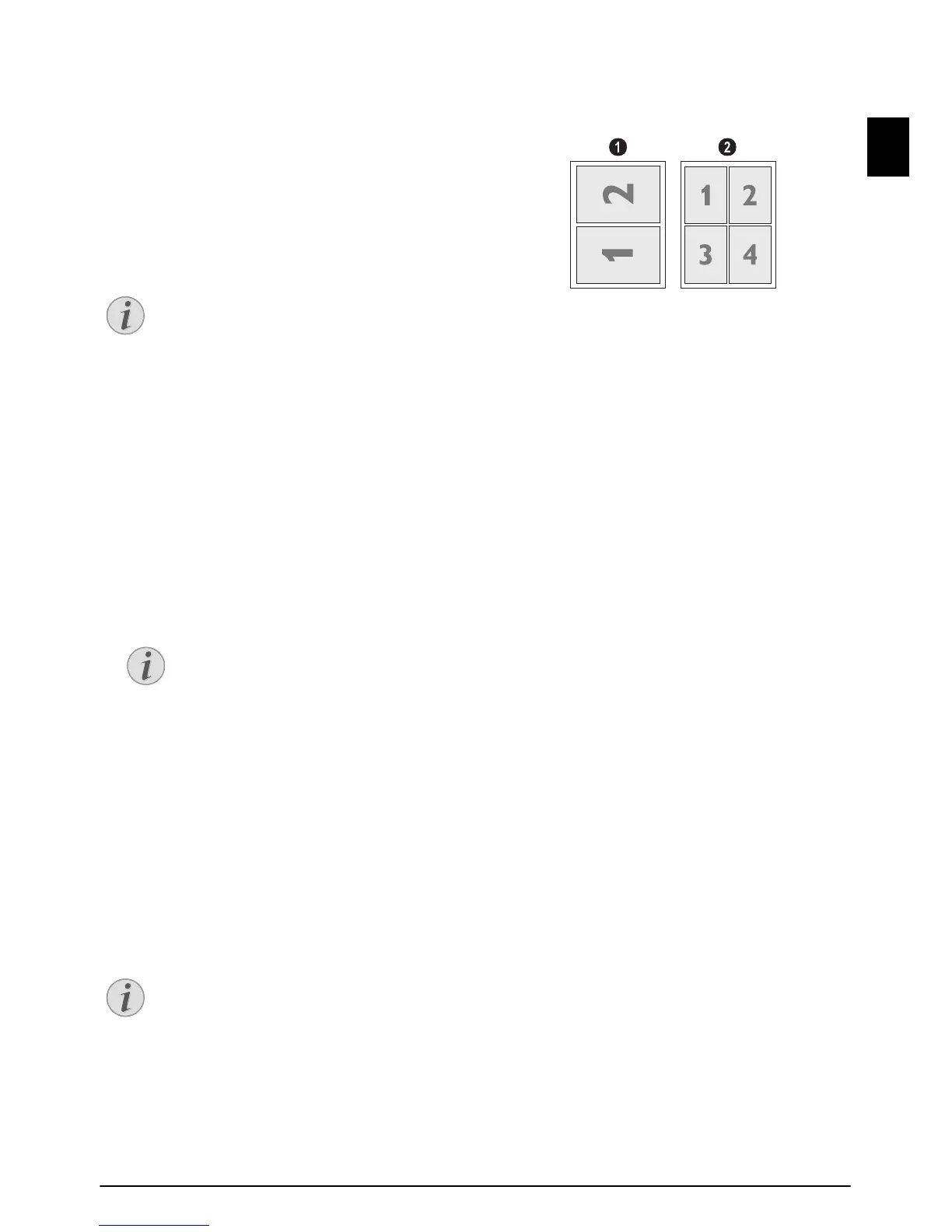
You can copy several documents onto one page to
save paper. The documents are adjusted automati-
cally during the copying process.
1
Press OK, 14 and OK.
2
Use [ to select the desired layout.
‚ Two documents on one page.
ƒ Four documents on one page.
3
Press COPY, to start the copying process or OK,
to configure further settings (see also chapter on
make copies using adjusted settings , page 34).
CONFIGURE SETTINGS FOR
SECOND PROFILE
SET RESOLUTION
1
Press OK, 1063 and OK.
2
Select the desired resolution using [:
AUTO—Optimised adjustment for all types of doc-
uments
TEXT—For texts with small print or drawings
QUALITY—For documents with many details
PHOTO—For the highest resolution
3
Confirm with OK.
Spaltenumbruch
SETTING THE CONTRAST
1
Press OK, 1064 and OK.
2
Set the desired contrast using [.
-/1—Reduces the contrast / typeface appears
lighter
4 (Factory settings)—Optimized adaptation for all
documents
+/7—Increases the contrast / typeface appears
darker (for example, documents with faint print)
3
Confirm with OK.
SETTING THE BRIGHTNESS
1
Press OK, 1065 and OK.
2
Using [, select the desired level of brightness:
-/1—Reproduction is lighter
4 (Factory settings)—Optimized adaptation for all
documents
+/7—Reproduction is darker
3
Confirm with OK.



 To Next Page