Service · Cleaning 55
EN
2
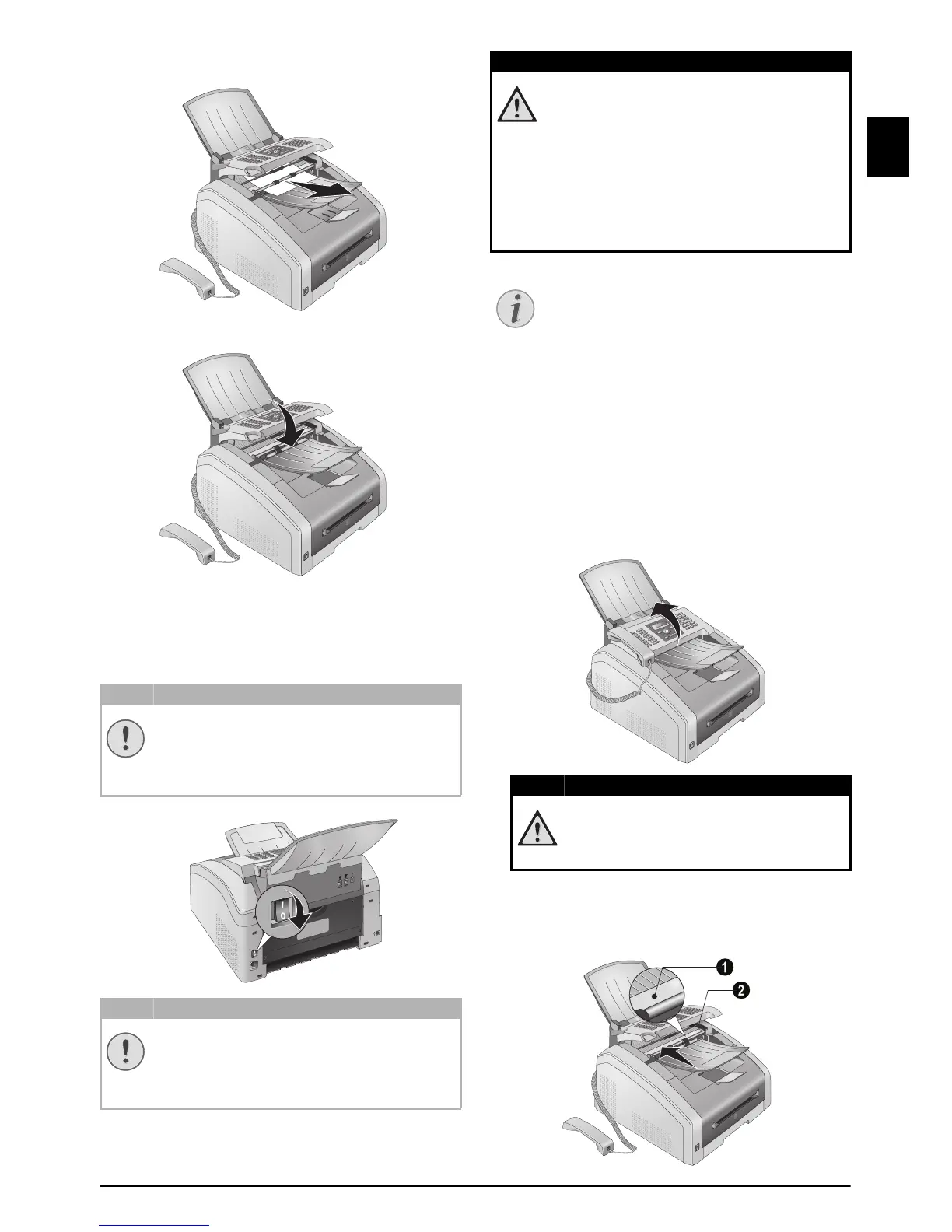
Carefully pull the paper or document forwards
until it is released.
3
Close the panel.
CLEANING
Switching Off the Device
Switch the device off and disconnect from the power
supply before you clean it.
Switching Off the Device
Gerät ausschalten
Recommissioning
Instructions for Cleaning!
Fax Cleaning Sheets
Spaltenumbruch
CLEAN SCANNER AND DOCUMENT
FEEDER
Introduction
If lines appear on the printed pages or on the fax
transmissions or documents are not properly fed, you
should clean the scanner and the document feeder.
1
Lift the panel upwards until it snaps into position.
2
Clean the scanner glass on the underside (‚) and
the document guide/scanner film (=white plastic
plate) on the upperside (
ƒ) lightly with a soft,
lint-free cloth.
SWITCHING OFF THE DEVICE!
Turn the device off using the on/off switch
on the back before you remove the plug
from the socket.
RECOMMISSIONING!
Plug the power cable into the electrical out-
let.
Only after switch the device on using
the on/off switch on the rear.
INSTRUCTIONS FOR CLEANING!
Use a soft, lint-free cloth. Never use liquid
or easily flammable cleansers (sprays, abra-
sives, polishes, alcohol, etc.). Do not allow
any moisture to reach the interior of the
device.
Moisten the cloth
slightly with cleaning
alcohol in order to remove stubborn marks.
The cloth must however, never be wet.
FAX CLEANING SHEETS
Special fax cleaning sheets are available as
accessories from our call centre. Insert a
sheet into the document feeder. Press
j;
the page is ejected. Repeat this process at a
few times.
INSTRUCTIONS FOR CLEANING!
Follow the instructions for cleaning,
page
55.



 To Next Page