Close the battery cover. Make sure the gasket (around the battery
compartment) is properly seated in its place prior to closing the door.
Tighten the set screw.
Note: Do not install the batteries backwards. You can permanently
damage the sensors. The solar panel does not charge the batteries, so
rechargeable batteries are not needed or recommended.
Note: We recommend installing Lithium AA batteries for sensors.
The sensor LED indicator will light for 3 seconds, and then flash once
per 16 seconds thereafter. Each time it flashes, the sensor is
transmitting data.
Place the battery cover and push it to close the compartment.
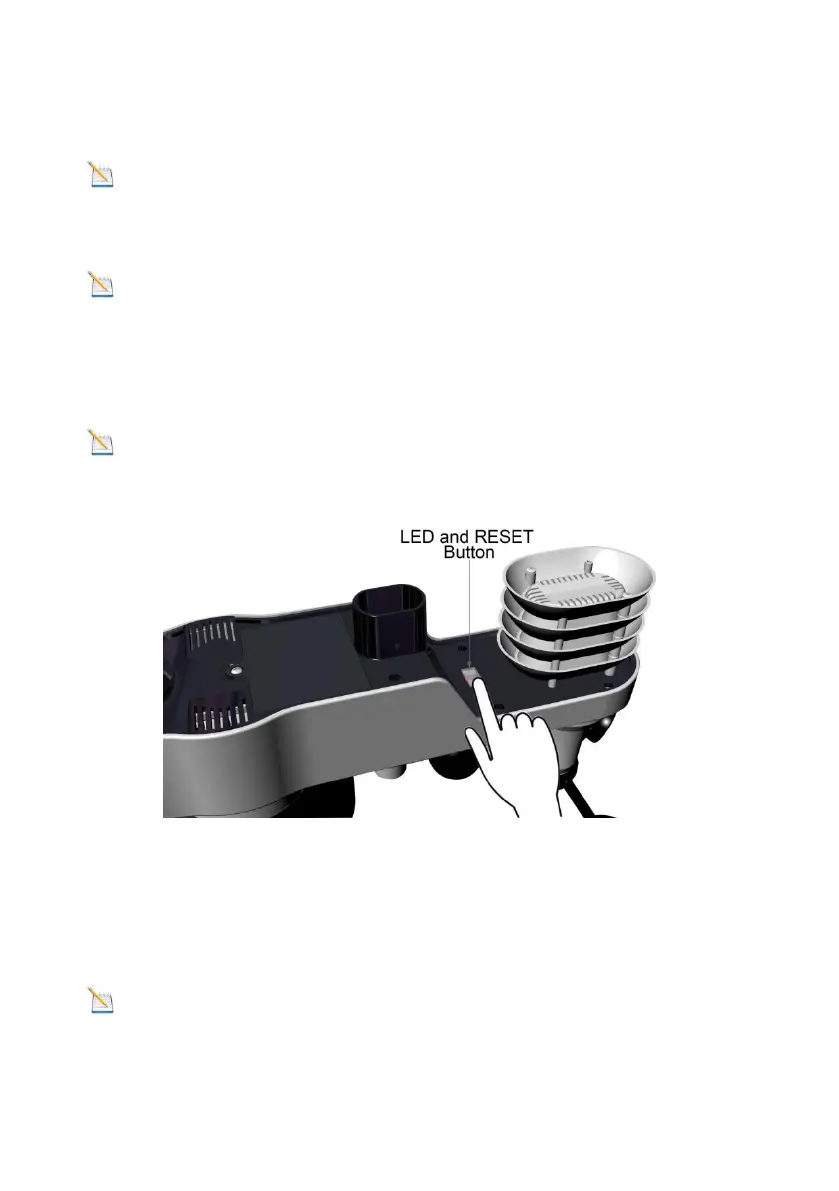
Note: If the sensor does not power up after inserting the batteries,
press the reset button shown in Figure 6.
Figure 6
3.4 Display Console
3.4.1 Display Console Layout
The display console layout is shown in Figure 7
Note: The following illustration shows the full segment LCD display
for description purposes only and will not appear like this during normal
operation.



 To Next Page