5
GB
RF Address Code Setting
If there is another user nearby, e.g. in the next house, your receiver
may be fault triggered by their transmitter. You may select a different
RF address code to prevent this. The receiver can only respond to
RF transmissions with the same address code setting as its own
address code.
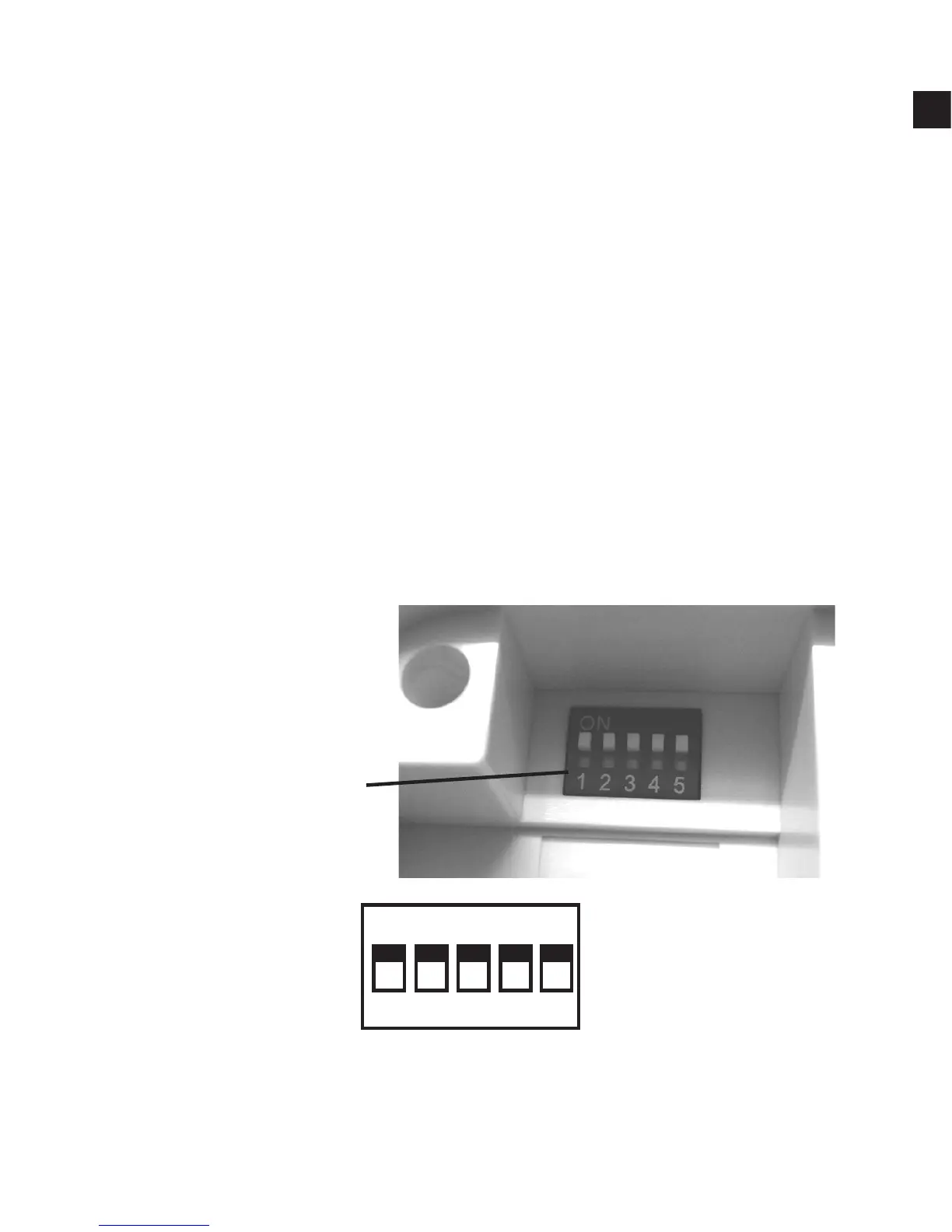
1. To adjust address code of Receiver & Control Centre, simply push
up or down on the 5 dip switch levers. The leavers are numbered
1 to 5 from left to right.
Note :
1. Set dip switch on receiver in same ON position as in transmitter.
ON position is marked on each part shown in picture.
Address Code Dip
Switch Leavers.
Factory Defaut Setting Dip switch 1 - 5 in On position.
1 2 3 4 5
ON



 To Next Page