Functions
Temporary Override
When the temporary override is active, the setpoint temperature will be changed until the next program starts.
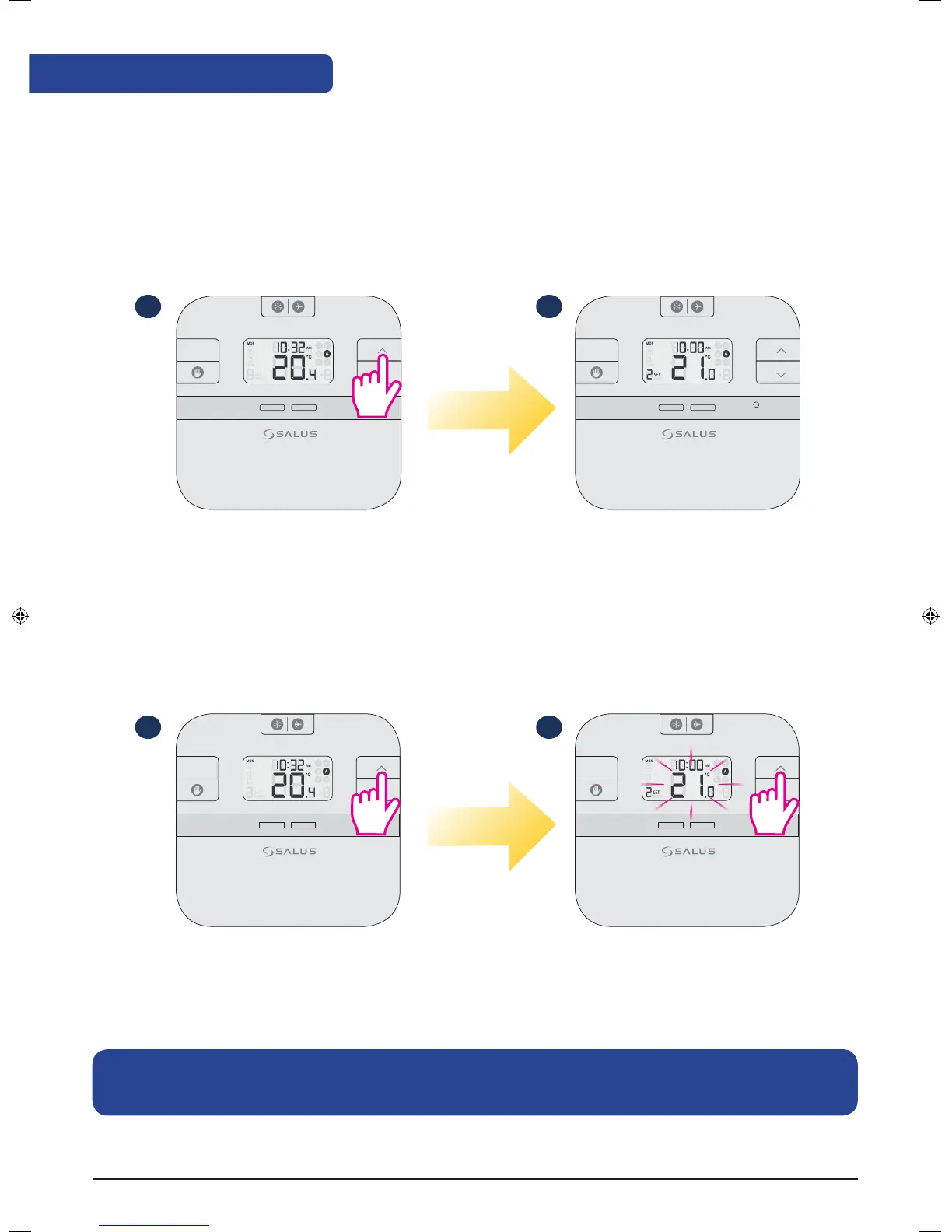
Review the Setpoint temperature
When no button is pressed, your thermostat is showing the actual temperature of the room. To review the
setpoint (desired) temperature follow the steps below:
Actual room temperature
Setpoint (desired) temperature
Press Up/Down to review
the setpoint temperature.
Press Up/Down to
set the temperature.
Note: To exit the temporary override procedure, you can wait for 3 seconds until the set temperature
stops flashing or you can press on the SET button once.
1
1
2
2
RESET
+Hr
SELECT SET
RESET
+Hr
SELECT SET
RESET
+Hr
SELECT SET
RESET
+Hr
SELECT SET
RT510 Installation Manual 13



 To Next Page