6-3
Module 5 – Connected Fan Coil Controls
Pairing Instructions – Fan Coil Controls
Section 6
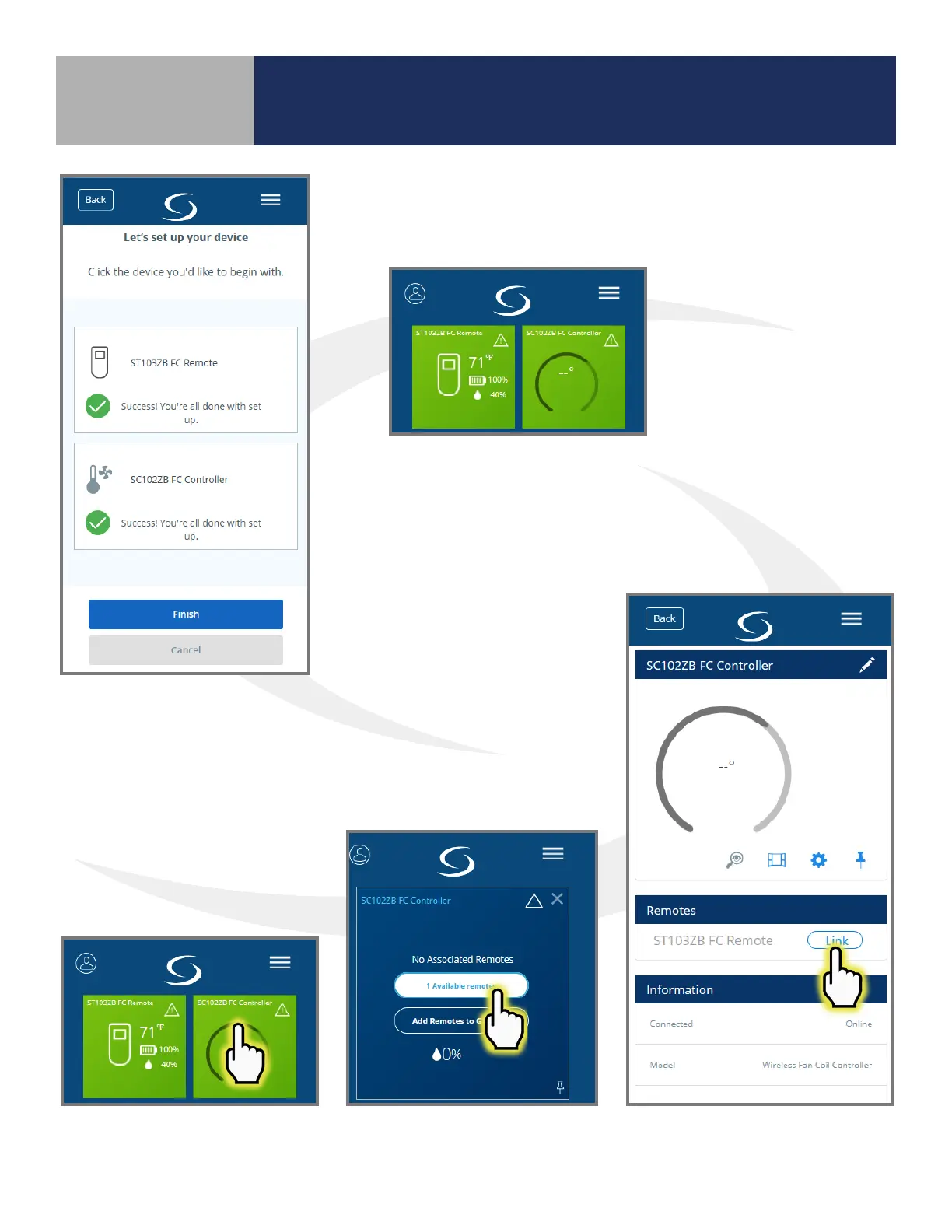
Step 8. Click the SC102ZB tile
to make it ip on the screen.
Step 9. Click “1 Available remotes”
Step 10. Choose “Link”
next to the desired remote.
Step 7. Press Finish to complete connection.
The devices will appear on the
SALUS Smart Home dashboard
when the connection is complete.
Linking SC102ZB Fan Coil
Controller to ST103ZB Remote



 To Next Page