8-2
Module 5 – Connected Fan Coil Controls
Operation
Section 8
Programmable Thermostat (Standalone or Local Mode Only)
When in Standalone or Local mode, the default operation of the Fan Coil Thermostat is as a Non-
Programmable Thermostat with no scheduling capability. Changing the value of Parameter P00 (See
Appendix A) to 1, changes the device to Programmable, allowing users to program a wide variety of
schedule options. Instructions for setting up a schedule are covered in Section 7: Conguration.
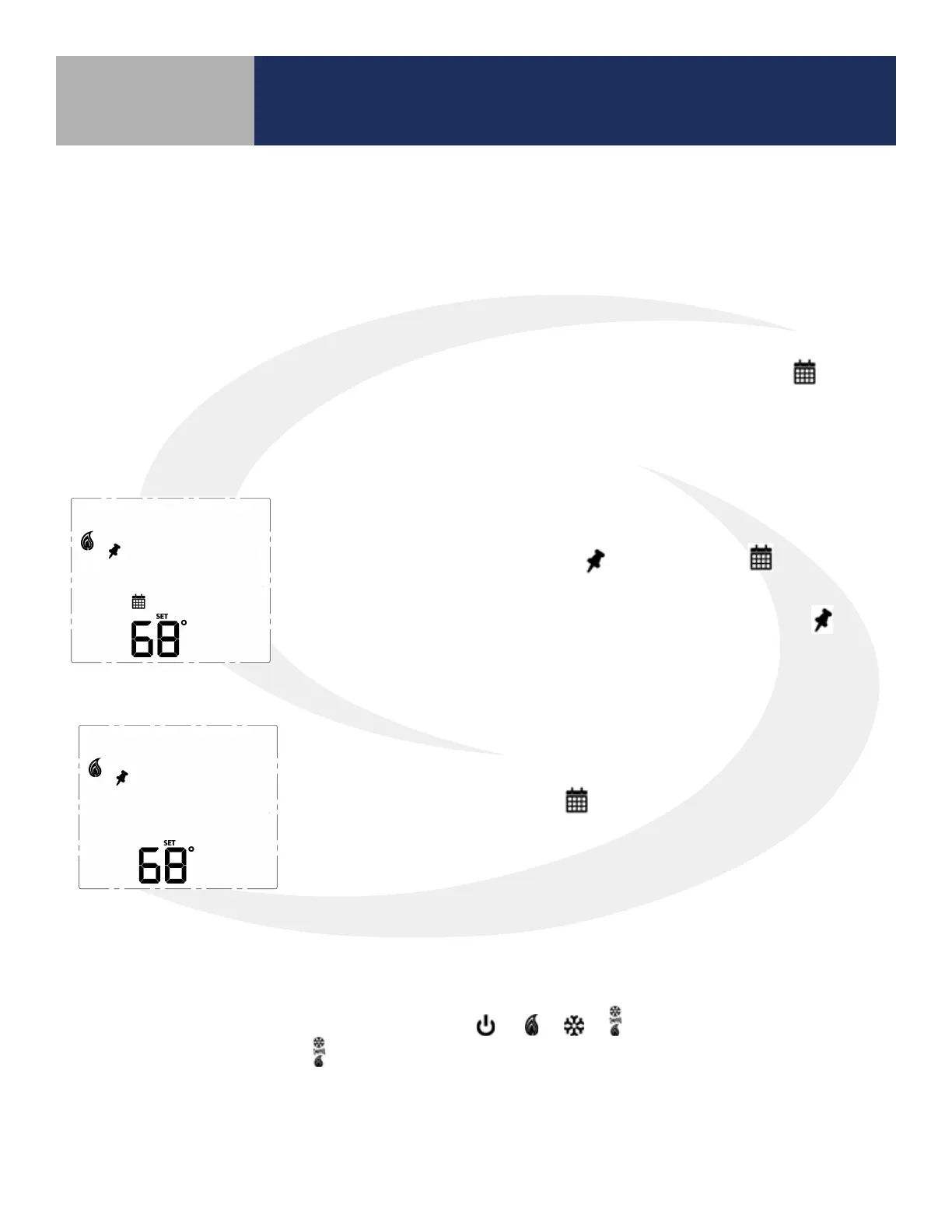
• Temporary Hold
To temporarily override the schedule, simply use the ^ or v keys to
change the setpoint. When in Temporary Hold, the LCD display on
the Fan Coil Thermostat will show in addition to the icon. The
schedule will resume when the next scheduled time interval begins.
Change the temperature to the scheduled temperature and the icon
will turn o, indicating that the thermostat is following the schedule.
• Permanent Hold
Once in Temporary Hold, press SELECT to toggle between temporary
and permanent override. When in permanent override, the LCD display
on the Fan Coil Thermostat the icon will turn o. The schedule will
be suspended until the user returns it to the schedule changing the
temperature to the scheduled temperature and pressing SELECT.
Heating/Cooling Modes
Heating/Cooling mode selection works the same for both programmable and non-programmable Fan
Coil Thermostats. Parameter P02 (see appendix) determines which heating and/or cooling modes are
available. Pressing the MODE key, will cycle through
depending on Parameter P02
(Appendix A) settings. When in mode, the Fan Coil Thermostat will maintain a temperature between
the heating and cooling setpoints.
Set Point Override
While following a temperature schedule in any mode, the Fan Coil Thermostat will display the icon.
The schedule may be overridden temporarily until the next programmed time period, or permanently
until the user returns the device to the programmed schedule.



 To Next Page