7-1
Module 5 – Connected Fan Coil Controls
Device Configuration – Fan Coil Controls
Section 7
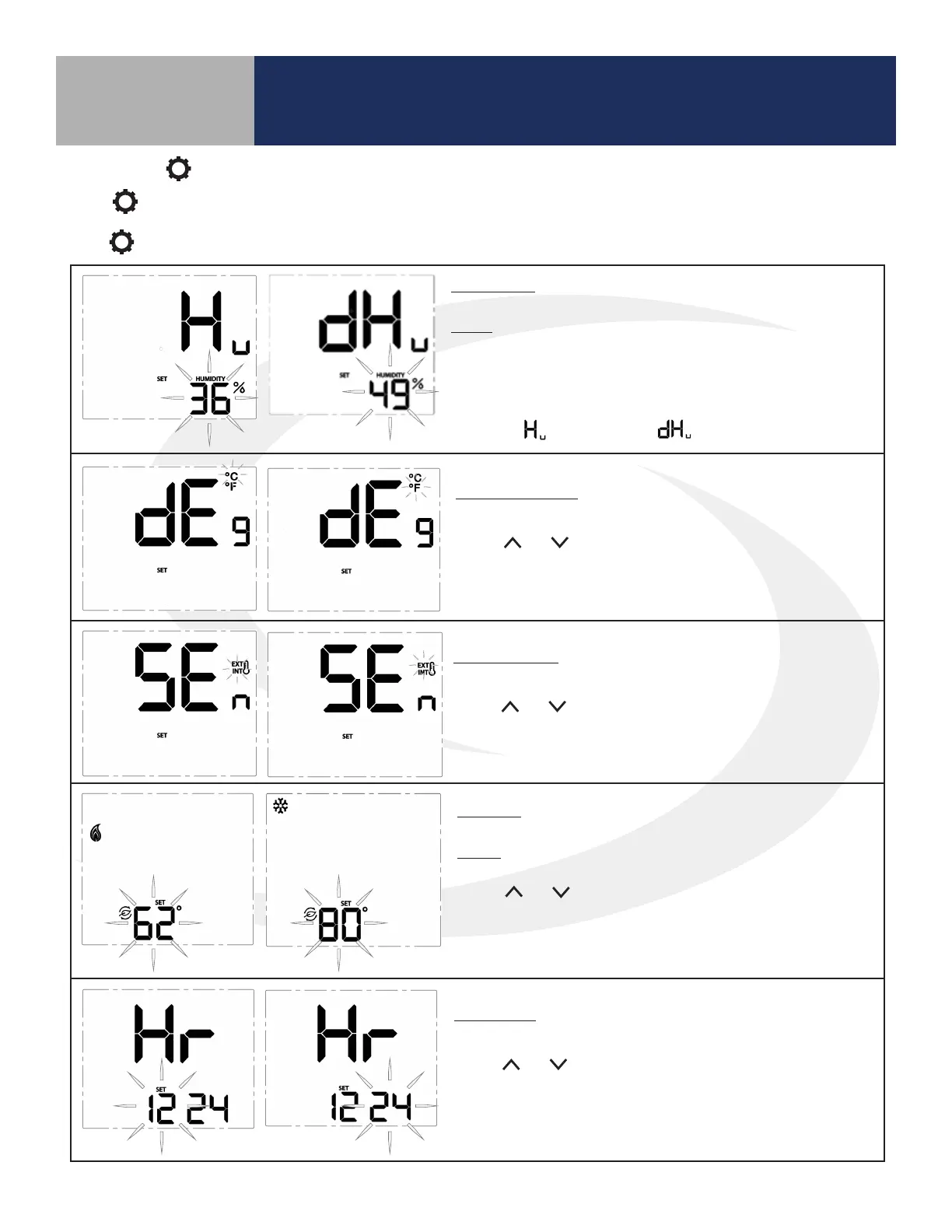
* Humidity: This setting allows users to adjust the relative
humidity setpoint.
Range: Humidifier – 20% to 50%
Dehumidifier – 40% to 80%
The ^ and v keys adjust the flashing relative humidity setpoint. Press
SELECT to choose the displayed value and move to the next setting.
* This setting is only available if the accessory parameter (P22) is set to
Humidifier ( ) or Dehumidifier ( ).
Temperature Units: Use this setting to choose between SI Metric and
US Customary temperature units.
Use the and keys to toggle between °C and °F. Press
SELECT to choose the flashing value and move to the next
setting.
Sensor Location: Use this setting to choose between internal (INT)
and external (EXT) sensor location.
Use the and keys to toggle between INT and EXT. Press SELECT
to choose the flashing value and move to the next setting (If INT is
chosen, INT will not be displayed on the home screen).
* Setback: Use this setting to choose a setback temperature for heat-
ing and/or cooling.
Range: Heat – 50-68°F (10-20°C)
Cooling – 73-90°F (23-32°C)
Use the and keys to change the setback temperature. Press
SELECT to choose the flashing value and move to the next setting.
* This setting is only available if the setback input parameter (P16) is
enabled.
Clock Format: This setting is used to change the clock format be-
tween 12 hour with am/pm and 24 hour.
Use the and keys to toggle between 12 and 24 hour clock.
Press SELECT to choose the value displayed and move on to the next
setting.
Settings Button Operation
Press to adjust the settings in Table 7.1. Some of these settings are not accessible depending on the parameter
conguration listed in Appendix A. Press select to choose the current value and move to the next available setting.
Press to exit the settings menu.



 To Next Page