KA 5578-E EN 21
Operation
Switch position
Parameters WE Value range
HC1 OT deactivation value 15.0°C –50.0 to 50.0°C
HC2 OT deactivation value 15.0°C –50.0 to 50.0°C
HC3 OT deactivation value 15.0°C –50.0 to 50.0°C
HC11 OT deactivation value 15.0°C –50.0 to 50.0°C
HC12 OT deactivation value 15.0°C –50.0 to 50.0°C
HC13 OT deactivation value 15.0°C –50.0 to 50.0°C
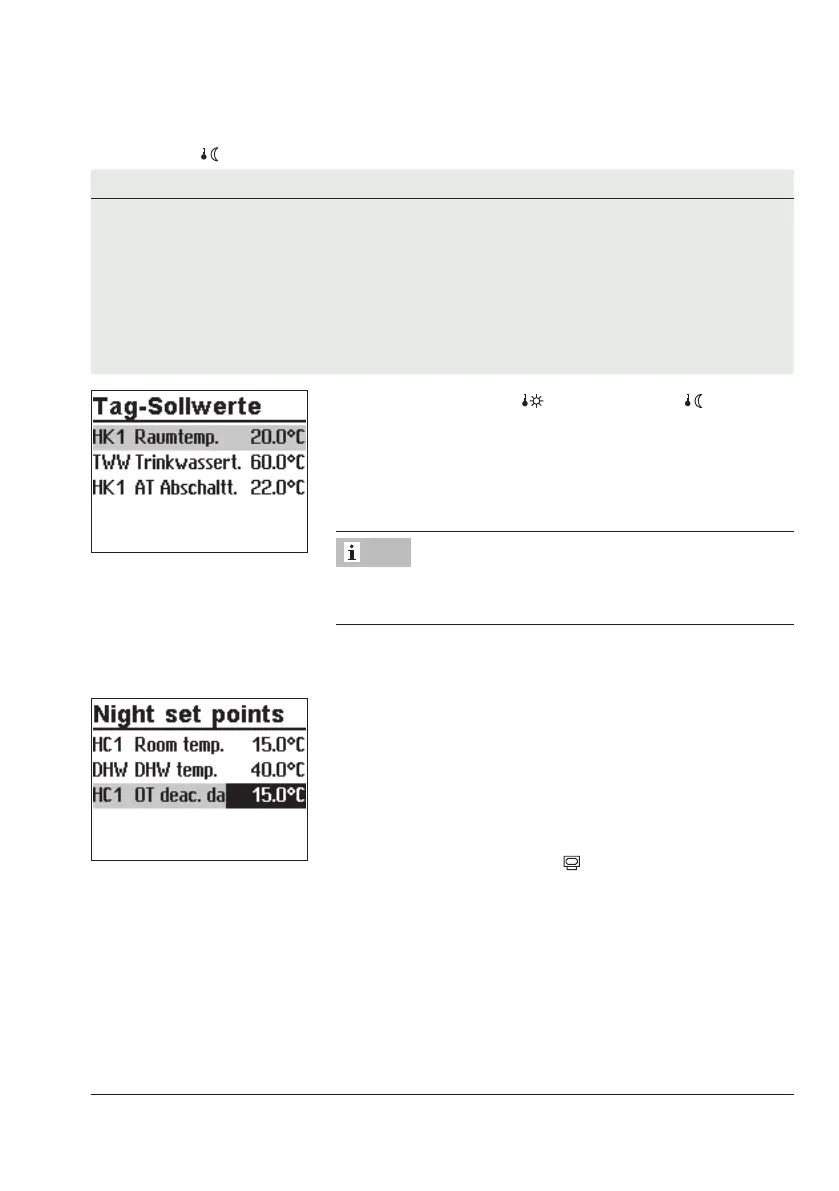
Turn the rotary switch to (day set point) or (night set
point). The day and night set points appear on the display
one after the other.
Î Only those day and night set points are available for se-
lection which can be controlled by the selected system.
The deactivation values are located in a separate menu (de-
activation values) for systems with three control circuits.
q Select the set point.
¼ Activate editing mode for set point.
q Adjust the set point.
¼ Conrm setting.
Proceed in the same manner to adjust further set points.
After adjusting all the set points:
Turn the rotary switch back to
(operating level).
5.4 Reset to default settings
All parameters set over the rotary switch as well as parameters in the PA1, PA2, PA3, PA11,
PA12 and PA13 parameter levels can be reset to their default settings (WE). This does not
apply to the maximum ow temperature and the return ow temperature limits in PA1 and
PA2.
Note



 To Next Page