4 - English
❙
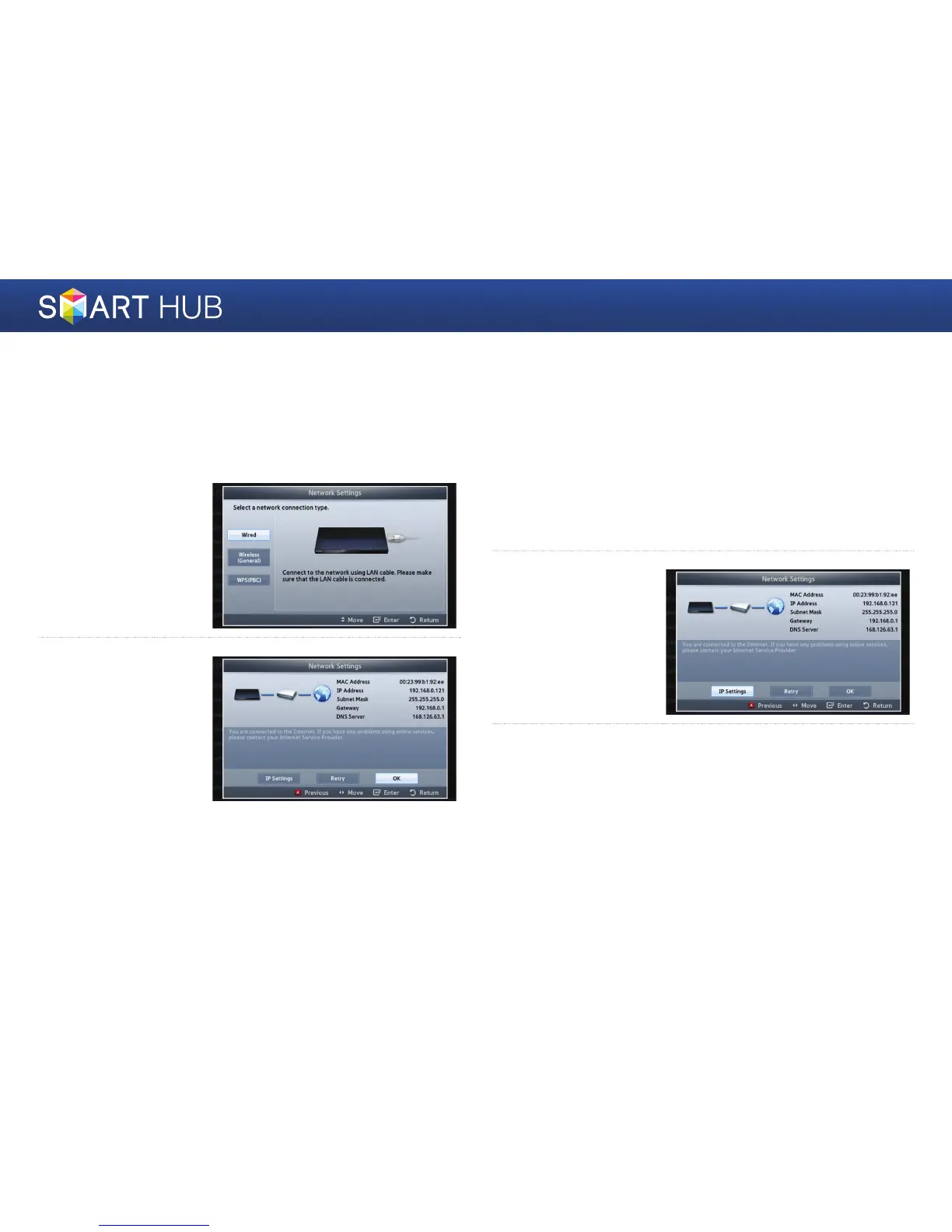
For Wired Networks
Wired - Automatic
Use the automatic procedure if your network does not require a Static IP
address. Most networks do not require a Static IP address.
1
Select Wired in the
Network Settings
screen, and then press
the
e
button.
2
The player verifies the
network connection
and then connects to
the network.
Press the
e
button
when the network
connection process is
complete.
Wired - Manual Configuration
If you have a static IP address or the Automatic procedure does not work, you'll
need to set the Network Settings values manually.
1
Select <Wired> in the Network Settings screen, and then press the
e
button. The Network Status screen appears. The player attempts to
verify the network connection and fails.
2
Select <IP Settings>
on the right of the
screen, and then press
the
e
button. The
IP Settings screen
appears.
3
Select the IP Mode field, and then set it to Manual.



 To Next Page