EasyManua.ls Logo

Samsung BD-E5700 - Page 77

Samsung BD-E5700
89 pages
Print Icon
To Next Page IconTo Next Page
To Previous Page IconTo Previous Page
Loading...
14 - English
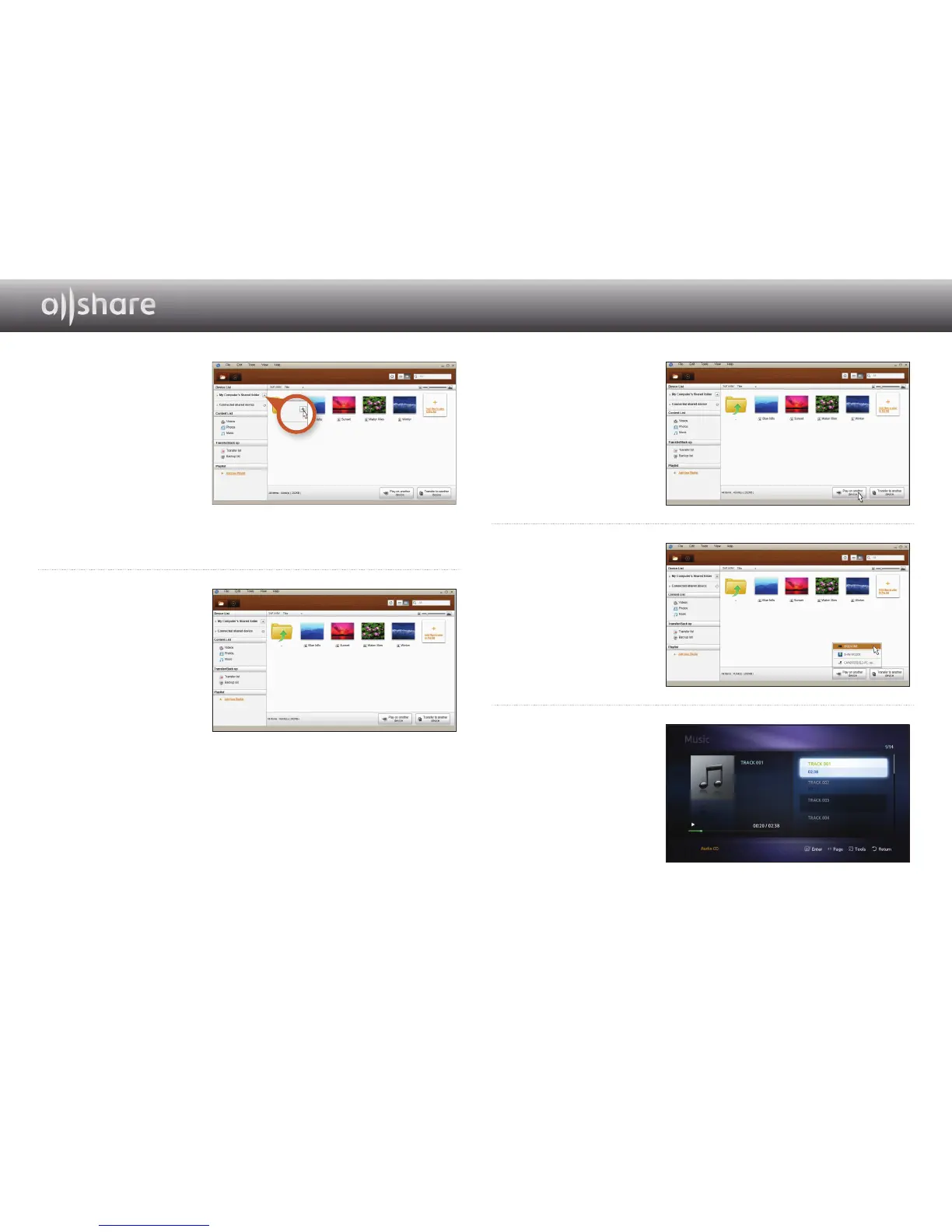
3
If the folder containing
the video you want
to play is not shared,
click the button next
to "My computer’s
shared folder" to add
the shared folder.
If there are a large
number of files,
recreating the list may
take a long time.
4
In the Content list,
select the video you
want to play.
5
Click on the "Play
on another device"
button.
6
Select the device
you want to play the
content on or through
(your Blu-ray player).
7
When video buffering
is complete, the video
will play through the
player and appear on
your TV.
Make sure you have set
your TV to the source
you've connected the
Blu-ray player to.

Other manuals for Samsung BD-E5700

Related product manuals