Messaging and Internet 157
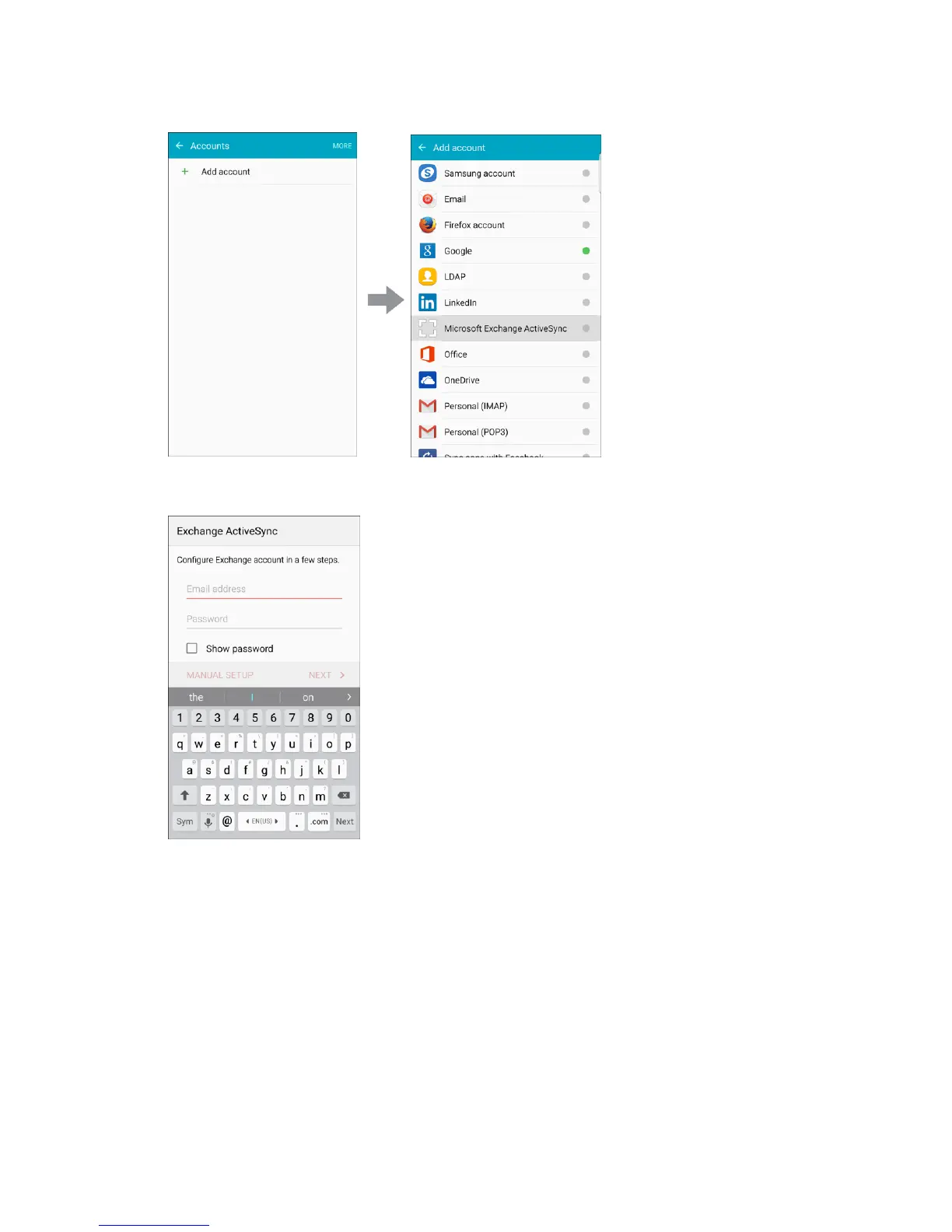
2. Enter the Email address and Password for the email account and then tap Manual setup.
3. Enter the required information.
Email address: Enter your email address.
Domain\username: Enter your network domain and username, separated by “\”.
Password: Enter your network access password (case-sensitive).
Show password: Display the password as you enter it.
Exchange server: Enter your system’s Exchange server remote email address. Obtain this
information from your company network administrator.












 To Next Page