Settings 371
Location Settings
Your Location services settings menu lets you select how your phone determines its location (using the
wireless networks, GPS satellites, both, or neither).
Enable Location Services
Before using any features that require location assistance, you must enable your phone’s location
services.
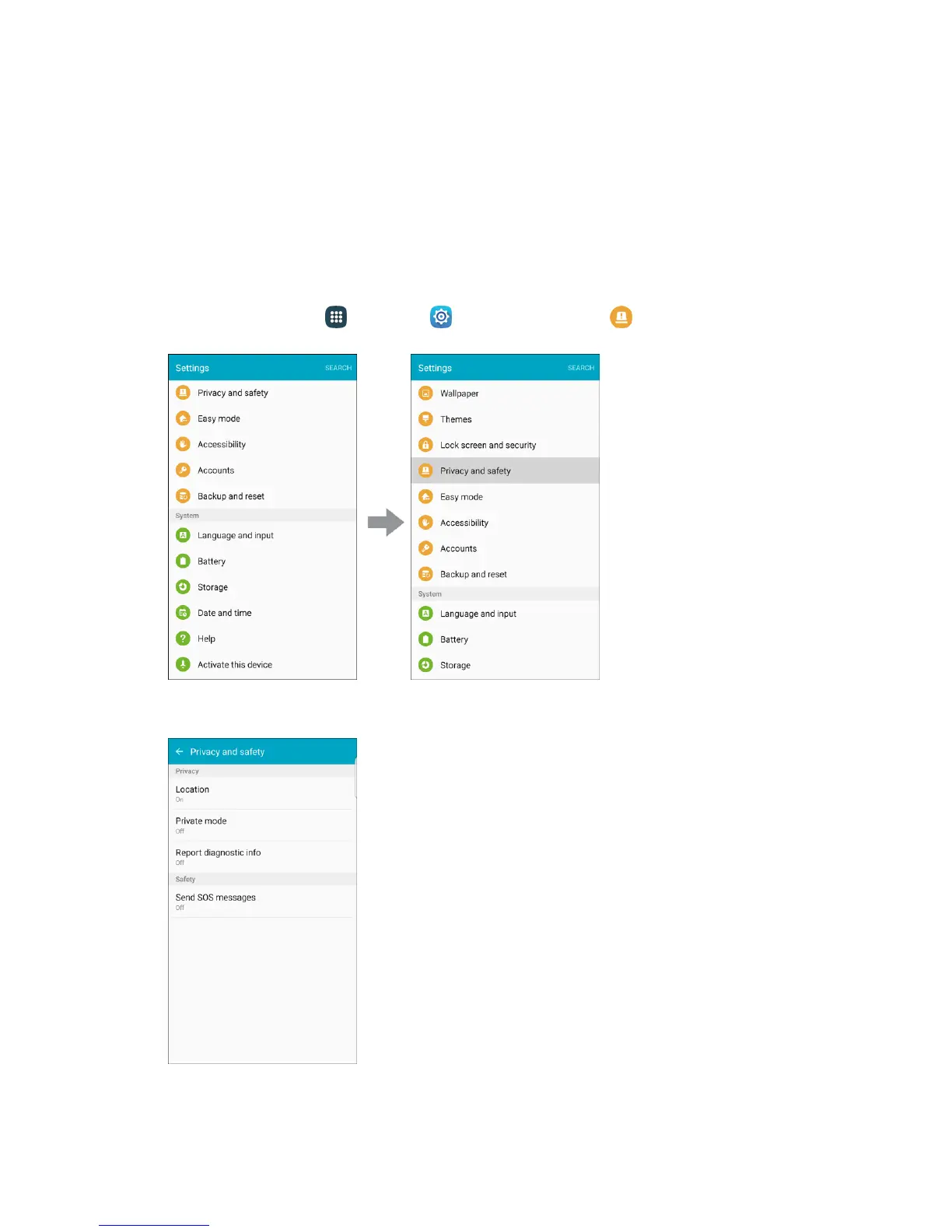
1. From home, tap Apps > Settings > Privacy and safety .
2. Tap Location.














 To Next Page