Settings 338
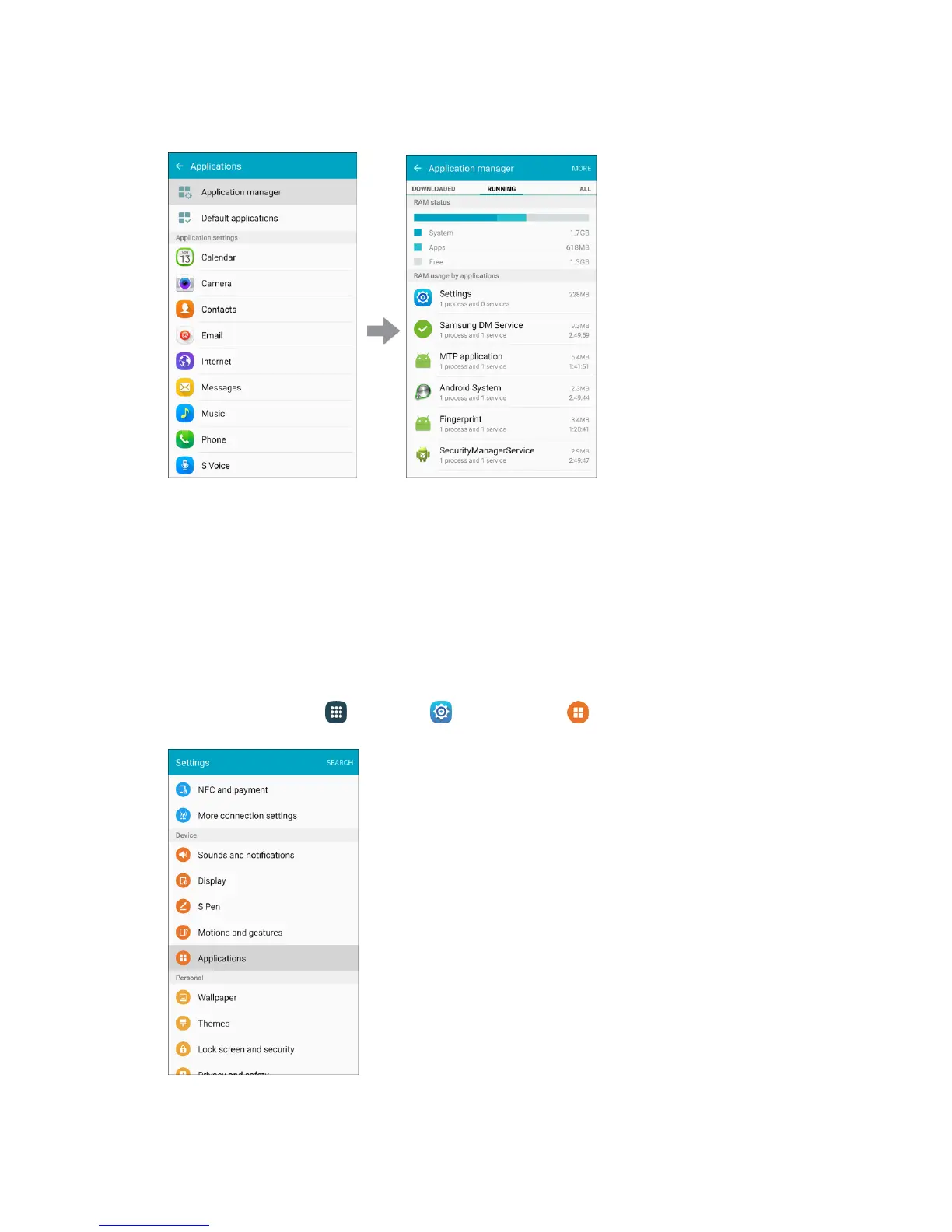
2. Tap Application manager.
3. Tap items to view details.
Check your application settings condition and access additional options.
Note: Depending on the app and its location, you may be able to force the app closed, uninstall or disable
the app, clear cache and data, and more.
Default Applications
Set or clear default applications for certain built-in features of the phone.
1. From home, tap Apps > Settings > Applications .














 To Next Page