Settings 397
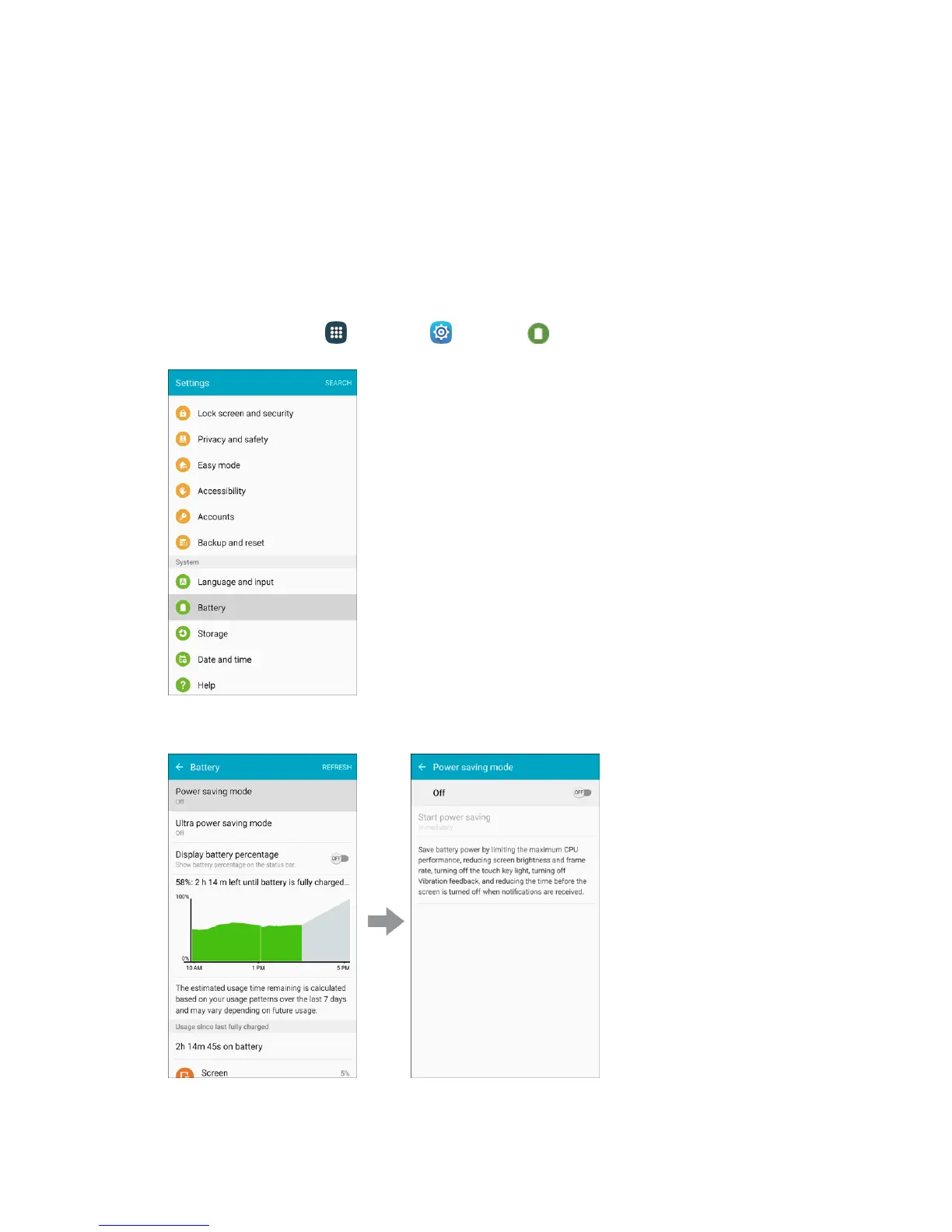
3. Tap items to view details.
Check your battery condition and access additional options.
Power Saving Mode
Save battery power by activating Power saving mode, which reduces or turns off certain features to
decrease battery consumption.
Turn On Power Saving Mode
1. From home, tap Apps > Settings > Battery .
2. Tap Power saving mode.
3. Tap ON/OFF to enable Power saving mode.














 To Next Page