Settings 326
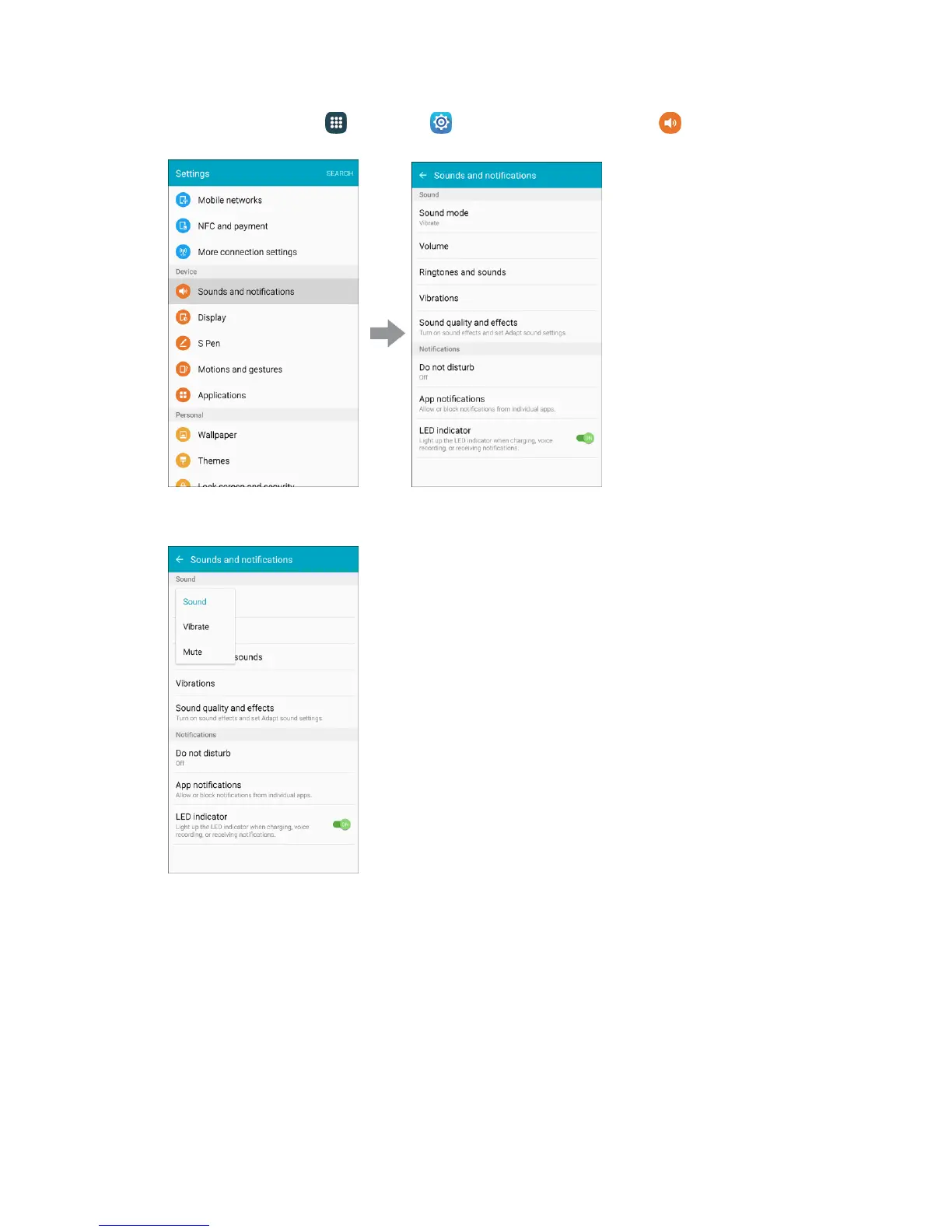
1. From home, tap Apps > Settings > Sounds and notifications .
2. Tap Sound mode, and then choose a mode:
Sound: Your phone uses the sounds, vibrations, and volume levels you have chosen in
Sound settings for notifications and alerts.
Vibrate: Your phone vibrates for notifications and alerts. This uses the Vibration intensity you
choose in Sound settings.
Mute: Your phone plays no sounds or vibrations. Onscreen reminders will still occur.
Volume
Set the system volume level, and set default volume for call ringtones, notifications, and other media.














 To Next Page