Useful Apps and Features 228
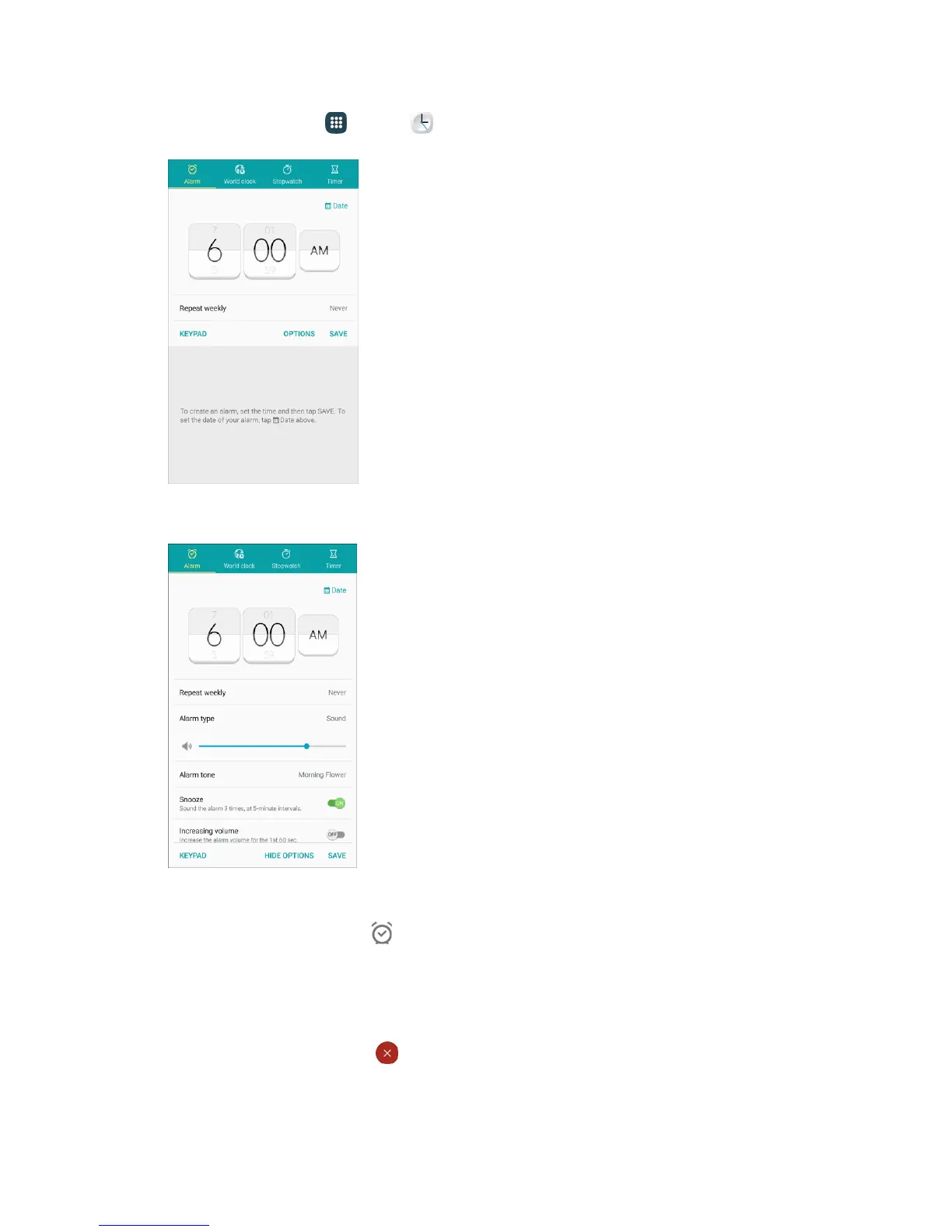
1. From home, tap Apps > Clock > Alarm.
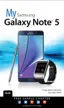
2. Set the alarm options, including time, days, and repeat pattern. For more options, tap Options.
3. When finished, tap Save.
You will see the alarm icon in the status bar.
Phone at Alarm Time
● At the set alarm time, the phone sounds the alarm and/or vibrates.
● When the alarm sounds, drag to the left or right to dismiss it.














 To Next Page