Upgrading Memory
This computer has one or more 256 MB or 512 MB memory module(s).
Two memory module sockets are provided so that you can replace
memory or install an additional memory module.
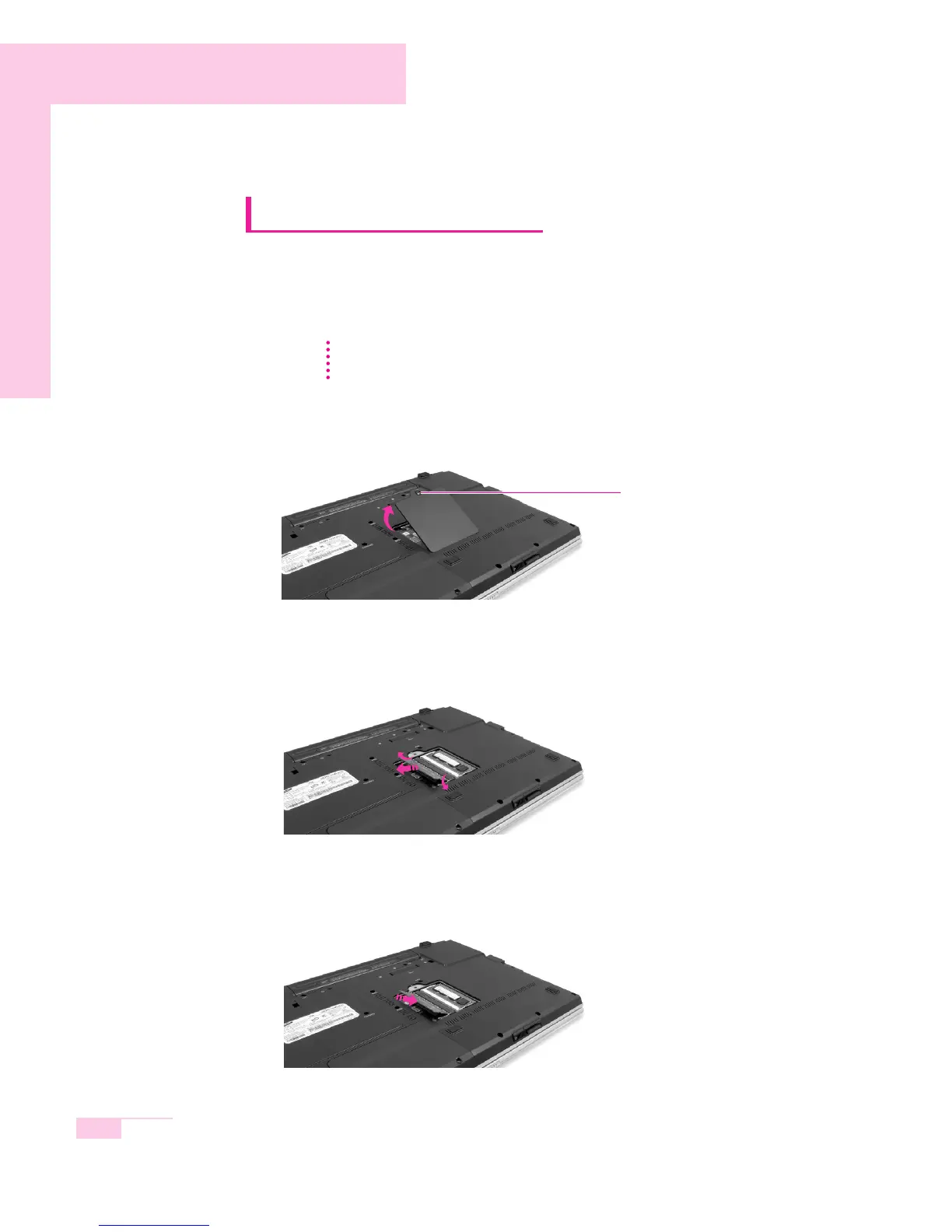
1. Using a screwdriver, open the memory-module compartment cover on the bottom
of the system.
2. Push the memory module tabs outward to pop the memory module outward.
Pull the module out at an angle of about 30°.
3. Align the new memory module connectors accordingly and slide it into the slot at
a 30˚ angle.
5-8
Manual
Before replacing the memory module, turn the system off completely and remove
the battery. Do not replace the memory module when the system is in Rest Mode.
N
N
o
o
t
t
e
e
battery screw



 To Next Page