5-4
Manual
Using the Battery
Please refer to the following instructions when running the computer on
battery power without connecting the AC power.
This computer uses smart rechargeable Lithium-Ion (Li-Ion) battery.
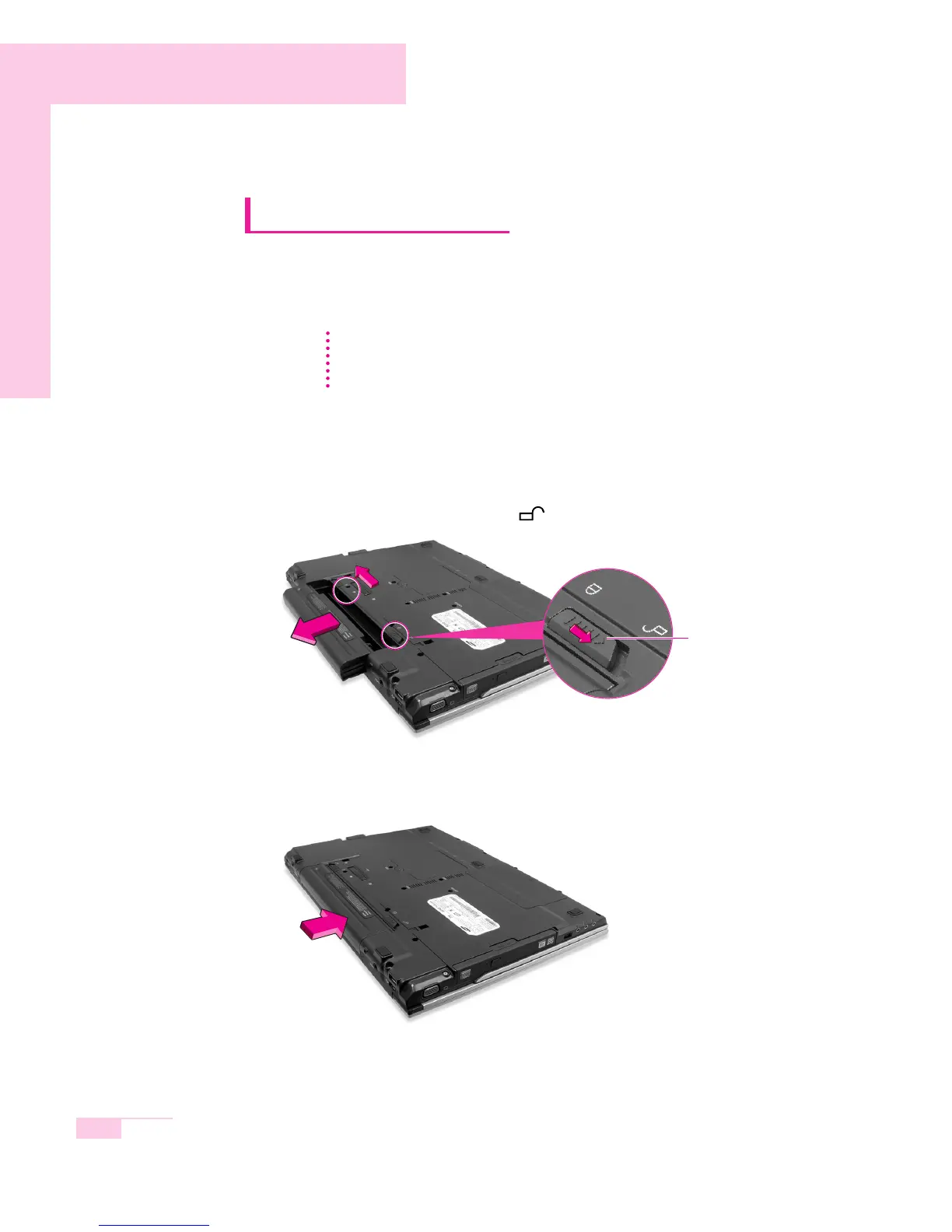
Ejecting and Attaching Battery
1. Shutdown system and close LCD.
2. Put the computer upside down.
3. Pull the two battery latches outward
( ),
then remove the battery.
4. To install the battery again, slide the battery into the system as below. The battery
latch moves inward, and fixes the battery automatically.
C
C
a
a
u
u
t
t
i
i
o
o
n
n
Please read the instructions on the battery before use.
Please refer to the system operation environment (Page A-2) of this manual and
operate and store the battery at room temperature.
battery latch



 To Next Page