Samsung Electronics 2-7
Product Specifications
Functional Development Specifications (cont.)
Buttons (cont.)
Classication Button Function
Air Conditioner
Related
Information
⑧
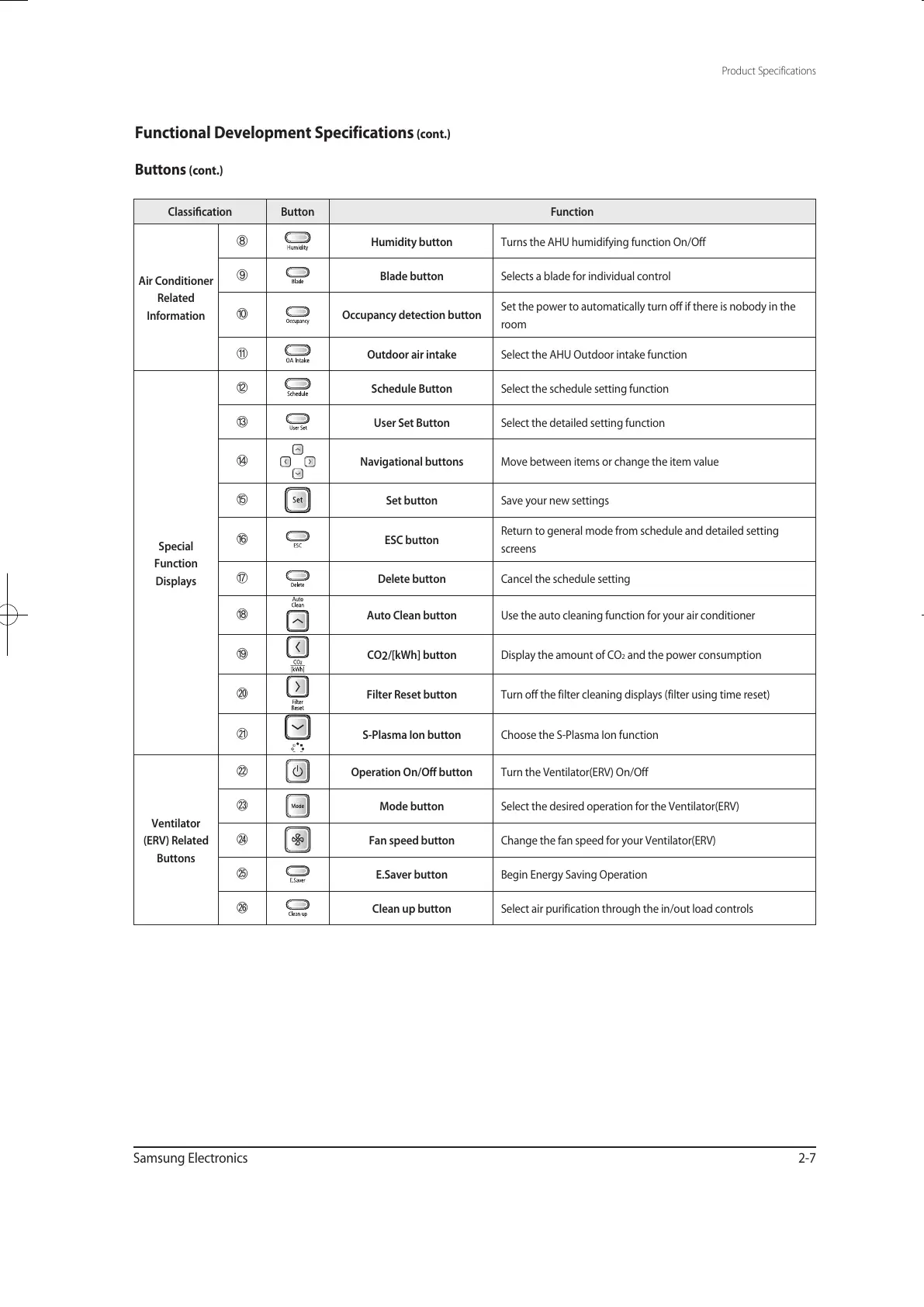
Humidity button Turns the AHU humidifying function On/Off
⑨
Blade button Selects a blade for individual control
⑩
Occupancy detection button
Set the power to automatically turn off if there is nobody in the
room
⑪
Outdoor air intake Select the AHU Outdoor intake function
Special
Function
Displays
⑫
Schedule Button Select the schedule setting function
⑬
User Set Button Select the detailed setting function
⑭
Navigational buttons Move between items or change the item value
⑮
Set button Save your new settings
⑯
ESC button
Return to general mode from schedule and detailed setting
screens
⑰
Delete button Cancel the schedule setting
⑱
Auto Clean button Use the auto cleaning function for your air conditioner
⑲
CO
2
/[kWh] button Display the amount of CO2 and the power consumption
⑳
Filter Reset button Turn off the filter cleaning displays (filter using time reset)
S-Plasma Ion button Choose the S-Plasma Ion function
Ventilator
(ERV) Related
Buttons
Operation On/Off button Turn the Ventilator(ERV) On/Off
Mode button Select the desired operation for the Ventilator(ERV)
Fan speed button Change the fan speed for your Ventilator(ERV)
E.Saver button Begin Energy Saving Operation
Clean up button Select air purification through the in/out load controls
유선리모컨_MWR-WE10_E_33320A(1)_1.indd 7 2010-12-23 오후 5:51:14



 To Next Page