2-2 Samsung Electronics
Product Specifications
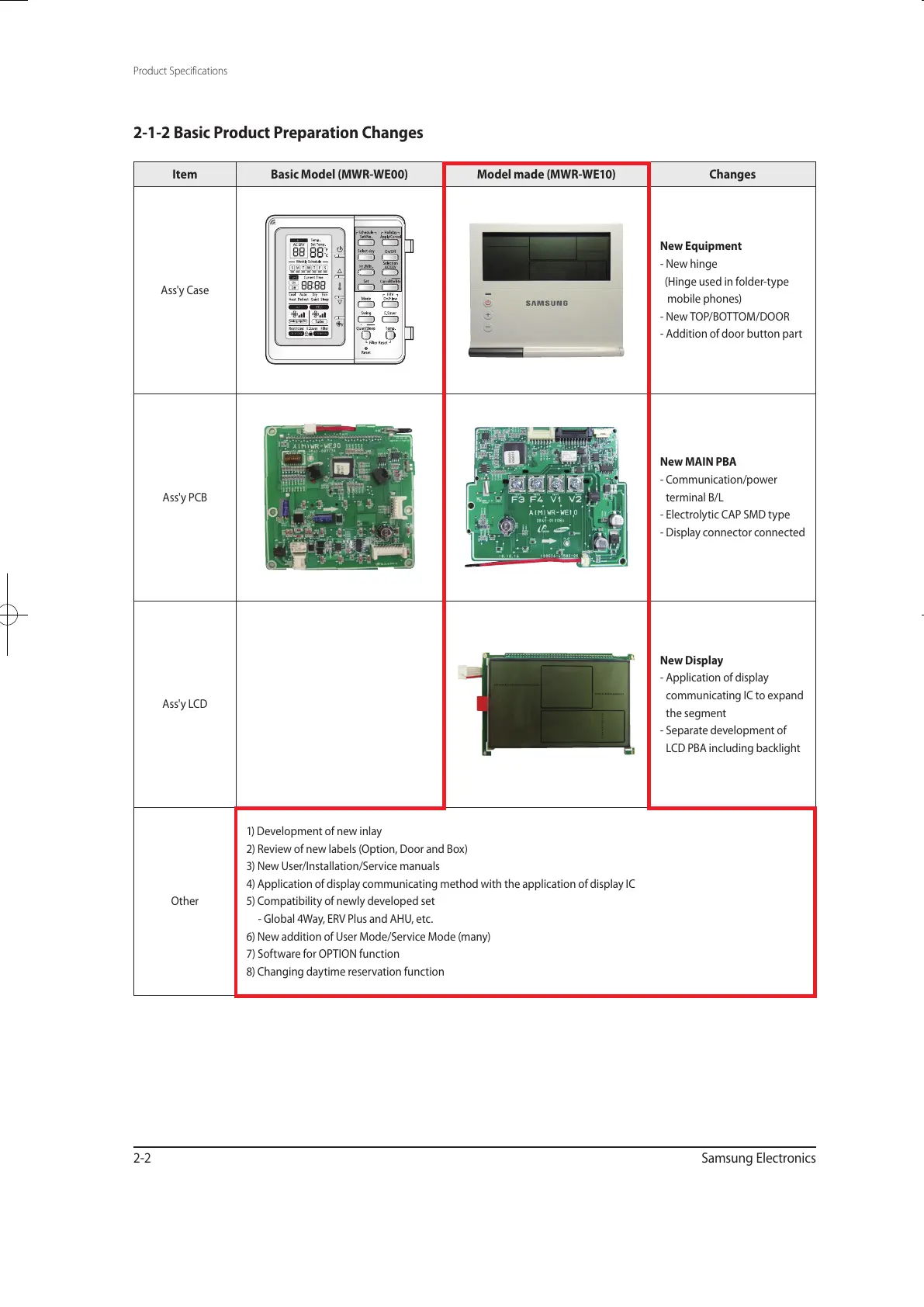
Item Basic Model (MWR-WE00) Model made (MWR-WE10) Changes
Ass'y Case
New Equipment
- New hinge
(Hinge used in folder-type
mobile phones)
- New TOP/BOTTOM/DOOR
- Addition of door button part
Ass'y PCB
New MAIN PBA
- Communication/power
terminal B/L
- Electrolytic CAP SMD type
- Display connector connected
Ass'y LCD
New Display
- Application of display
communicating IC to expand
the segment
- Separate development of
LCD PBA including backlight
Other
1) Development of new inlay
2) Review of new labels (Option, Door and Box)
3) New User/Installation/Service manuals
4) Application of display communicating method with the application of display IC
5) Compatibility of newly developed set
- Global 4Way, ERV Plus and AHU, etc.
6) New addition of User Mode/Service Mode (many)
7) Software for OPTION function
8) Changing daytime reservation function
2-1-2 Basic Product Preparation Changes
유선리모컨_MWR-WE10_E_33320A(1)_1.indd 2 2010-12-23 오후 5:51:09



 To Next Page