2-8 Samsung Electronics
Product Specifications
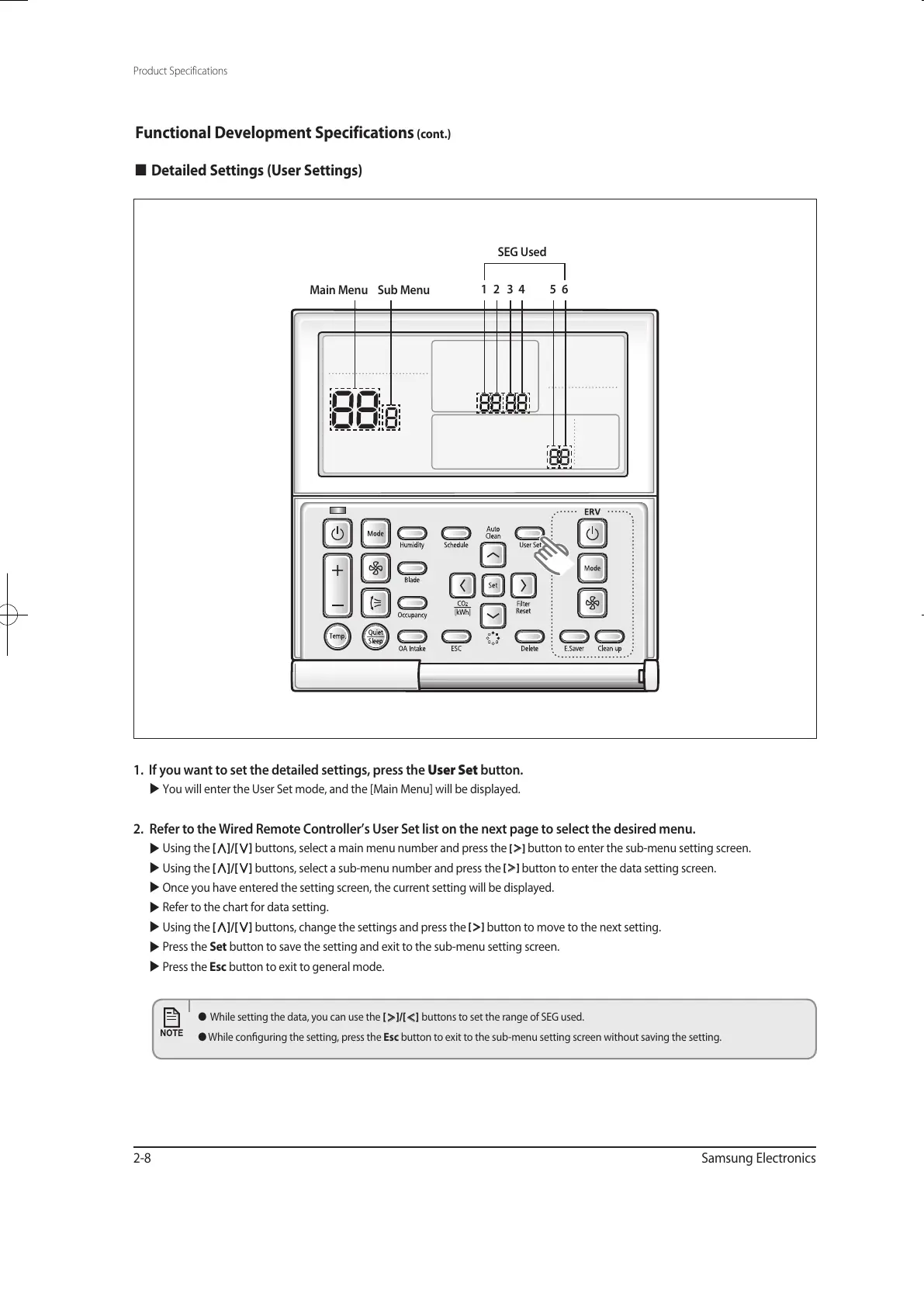
1. If you want to set the detailed settings, press the User Set button.
You will enter the User Set mode, and the [Main Menu] will be displayed.
2. Refer to the Wired Remote Controller’s User Set list on the next page to select the desired menu.
Using the
[
∧
]/[
∨
]
buttons, select a main menu number and press the
[
>
]
button to enter the sub-menu setting screen.
Using the
[
∧
]/[
∨
]
buttons, select a sub-menu number and press the
[
>
]
button to enter the data setting screen.
Once you have entered the setting screen, the current setting will be displayed.
Refer to the chart for data setting.
Using the
[
∧
]/[
∨
]
buttons, change the settings and press the
[
>
]
button to move to the next setting.
Press the Set button to save the setting and exit to the sub-menu setting screen.
Press the Esc button to exit to general mode.
Functional Development Specifications (cont.)
Detailed Settings (User Settings)
SEG Used
Main Menu Sub Menu
1 2 3 54 6
● While setting the data, you can use the
[
>
]/[
<
]
buttons to set the range of SEG used.
● While conguring the setting, press the Esc button to exit to the sub-menu setting screen without saving the setting.
유선리모컨_MWR-WE10_E_33320A(1)_1.indd 8 2010-12-23 오후 5:51:15



 To Next Page