Samsung Electronics 4-6
Troubleshooting
4-3-3 Micom Software Upgrading Order
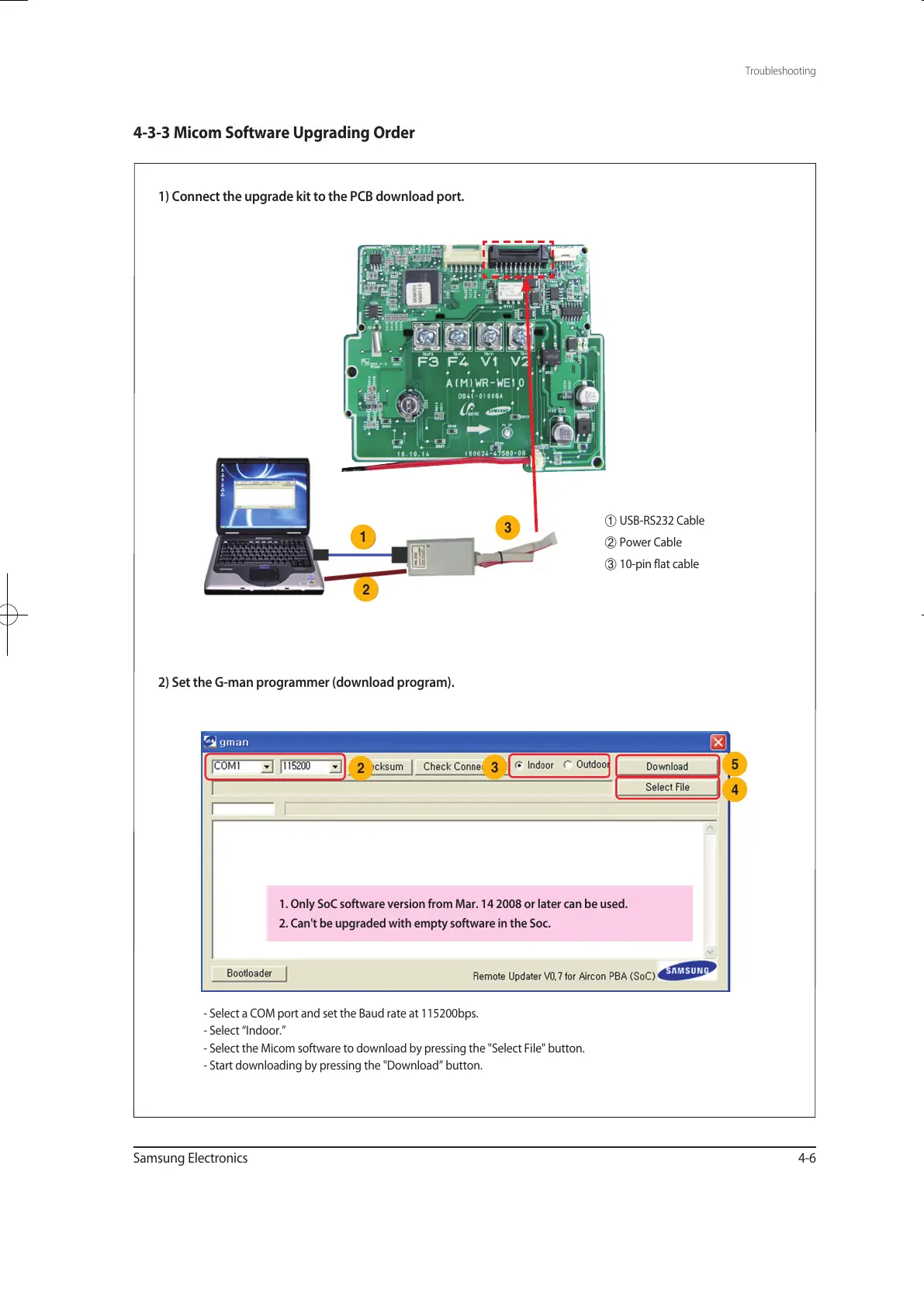
1) Connect the upgrade kit to the PCB download port.
2) Set the G-man programmer (download program).
1
3
2
①
USB-RS232 Cable
②
Power Cable
③
10-pin flat cable
- Select a COM port and set the Baud rate at 115200bps.
- Select “Indoor.”
- Select the Micom software to download by pressing the "Select File" button.
- Start downloading by pressing the "Download” button.
2
3
5
4
1. Only SoC software version from Mar. 14 2008 or later can be used.
2. Can't be upgraded with empty software in the Soc.
유선리모컨_MWR-WE10_E_33320A(1)_1.indd 6 2010-12-23 오후 5:51:20



 To Next Page