Samsung Electronics 2-13
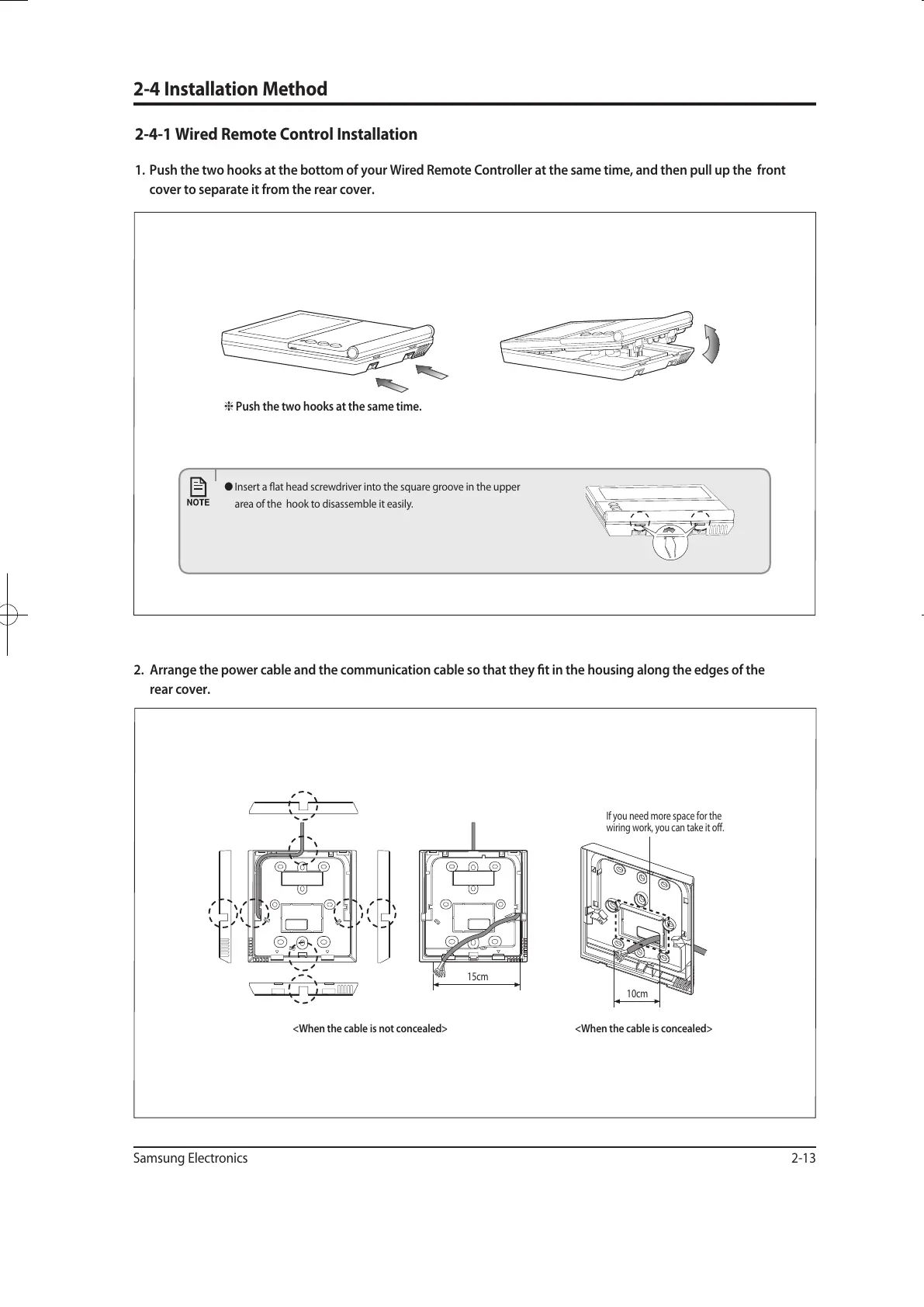
2. Arrange the power cable and the communication cable so that they t in the housing along the edges of the
rear cover.
2-4 Installation Method
2-4-1 Wired Remote Control Installation
1. Push the two hooks at the bottom of your Wired Remote Controller at the same time, and then pull up the front
cover to separate it from the rear cover.
Push the two hooks at the same time.
● Insert a at head screwdriver into the square groove in the upper
area of the hook to disassemble it easily.
<When the cable is not concealed> <When the cable is concealed>
15cm
10cm
If you need more space for the
wiring work, you can take it off.
유선리모컨_MWR-WE10_E_33320A(1)_1.indd 13 2010-12-23 오후 5:51:16



 To Next Page