Samsung Electronics 4-8
Troubleshooting
Micom Software Upgrading Order (cont.)
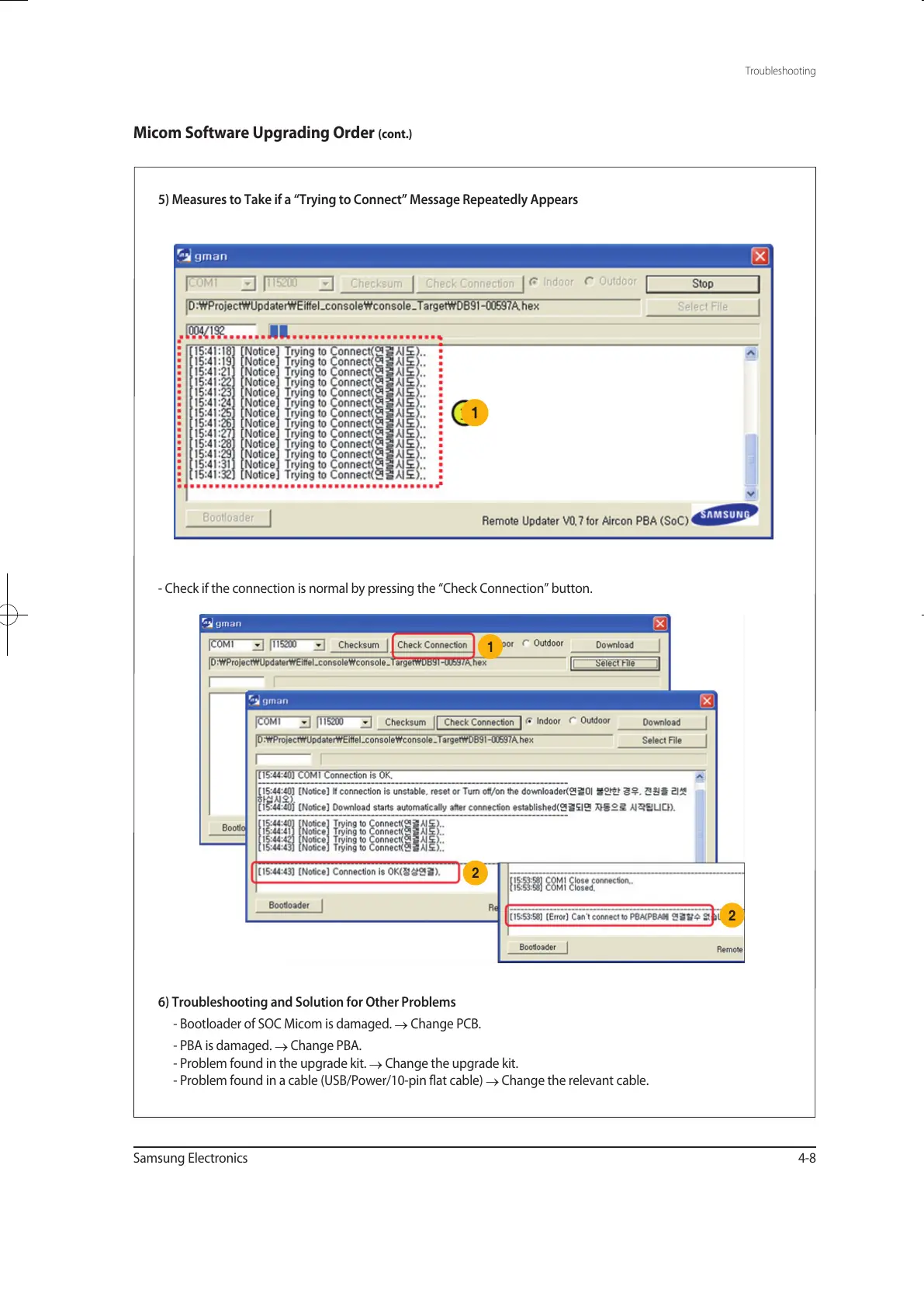
5) Measures to Take if a “Trying to Connect” Message Repeatedly Appears
6) Troubleshooting and Solution for Other Problems
- Bootloader of SOC Micom is damaged.
→
Change PCB.
- PBA is damaged.
→
Change PBA.
- Problem found in the upgrade kit.
→
Change the upgrade kit.
- Problem found in a cable (USB/Power/10-pin flat cable)
→
Change the relevant cable.
- Check if the connection is normal by pressing the “Check Connection” button.
1
2
2
1
유선리모컨_MWR-WE10_E_33320A(1)_1.indd 8 2010-12-23 오후 5:51:21



 To Next Page