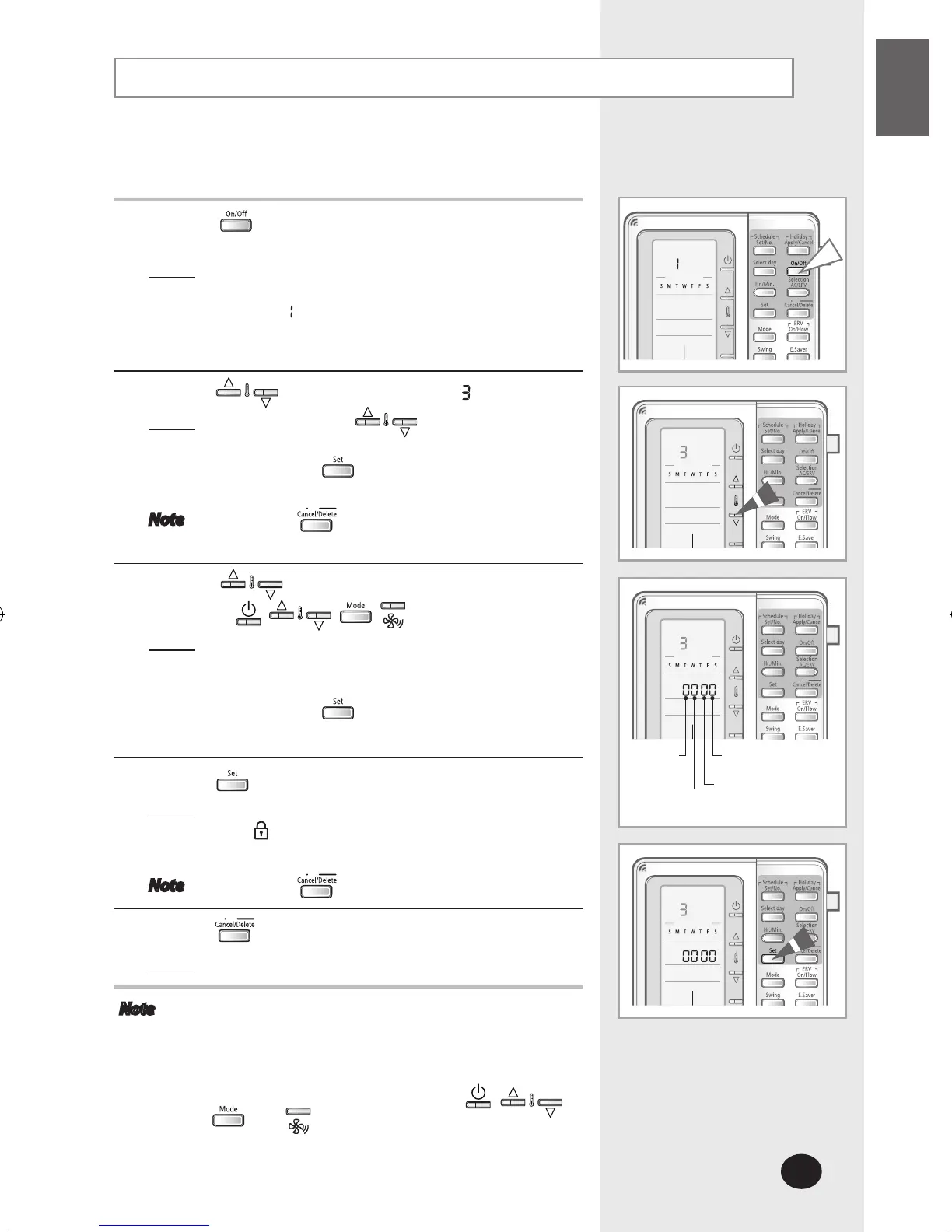
Locking the Part of the Multi Function Wired Remote Controller
To prevent the multi function wired remote controller from
children and changing settings unwillingly, you can lock some
functions of multi function wired remote controller.
1
Press the button for 3 seconds to enter the setup
mode.
Result
: The multi function wired remote controller will
enter the setup mode and the menu will
display
.
2
Press the buttons and select menu .
Result
: Each time the buttons are pressed,
menu number increases by 1.
Press the button to enter the lock setup
mode.
Note Press the button to cancel the setting.
3
Using the buttons, you can set the lock setting
value of the
, , , buttons.
Result
: Lock setting value
- 0: Cancel lock
- 1: Set lock
Press the button after setting.
4
Press the button to complete the part lock settings.
Result
: Changed settings will be applied.
will be displayed when the lock function is
set.
Note Press the button to cancel the setting.
5
Press the button.
Result
: Menu selection display will end.
Note If the centralize control is set, you cannot use the
part lock function.
You cannot use the part lock function when Lock all
is set.
Part Lock function can be applied to , ,
, and buttons only.
On/off
button
Temperature
setting button
Mode button
Fan speed button



 To Next Page