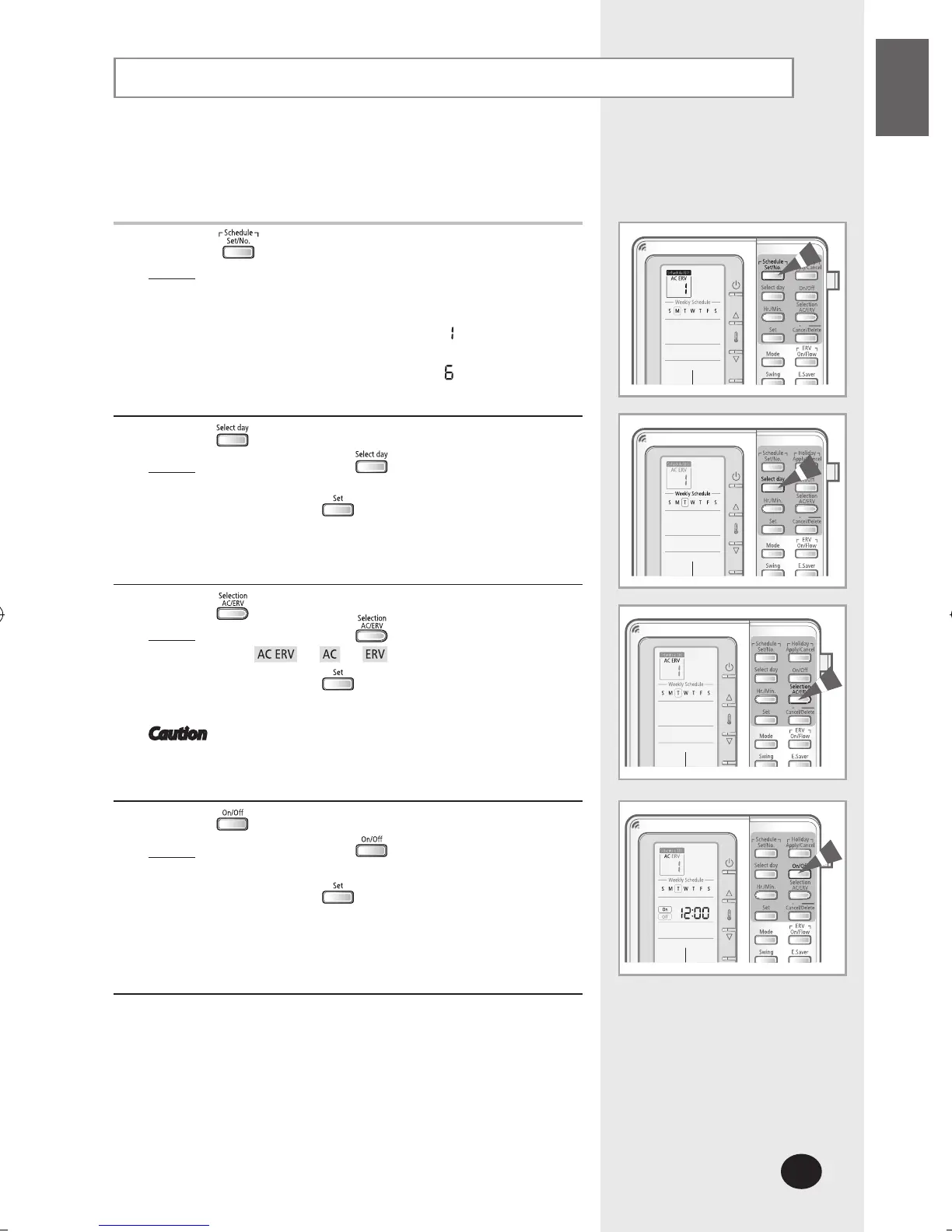
Setting the 7-day Schedule
Set the 7-day schedule to reserve the On/Off timer to be repeated
every week. At most 10 schedules may be set for each day.
1
Press the button to set a schedule.
Result
: The day is set to today and the schedule number
displays the next empty schedule number for
that day. If there are no schedules set,
the schedule number displays
.
If there are 5 schedules set, for example,
the schedule number displays
.
2
Press the button to select the day to set the schedule.
Result: Each time the button is pressed, the
square box shifts to the right.
Press the button to end the selection.
You will move to the device selection.
3
Press the button to select the device.
Result
: Each time the button is pressed,
will be selected in order.
Press the button to end the selection.
You will move to the On/Off selection.
Caution If ERV is not connected, only the AC can be
selected.
4
Press the button to set the schedule on or off.
Result
: Each time the button is pressed,
On Off will be selected in order.
Press the button after the selection.
If you set On schedule, refer to step ‘5. Mode
selection’ and if you set Off schedule, refer to
step ‘10. Hour selection’
.



 To Next Page