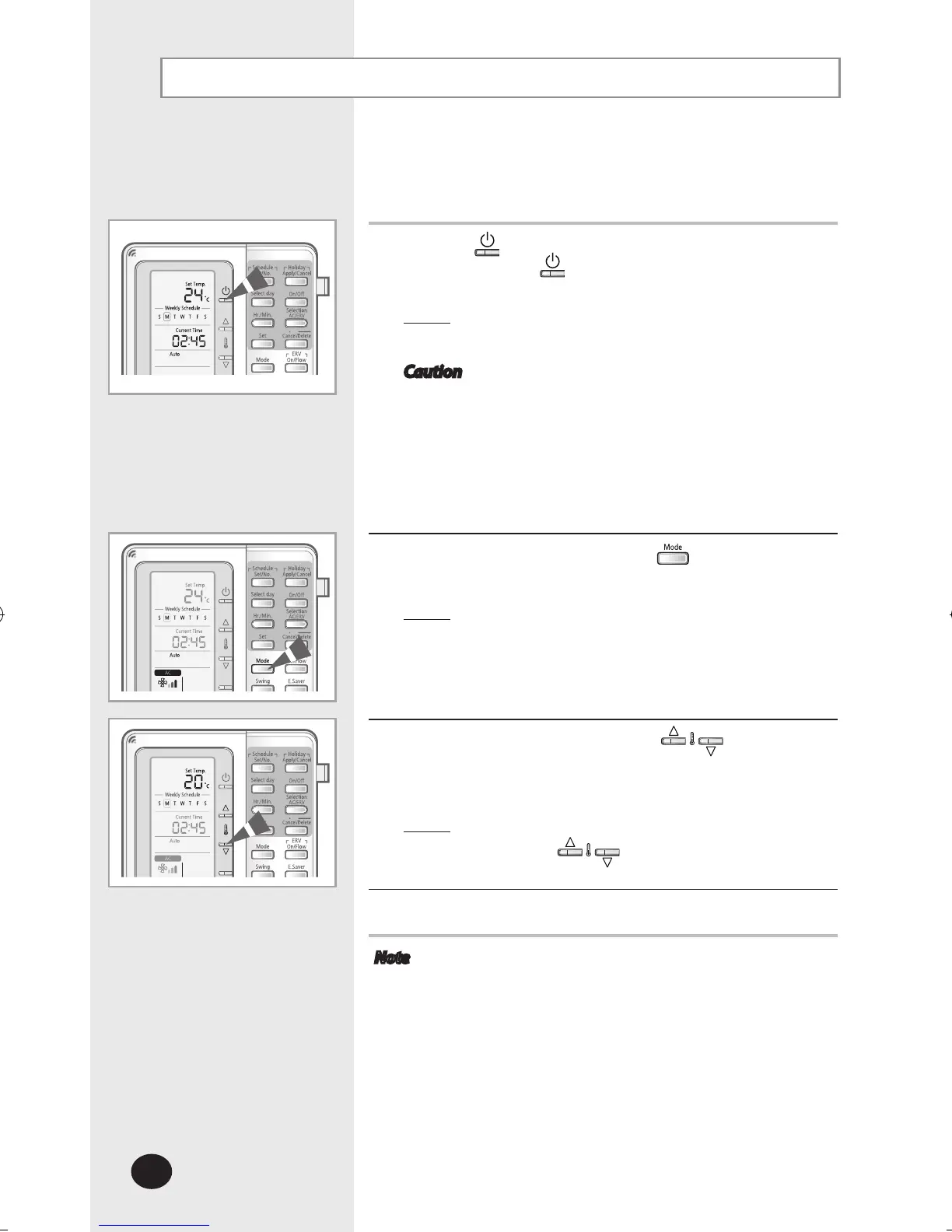
The room temperature and the fan speed are controlled
automatically in the auto mode.
1
Press the (ON/OFF) button to turn on the indoor unit.
- Do not press the
(ON/OFF) button if the remote
controller is on.
Result
: The air conditioner will be turned on with the
most recently used mode.
Caution The air conditioner has a built-in protection
mechanism to prevent the unit from being
damaged when it is started immediately after
being:
Plugged in
Stopped
The air conditioner will start up after 3 minutes.
2
To select the AUTO mode, press the button until Auto is
displayed on the remote controller.
Result
: The air conditioner will operate in auto mode.
The auto fan speed will be selected
automatically in auto mode.
You cannot control the fan speed.
3
To adjust the temperature, press the buttons.
The temperature can be set between 18°C(65°F) and
30°C(86°F).
Result
: The temperature will be adjusted by 1°C(1°F)
when the buttons are pressed.
4
To adjust the air swing direction, refer to page 13.
Note Fan speed in auto mode
When the room temperature is high, cool and strong
air will come out. After the room is cooled, mild air will
come out.
Selecting the Automatic Operating Mode



 To Next Page