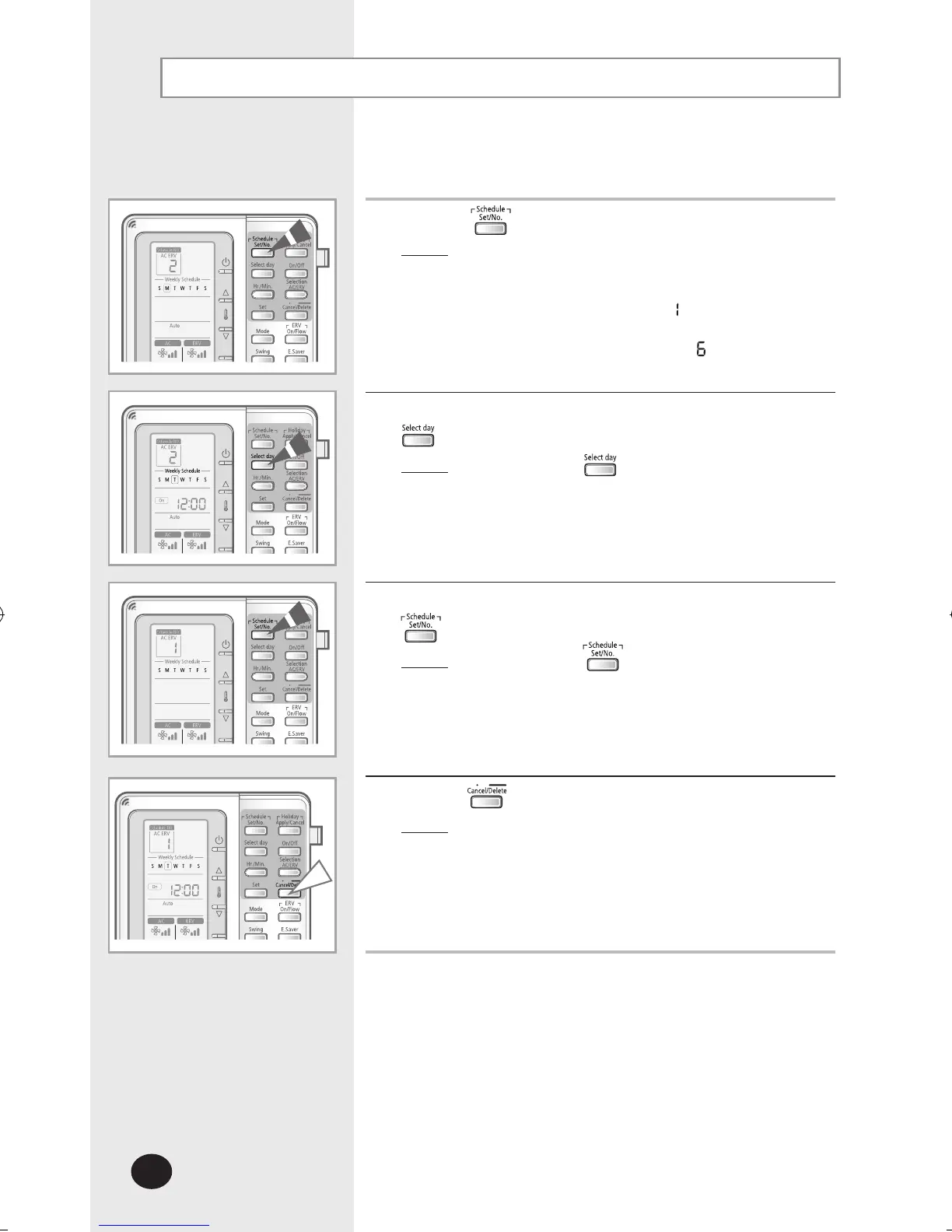
Deleting a Schedule
Schedules may be deleted one at a time.
1
Press the button to enter the schedule setup mode.
Result
: The day is set to today and the schedule number
displays the next empty schedule number
for that day. If there are no schedules set, the
schedule number displays
.
If there are 5 schedules set, for example,
the schedule number displays
.
2
Select the day of the schedule to be deleted by pressing the
button.
Result
: Each time the button is pressed,
the square box blinks and shifts to the right.
3
Select the schedule number to be deleted by pressing the
button.
Result
: Each time the button is pressed,
the schedule number will change.
4
Press the button for 3 seconds.
Result: The schedule is deleted and the remaining
schedules are sorted automatically.



 To Next Page