Setting the 7-day Schedule (Continued)
10
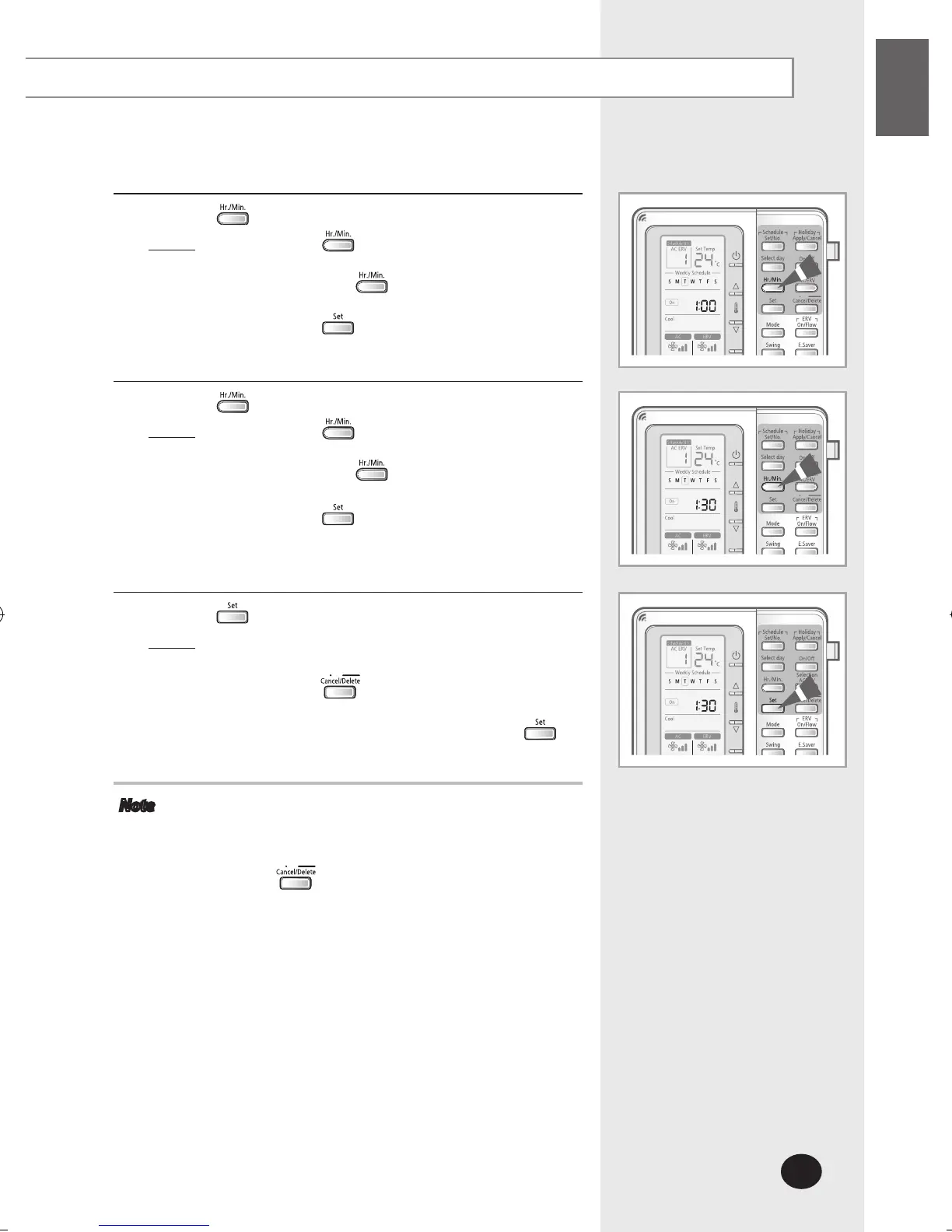
Press the button and select ‘Hour’ to set the hour.
Result: Press the button until the desired hour is
selected.
Each time the button is pressed,
the time is increased by 1 hour.
Press the button to end the selection.
11
Press the button and select ‘Minute’ to set the minute.
Result
: Press the button until the desired
minute is selected.
Each time the button is pressed,
the time is increased by 1 minute.
Press the button to select schedule time.
The schedule time setting is completed and
you will move to schedule confirm display.
12
Press the button to complete 7-day schedule.
Result
: The display blinks once and the schedule set
will be saved.
Press the button while setting the
schedule to cancel the setting. You cannot
cancel the schedule after pressing the
button.
Note Once the schedule is saved, the schedules are
automatically sorted and the schedule number is
displayed by increasing time order.
Press the button to cancel the setting.
When the centralized control is set, you can set the
7-day schedule but it will not be executed.



 To Next Page