4-51
4. Troubleshooting
Installing the Volume Control
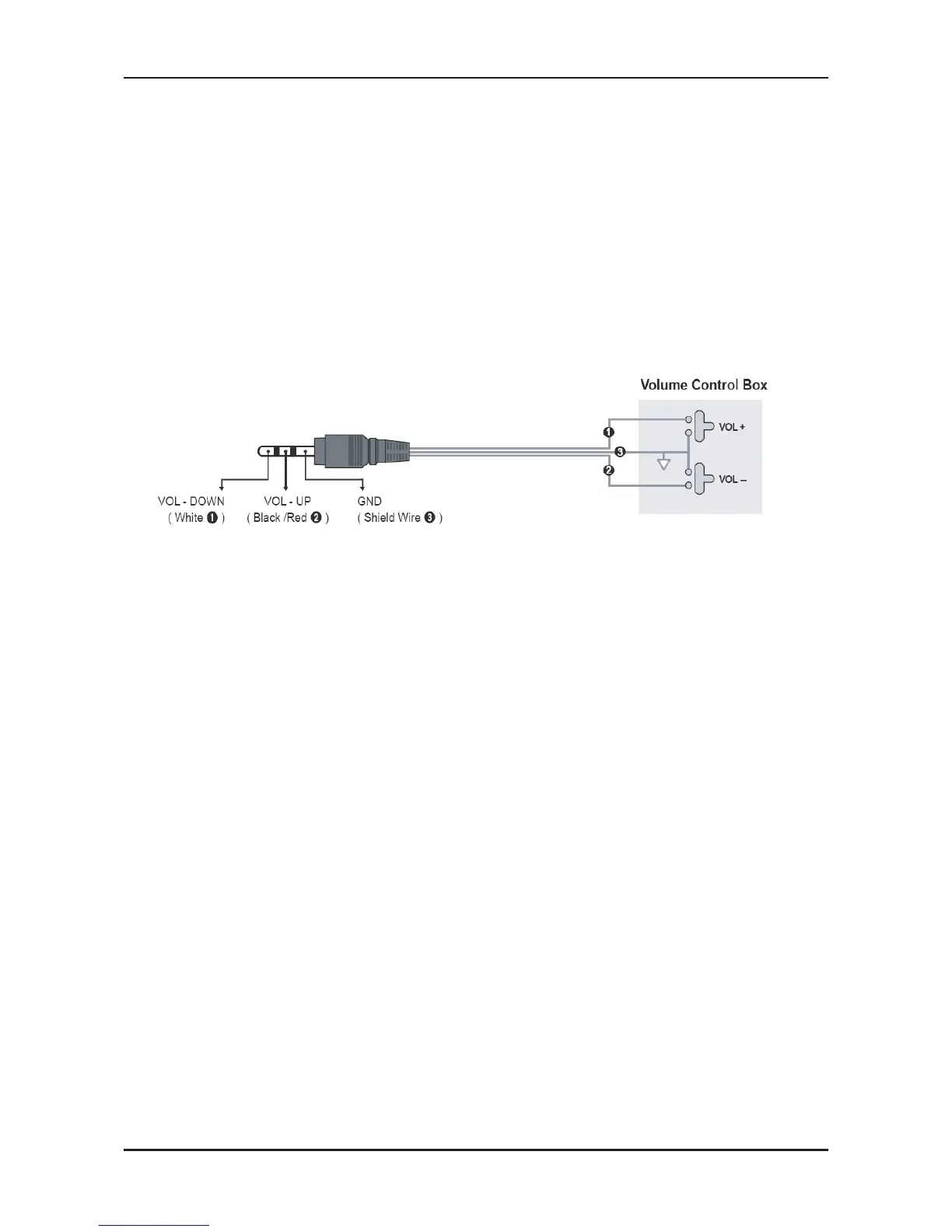
- If you congure the Volume Control Box as shown by the gure, you can control the volume of bathroom speakers.
- The jack that is connected from the Volume Control Box to the TV is a normal Phone jack.
- Volume Control Box switch consists of Tact switch.
- Setting the Sub AMP Mode
- 0: Turns the Sub AMP function off (PWM off).
- 1: Determines the Sub volume according to the main volume control. That is, the sub volume is determined according
to the Power On Volume, the Min Volume, and the Max Volume values of the Hotel Mode.
- 2: Determines the volume according to the bathroom control panel setting.
Variable Output Port Specications
- 8Ω, 2W
- Speaker Wire: Use speaker cable no more than 82 feet (25m) in length.










 To Next Page